
Technology
What Your Customer Map Can Tell You About Growth and Service Areas


Three facts decide where a company grows next, and every one is about location. Customers cluster thickest in some areas, thin to nothing in others, and travel different distances to reach the nearest door. Plot a customer list on a map and those three readings appear together, ready to drive an expansion or a service-area decision.
Each reading changes a different decision, from where to open next to how far a single location’s service area really reaches. Held together on one map, they turn a flat roster of names into a plan for the next move.
The Pattern in a Plotted List
A map starts with addresses. Each one becomes a point, and the points form a pattern the moment there are enough of them. Some zip codes fill with dots. Others stay blank. The filled ones are where marketing, word of mouth, and proximity have already done their work. The blank ones are the question the map exists to raise.
Density and revenue do not always agree. A cluster of small accounts can outweigh a single large one for planning purposes, because the cluster points to a market that responds to the offer. A spreadsheet sorted by deal size would bury that signal under its top rows, and the planner would never know the responsive market was there.
Owned Markets and Open Ground
Penetration is the ratio of actual customers to potential customers in an area. A region where a company holds 30% of likely buyers behaves nothing like one where it holds 3%. The map makes that difference visible by area, shading each zone by how much of its demand the company has captured so far.
Where demand exists and the dots stay sparse, the gap is open ground. That open ground is the white space a growth plan targets first, because the demand has already been proven by the buyers the company has not reached yet. A high-penetration zone, by contrast, has less room left and rewards retention work more than acquisition spend.
Turning Addresses Into a Map
A spreadsheet cannot draw any of this on its own. A customer mapping software platform reads a list of addresses, places each one as a point, and layers demand data on top so the blank areas and the dense ones can be compared at a glance.
The same tool measures distance along real roads. That turns the question of who can actually reach a location into a measured number, where it used to be a guess, which is where the service-area reading begins.
Service Areas and Travel Distance
A service area is the ground a single location can realistically serve, and distance sets its edge. A survey of more than 2,000 shoppers found that 93% travel 20 minutes or less for everyday purchases, and the figure tightens to 15 minutes for trips people make weekly. People shop close to home, and a map can draw the boundary that fact implies.
A travel-time boundary follows the road network, so it captures the real catchment that a plain circle around the location would miss. A river, a highway with few exits, or a stretch of empty land all bend the boundary in ways a radius cannot show.
Overlap Between Locations
When two locations sit close enough that their service areas intersect, the overlap zone is served twice while the rest of the map may go unserved. A map shows the overlap as a shaded intersection that a planner can size before committing to a site. For a retailer it can warn of cannibalization, where a new store pulls revenue from an existing one without adding fresh demand. For a service company the same overlap means two crews covering the same streets and wasting the hours a tighter split would save. Reading the overlap before opening a location prevents a move that looks like growth on a spreadsheet but only shuffles revenue the company already had.
Demand Signals in the Demographics
Points alone show where customers are. Seeing why they are there takes another layer. Median household income marks where spending power concentrates, and age and population profiles mark where the target buyer actually lives.
An area thick with the right demographics but thin on customer dots is a stronger prospect than a dense cluster in a market that has already saturated. The thin-but-promising area still has room to grow, where the saturated cluster returns less on each added quarter of effort than the same work would earn on open ground.
The System Behind the Map
The map is the visible part of a geographic information system, the technology that ties each record to a coordinate and lets separate layers stack on one surface. Sales points, income data, and drive-time boundaries occupy the same grid, which is what makes a real comparison possible.
Without that shared coordinate, the customer file and the demographic file never meet. They remain two tables that describe the same places and never line up. Putting both on a map is what forces them to agree on location and surface the relationship between who lives where and who buys.
Reading the Map for Expansion
Expansion follows the gaps the map exposes. National store openings grew under 1% in 2025 and are projected to pick up in 2026, and the businesses doing it well move toward underserved areas where demand outruns supply, leaving the markets they already hold to retention work.
A service company reads the same map from the other direction. It adds capacity where response times stretch and customers cluster beyond the current reach. Either path starts with a gap a ranked list could not show, because the gap is defined by geography and a list has none. The map turns a hunch about the next market into a boundary a planner can point to.
The Map as a Growth Document
A customer map is a record of where a business has earned its revenue and a forecast of where it can earn more. It states plainly that customers occupy real places, that those places have edges set by travel, and that the empty space between clusters is the part worth planning around.
Read that way, a customer map is a set of coordinates for the next location, drawn from the revenue already on the books. Once every customer sits in the same frame, the gaps that mark the next opportunity are simply there to be read.



The installation of a carpet is an important job. A proper adhesive is used to ensure carpet strength and longevity in any type of structure, including a home, office, hotel, school, or commercial building.
One of the questions many people ask themselves is whether to use spray adhesive or traditional glue for carpets.
Both products will stick carpets to the floor, but in different ways. Both have their pros and cons. If you want a quick, clean, and effective solution, you can consider using spray adhesive for carpet installation for better bonding and easy application. Everything is explained here in the simplest terms so that you can make the right choice of product.
What Is Spray Adhesive?
The glue that is used from an aerosol can is called Spray adhesive.
All you have to do is shake the can and spray the adhesive on the surface.
Once sprayed, the carpet is then placed on the adhesive.
Glue is evenly distributed and forms a strong bond.
Many handymen like the spray adhesive when it comes to carpet installation as it is fast, clean, and easy to use.
What Is Traditional Glue?
Glue is a liquid adhesive.
It typically is used in combination with:
A brush
A roller
A trowel
After spreading the glue, the carpet is placed on top.
Many years have passed since the use of traditional glue, and it’s still seen on some flooring jobs.
Easy to Apply
Use of spray adhesive is very easy.
You only need to:
Shake the can
Spray the surface
Place the carpet
Press it down
No additional tools are required.
Conventional glue requires more time.
Care must be taken to spread it evenly on the floor.
This can take longer, particularly in extensive areas.
Installation Speed
Spray adhesive is time-saving.
Covers large areas rapidly.
There are many installers that can complete jobs quicker.
Traditional glue typically requires longer, as it’s necessary to be spread evenly prior to laying carpet.
Spray adhesive may be preferable for faster installation if you are not interested.
Cleaner Working Area
Spray adhesive produces less mess.
The glue remains in the spray can until it is used.
Less spill and clean up after the work.
Old school glue can drip and spill.
Cleaning equipment also requires additional time.
Spray adhesive has an advantage in terms of clean working conditions.
Strong Bond
If applied properly, both products have the potential to create a strong bond.
Carpets will stick well to many surfaces with good quality spray adhesive.
The traditional glue also forms a strong bond, particularly in the case of heavy-duty flooring.
This will vary according to the carpet type and installation space.
Drying Time
The great benefit of spray adhesive is its quick drying time.
A large number of spray adhesives are ready to use in a brief amount of time.
This enables installers to complete their jobs faster.
Old-fashioned glue may require more time to dry.
Sometimes there has to be a period of hours before people can use the floor.
Easy to Carry
Spray adhesive is packaged in light aerosol cans.
They are lightweight and can easily be transported from job to job.
Glue typically is sold in large buckets.
These buckets have a heft and are more difficult to transport.
Spray adhesive is much more convenient for mobile installers.
Better Coverage
The adhesive is evenly distributed over the surface.
This minimises waste.
In some areas, the traditional glue might get so thick that it becomes difficult to spread.
Even coating leads to good carpet installation.
Good for Small Repairs
Use spray adhesive for maintaining carpet repairs.
It can quickly fix:
Loose carpet corners
Carpet edges
Small carpet sections
Floor mats
With small repair work, traditional glue is less convenient.
Good for Large Projects
The two products can be used for large carpet installations.
A lot of professional installers opt for spray adhesive because it can save time.
In some large commercial projects, where additional bond strength is required, the traditional glue is still used.
Depending on the project needs, the best choice is either one or the other.
Better Working Experience
Spray adhesive is more convenient to use for many workers.
It eliminates hard labour as thick glue is not applied over big floors.
This will ease the installation.
Choose a High-Quality Supplier
No matter which adhesive you choose, quality is very important.
Low-quality products may:
Lose their strength
Dry too slowly
Create weak bonding
Cause carpet lifting
Using an aerosol glue supplier is beneficial to achieving products that are quality and reliable. Professional carpet suppliers also have various kinds of adhesives for various carpet materials and flooring surfaces.
Safety Tips
Always use adhesives correctly.
Here are some simple safety suggestions:
Read the instructions.
Work in a ventilated area.
If necessary, wear gloves.
Keep away from fire.
Keep in a cool location.
Keep away from children.
Safe use of products maximises results.
Which One Costs Less?
Old-fashioned glue typically can be less costly than the newer options.
But spray adhesive can be cost-effective in other ways.
It can reduce:
Installation time
Labor costs
Product waste
Cleaning time
These savings make spray adhesive a good investment for many businesses.
Which One Is Better?
Both products.
This is dependent on your needs.
If you wish to use spray adhesive, select:
Fast installation
Easy application
Less mess
Quick drying
Easy transportation
If you need to use glue, use traditional glue:
Heavy-duty bonding
Some commercial flooring uses
Specific installation methods
Spray adhesive has become a popular choice for many modern flooring professionals for carpet installation as it is easy, quick, and delivers great results for many carpet types.
Final Thoughts
With proper application, either spray adhesive or conventional glue can be used to install carpet. Spray adhesive is more widely used, however, because it is easier to use, dries quickly, produces less mess, and aids in the completion of jobs rapidly. For most carpet projects, spray glues are popular today, while traditional glues may be suitable for heavier-duty work.
By purchasing from a reputable professional aerosol glue supplier you can ensure that you are getting adhesive that is both high in quality and performs well. For a faster, cleaner, and more efficient carpet installation, spray adhesive for carpet is a great option for carpet installation on many carpeting projects, including in homes, offices, hotels, and more.


Finding the perfect gaming laptop in the budget and mid-range category can be overwhelming. Manufacturers now offer powerful hardware at competitive prices, making it harder than ever to choose between similarly equipped models. Among the most popular options are the Lenovo LOQ 15 and the HP Victus 15, two laptops that have earned a reputation for delivering excellent gaming performance without carrying the premium price tag of flagship gaming machines.
While both laptops are aimed at gamers, students, and professionals, they approach the market with different priorities. The Lenovo LOQ 15 focuses on balanced performance, efficient cooling, and a practical design, while the HP Victus 15 combines modern hardware with HP’s clean styling and dependable everyday usability.
If you’re deciding between these two laptops, it’s important to look beyond the specifications. Performance, display quality, cooling efficiency, keyboard comfort, battery life, upgrade options, and overall user experience all play a major role in determining which laptop is the better investment.
This detailed comparison examines every important category to help you decide whether the Lenovo LOQ 15 or the HP Victus 15 is the right choice for your needs.
Design and Build Quality
The first difference between these laptops becomes apparent the moment you see them.
The Lenovo LOQ 15 has a modern and understated appearance. Its minimalist gray finish, clean lines, and subtle branding make it look professional enough for work, school, or business meetings while still appealing to gamers.
The HP Victus 15 follows a similar philosophy. HP avoids the aggressive styling commonly associated with gaming laptops, giving the Victus series a sleek and understated appearance. It feels equally comfortable in an office environment or on a gaming desk.
Both laptops primarily use durable plastic construction, but they feel solid during everyday use. The Lenovo LOQ 15 generally offers slightly better chassis rigidity, while the HP Victus 15 provides a refined finish that reflects HP’s experience in consumer laptops.
Neither laptop feels cheap, and both are designed to withstand daily commuting and regular use.
Display Quality
Display quality is one of the most important considerations for gamers.
The Lenovo LOQ 15 typically features a 15.6-inch Full HD IPS display with a high refresh rate, providing smooth visuals and excellent responsiveness during fast-paced games. Colors appear vibrant, viewing angles remain wide, and motion looks fluid during competitive gaming.
The HP Victus 15 also offers Full HD IPS panels with high refresh rate options depending on the configuration. It performs well for gaming, streaming, office work, and general multimedia use.
When comparing the displays side by side, both provide enjoyable gaming experiences. The Lenovo LOQ 15 often delivers slightly better motion clarity in certain configurations, while the HP Victus 15 offers comparable image quality for everyday tasks.
Neither display is specifically designed for professional-level color grading, but both are more than sufficient for casual content creation and entertainment.
Performance Comparison
Performance is where these laptops compete most directly.
The Lenovo LOQ 15 is available with both Intel Core and AMD Ryzen processors combined with NVIDIA GeForce RTX graphics. These configurations provide enough power for gaming, programming, video editing, 3D rendering, and heavy multitasking.
The HP Victus 15 also comes with modern Intel and AMD processors alongside dedicated NVIDIA graphics, allowing it to handle demanding workloads with confidence.
For everyday productivity, both laptops feel extremely responsive. Boot times are quick, applications launch instantly, and multitasking remains smooth thanks to fast NVMe SSD storage.
When comparing similarly configured models, real-world performance differences are generally very small.
Gaming Performance
Gaming is naturally the biggest reason most buyers consider these laptops.
The Lenovo LOQ 15 delivers excellent frame rates in popular competitive games including Valorant, Counter-Strike 2, Fortnite, Apex Legends, League of Legends, and Rocket League. Its RTX graphics provide smooth gameplay while supporting advanced technologies like NVIDIA DLSS for improved performance.
Modern AAA games such as Cyberpunk 2077, Red Dead Redemption 2, Hogwarts Legacy, Elden Ring, Assassin’s Creed Mirage, and Forza Horizon 5 also run well with optimized graphics settings.
The HP Victus 15 performs similarly when equipped with comparable hardware. It comfortably handles both esports titles and demanding modern games, delivering stable frame rates suitable for most gamers.
For gaming alone, both laptops are excellent choices, with performance depending more on the specific CPU and GPU configuration than the laptop brand itself.
Cooling and Thermal Performance
Cooling plays a critical role in maintaining consistent gaming performance.
The Lenovo LOQ 15 uses a well-designed dual-fan cooling system with large rear exhaust vents that efficiently remove heat during extended gaming sessions.
Even under sustained workloads, temperatures remain well controlled, and thermal throttling is kept to a minimum. This allows the laptop to maintain strong gaming performance for longer periods.
The HP Victus 15 also incorporates an effective cooling solution that handles everyday gaming comfortably. However, during particularly demanding workloads, some configurations may run slightly warmer than the Lenovo LOQ 15.
Fan noise becomes noticeable on both laptops while gaming, but Lenovo generally maintains a better balance between cooling performance and acoustic comfort.
For users who regularly play demanding games for several hours, the Lenovo LOQ 15 has a slight advantage.
Keyboard and Touchpad
Lenovo has earned an excellent reputation for keyboard quality, and the LOQ 15 continues that tradition.
The keyboard features comfortable key travel, responsive feedback, and a spacious layout that works equally well for gaming, programming, writing, and office work.
The HP Victus 15 also offers a pleasant typing experience. The keys are responsive and comfortable for daily use, although many users prefer Lenovo’s slightly deeper key travel during long typing sessions.
Both touchpads are smooth and accurate for everyday navigation, though gamers will naturally benefit from using an external mouse.
Battery Life
Battery performance is often a compromise in gaming laptops.
The Lenovo LOQ 15 provides respectable battery life during web browsing, office work, video streaming, and online classes. As expected, gaming significantly reduces battery runtime and limits system performance when unplugged.
The HP Victus 15 performs similarly during everyday tasks. Depending on the hardware configuration, battery life may be slightly longer in lighter workloads, but differences are generally modest.
Neither laptop is intended for extended gaming away from a charger, and both deliver their best performance when connected to power.
Upgradeability
Both laptops provide useful upgrade options that help extend their lifespan.
The Lenovo LOQ 15 allows users to expand RAM and SSD storage, making it easy to improve multitasking performance and increase available storage space as game libraries grow.
The HP Victus 15 also supports RAM and SSD upgrades in most configurations, allowing users to keep the laptop relevant for many years.
This flexibility makes both laptops attractive long-term investments.
Connectivity
Modern gaming laptops require versatile connectivity, and both competitors perform well.
The Lenovo LOQ 15 offers multiple USB ports, USB-C, HDMI, Ethernet, and a headphone jack. The placement of several ports toward the rear helps reduce cable clutter, creating a cleaner gaming setup.
The HP Victus 15 includes a similarly comprehensive port selection that supports gaming accessories, external displays, wired networking, and additional storage devices.
For most buyers, connectivity will not be a deciding factor since both laptops cover nearly every essential requirement.
Which Laptop Offers Better Value?
Value depends on much more than specifications.
The Lenovo LOQ 15 stands out because it combines strong gaming performance, excellent cooling, upgrade-friendly hardware, and a comfortable keyboard in a balanced package that performs equally well for gaming and productivity.
The HP Victus 15 offers impressive performance as well, often becoming an especially attractive option when available at discounted prices.
When comparing similarly priced configurations, Lenovo generally provides the more refined overall user experience, while HP occasionally offers slightly better pricing depending on ongoing promotions.
Comparing exact specifications before purchasing is always recommended.
Who Should Buy the Lenovo LOQ 15?
The Lenovo LOQ 15 is ideal for users who want a laptop that performs equally well for gaming, studying, programming, and professional work. Its understated design, reliable cooling, comfortable keyboard, and consistent performance make it one of the most versatile gaming laptops in its category.
It is especially suited to students and professionals who prefer a laptop that doesn’t look overly aggressive.
Who Should Buy the HP Victus 15?
The HP Victus 15 is an excellent choice for gamers who appreciate HP’s clean design language and want dependable gaming performance at a competitive price.
It also suits users who prioritize everyday productivity alongside casual gaming and often becomes a great value when discounted.
Final Verdict
The Lenovo LOQ 15 and HP Victus 15 are both excellent gaming laptops that deliver impressive performance without requiring a premium budget. They are capable of handling modern AAA games, competitive esports titles, demanding productivity software, and everyday computing tasks with ease.
However, when comparing the complete ownership experience, the Lenovo LOQ 15 emerges as the stronger overall choice. Its superior thermal management, more comfortable keyboard, balanced design, and consistently reliable gaming performance make it the better laptop for most buyers.
The HP Victus 15 remains a fantastic alternative, particularly when available at an attractive price, and it continues to be one of the best value-oriented gaming laptops on the market.
If you’re looking for the most well-rounded combination of gaming performance, cooling efficiency, productivity, upgrade potential, and long-term value, the Lenovo LOQ 15 is the laptop you should choose. It successfully balances power, comfort, and affordability, making it one of the standout options in the budget gaming laptop segment.

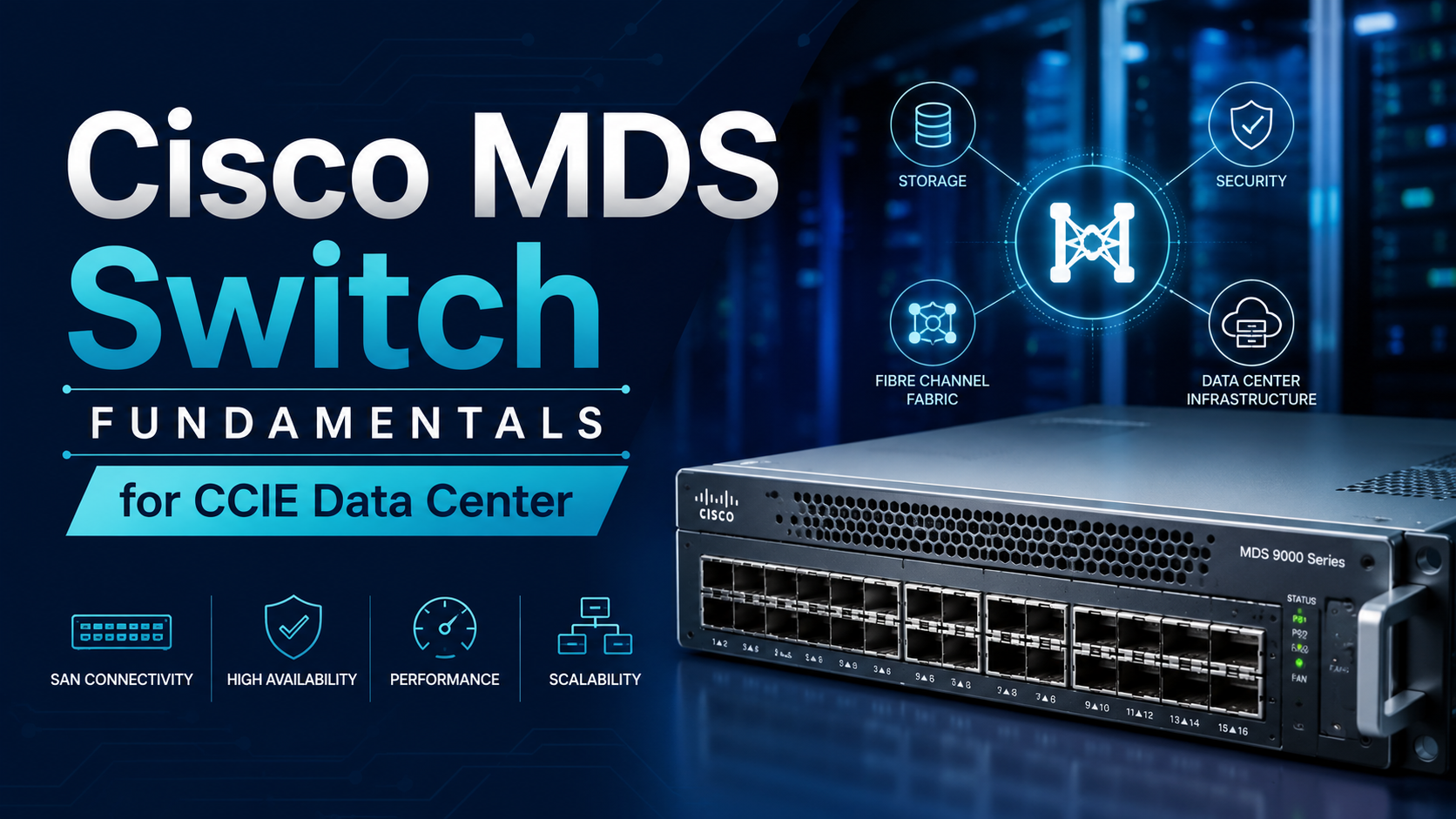
Cisco MDS switch technology is the foundation of modern Storage Area Networks (SANs), delivering high-performance, reliable, and scalable storage connectivity for enterprise data centers. As organizations continue to expand their digital infrastructure, understanding Cisco MDS switches has become an essential skill for network and storage professionals.
For candidates planning to pursue CCIE Data Center training, mastering Cisco MDS fundamentals is a crucial step toward developing the practical knowledge required for the certification lab exam and real-world deployments. From Fibre Channel networking and VSANs to zoning and high availability, Cisco MDS switches provide the core capabilities needed to design, manage, and troubleshoot efficient enterprise storage networks with confidence.
What Is a Cisco MDS Switch?
A Cisco MDS switch is a storage networking switch specifically designed for Fibre Channel SAN environments. Unlike traditional Ethernet switches, Cisco MDS switches optimize communication between servers and storage arrays while maintaining low latency and high availability.
These switches support enterprise-grade features such as:
- High-speed fiber channel connectivity
- Advanced SAN security
- Intelligent traffic management
- Redundant hardware architecture
- Comprehensive monitoring and troubleshooting tools
Because storage traffic requires consistent performance and reliability, Cisco MDS switches are widely deployed in enterprise data centers.
Why Cisco MDS Switches Matter in CCIE Data Center
Cisco includes MDS technologies in the CCIE Data Center blueprint because storage networking remains a critical part of modern infrastructure.
Candidates are expected to understand:
- SAN architecture
- Fibre Channel fundamentals
- VSAN implementation
- Zoning concepts
- Device management
- High availability features
- Troubleshooting storage connectivity
Hands-on practice with these technologies significantly improves both exam readiness and real-world operational skills.
Cisco MDS Switch Architecture
Cisco MDS switches are built specifically for storage area networks.
Their architecture includes:
Control Plane
The control plane manages routing information, switch management, fabric services, and protocol communication.
Data Plane
The data plane is responsible for forwarding Fibre Channel frames with minimal latency between storage devices and hosts.
Management Plane
Administrators use the management plane to configure, monitor, and troubleshoot the SAN through command-line interfaces or graphical management tools.
Understanding how these planes interact helps simplify troubleshooting during enterprise deployments.
Fibre Channel Basics
Fibre Channel is the primary protocol used by Cisco MDS switches.
Some important Fibre Channel concepts include the following:
- Node Port (N_Port)
- Fabric Port (F_Port)
- Expansion Port (E_Port)
- Switch Port (TE_Port)
- Fabric Login (FLOGI)
- Port Login (PLOGI)
These concepts define how storage devices communicate across the SAN.
Understanding VSANs
Virtual Storage Area Networks (VSANs) are one of Cisco MDS’s most powerful features.
A VSAN allows administrators to create multiple isolated SAN fabrics within the same physical switch.
Benefits of VSANs
- Improved security
- Better traffic isolation
- Simplified management
- Reduced operational costs
- Easier scalability
VSANs function similarly to VLANs in Ethernet networking but are specifically designed for Fibre Channel environments.
Understanding Zoning
Zoning controls which devices are permitted to communicate inside a SAN.
Proper zoning improves:
- Security
- Performance
- Fault isolation
- Device management
There are two primary zoning methods:
Port-Based Zoning
Access is controlled based on switch ports.
Advantages include:
- Simple implementation
- Easy administration
- Stable configurations
WWN-Based Zoning
Access is based on the World Wide Name (WWN) of connected devices.
Advantages include:
- Greater flexibility
- Supports device relocation
- Easier long-term management
Most enterprise environments prefer WWN-based zoning because it adapts better to infrastructure changes.
Cisco MDS Features at a Glance
| Feature | Purpose | Benefit |
| VSAN | Logical SAN segmentation | Improved isolation |
| Zoning | Device communication control | Enhanced security |
| NPIV | Multiple virtual identities | Better virtualization support |
| Port Channels | Link aggregation | Higher bandwidth and redundancy |
| FSPF | Fibre Channel routing | Efficient path selection |
| Device Manager | GUI-based administration | Simplified management |
High Availability Features
Enterprise storage cannot tolerate downtime.
Cisco MDS switches provide several high-availability capabilities, including:
Redundant Power Supplies
Power redundancy minimizes service interruptions during hardware failures.
Non-Disruptive Software Upgrades
Administrators can perform software upgrades with minimal impact on storage operations.
Port Channels
Combining multiple Fibre Channel links increases bandwidth while providing redundancy.
Fabric Redundancy
Multiple switches ensure continuous storage access even if one device fails.
Basic Cisco MDS Configuration Steps
Although production deployments vary, the general workflow includes:
- Configure switch hostname.
- Assign management IP address.
- Create VSANs.
- Configure Fibre Channel interfaces.
- Create zoning configuration.
- Activate zonesets.
- Verify connectivity.
- Monitor switch health.
A structured configuration process reduces deployment errors.
Monitoring and Troubleshooting
Effective monitoring is essential for maintaining SAN performance.
Administrators commonly verify:
- Interface status
- VSAN membership
- Zoning configuration
- Device logins
- Fabric status
- Port statistics
- Error counters
Frequent monitoring helps identify issues before they affect production workloads.
Common Cisco MDS Commands
Some frequently used commands include:
- show interface
- show zoneset active
- show flogi database
- show fcns database
- show vsan
- show logging
- show topology
Learning these commands improves troubleshooting speed during both certification labs and real-world operations.
Best Practices for Cisco MDS Administration
Following industry best practices improves SAN reliability.
Some recommendations include:
- Use meaningful naming conventions.
- Document zoning policies.
- Separate workloads using VSANs.
- Enable redundant paths.
- Perform regular configuration backups.
- Monitor switch performance continuously.
- Keep firmware updated.
- Validate changes before production deployment.
These practices reduce operational risks and simplify long-term management.
How Cisco MDS Knowledge Helps Your Career
Storage networking remains a specialized skill that many organizations actively seek.
Professionals who understand Cisco MDS technologies often work as:
- Data Center Engineers
- Storage Engineers
- SAN Administrators
- Infrastructure Engineers
- Cloud Infrastructure Specialists
- Network Architects
Building expertise in Cisco MDS technology also strengthens your preparation for advanced enterprise infrastructure roles.
Conclusion
Cisco MDS switch knowledge is essential for building a strong foundation in enterprise storage networking and understanding how modern Storage Area Networks operate efficiently. As organizations continue to rely on high-performance SAN infrastructures, professionals with expertise in Cisco MDS technologies remain in high demand. For individuals planning to enroll in a CCIE Data Center Course, mastering Fibre Channel, VSANs, zoning, high availability, and troubleshooting are important steps toward certification success and real-world expertise.
These skills enable candidates to confidently design, deploy, manage, and optimize storage networks while preparing for advanced data center roles and developing the practical knowledge needed to excel in enterprise IT environments.

Buggy Ride Dubai: Complete Prices, Types, and Booking Guide

How to Use Nipple Cream for Comfortable Pumping

The Best Moth Treatment Companies in the UK: Our 2026 Picks

Spray Adhesive vs Traditional Glue: Which Is Better for Carpet Installation?

How HDMI RF Modulator Performance Depends on Alumina Density

Apex Answer Bot: Student Guide to Knowing Its Features Before Using It

The 15 Highest-Paid Rugby Players in the World

Christopher Dare: The Untold Story of Engineer and Former Husband of Angela Rippon

How to Ensure Your Home is Valued Correctly for a Quick Sale

Nancy Hallam: The Inspiring Life, Career, and Success Story Behind Ian Wright’s Wife

Who Is Maisie Mae Roffey? The Private Life, Family Story, and Quiet Success of Julie Walters’ Daughter

Simon Dixon Biography: Lifestyle, Net Worth, Family, Career and Success Story
The 15 Highest-Paid Rugby Players in the World
Christopher Dare: The Untold Story of Engineer and Former Husband of Angela Rippon
How to Ensure Your Home is Valued Correctly for a Quick Sale
Nancy Hallam: The Inspiring Life, Career, and Success Story Behind Ian Wright’s Wife
Who Is Maisie Mae Roffey? The Private Life, Family Story, and Quiet Success of Julie Walters’ Daughter
Simon Dixon Biography: Lifestyle, Net Worth, Family, Career and Success Story
-
 Sports2 months ago
The 15 Highest-Paid Rugby Players in the World
-
Celebrity8 months ago
Christopher Dare: The Untold Story of Engineer and Former Husband of Angela Rippon
-
 Real Estate6 months ago
How to Ensure Your Home is Valued Correctly for a Quick Sale
-
Celebrity9 months ago
Nancy Hallam: The Inspiring Life, Career, and Success Story Behind Ian Wright’s Wife
-
Celebrity8 months ago
Who Is Maisie Mae Roffey? The Private Life, Family Story, and Quiet Success of Julie Walters’ Daughter
-
Business8 months ago
Simon Dixon Biography: Lifestyle, Net Worth, Family, Career and Success Story
-
 Celebrity9 months ago
Johnny Carell: Inside the Life, Family, and Rising Success of Steve Carell’s Son
-
 Celebrity7 months ago
Draven Duncan: Tim Duncan’s Rising Star Son and His Inspiring Basketball Journey