
Tech
Why AI Consulting Is the Foundation of Scalable AI Software Development


Businesses are pouring billions into artificial intelligence, and most of it is going nowhere.95% of enterprise AI pilots fail to progress to scaled, production-ready systems. That is not a technology problem. It is a strategy problem caused by unclear objectives, poor data readiness, weak governance, and the absence of a structured roadmap for implementation and scale.
Regardless of whether your firm operates in manufacturing, finance, healthcare, or retail, moving beyond the thrilling proof-of-concept stage to implement a successful AI solution requires more than simply hiring the right development team. The best firms have clear architecture in place, domain expertise, and start their process with AI consulting. By using structured AI consulting services before the development phase, companies often achieve success more easily and cost-effectively.
The Real Cost of Skipping AI Consulting
These figures are concrete. According to S&P Global’s 2025 Enterprise Survey, 42% of firms have discontinued most of their AI endeavors, compared to only 17% in the previous year. Organizations, on average,, discontinued 46% of their proofs of concept before taking them into production. RAND Corporation’s analysis showed that AI projects fail twice as often as other similar IT projects and that the reason for this failure rarely lies in the model itself.
When organizations skip the consulting layer, they typically fall into one of three traps:
- The Strategy-Implementation Gap: Business objectives are defined at the executive level but never translated into a viable technical architecture.
- Data Infrastructure Unreadiness: Gartner projects that 60% of AI projects unsupported by AI-ready data pipelines will be abandoned through 2026. Most teams discover this after deployment, not before.
- Change Management Failure: Research consistently shows that 70% of project failures stem from cultural and organizational barriers rather than algorithmic ones.
This is the failure rate of 70-90% that business leaders have to contend with, and that’s why AI consulting has become an essential base on which any proper enterprise AI initiative will be built.
What AI Consulting Services Actually Cover
Misunderstandings abound in AI consulting. The fact is, it involves many more practical tasks. Custom-designed AI consulting solutions usually encompass four interrelated streams of activities:
1. AI Readiness Assessment and Roadmapping
Before choosing a model or a tech stack, our seasoned experts conduct an audit of your data ecosystem, infrastructure readiness, and business goals. During this stage, we address the fundamental issue of whether your organization is truly prepared to implement AI. With our comprehensive readiness assessment at CMARIX, we consider data quality, data integration challenges, and organizational capabilities before offering a realistic 90- to 180-day plan.
2. Architecture Design for Scalable AI Solutions
Scalability is not something you build on once the product has been released; rather, it is an architectural choice that you make right from the start. This includes the choice of models (whether to use open source or proprietary language models), the approach to vector databases in creating a generative AI solution, API Gateway architecture, and MLOps pipelines.
3. AI Integration Services and System Interoperability
Enterprise value is not created by an isolated function of AI, but rather by AI integration services that link machine learning to ERP, CRM, customer-oriented software, and even internal processes. Consultants who are experts in specific fields know both how to integrate and what will move the company’s numbers.
4. Generative AI Development Strategy
Now that large language models have been integrated into all the main cloud providers, the issue is not whether you should implement generative AI development best practices, but rather how you can implement it responsibly on a large scale. There are many considerations when implementing generative AI, such as the risk of hallucinations, data privacy issues, cost per inference, and latency optimization.
Industry Verticals Where AI Consulting Makes the Decisive Difference
AI implementation projects come with varying levels of risk. In certain verticals, where issues such as data sensitivity, compliance, or criticality of operations exist, the stakes are far greater when things go wrong.
Healthcare and Life Sciences
Healthcare AI deployment is one of the most technically and ethically complex environments in the industry. CMARIX’s work in this vertical has involved building HIPAA-compliant data pipelines, integrating AI-powered diagnostic support into existing EMR systems, and designing explainability layers that clinicians can actually interpret and trust. The consulting layer is not a formality here, it is a regulatory necessity.
Financial Services and Fintech
Fraud detection models that drift, credit scoring algorithms that introduce bias, and trading systems that amplify volatility are all documented consequences of inadequate consulting during the design phase. Finance and banking currently hold a 22.3% share of the AI consulting services market, a figure that reflects how seriously this sector takes architecture-level governance before deployment.
Retail, E-Commerce, and Supply Chain
Demand forecasting, dynamic pricing, and personalization engines are powerful when designed correctly and catastrophic when they are not. CMARIX has built recommendation and inventory optimization systems for retail clients, where the consulting phase specifically identified that the client’s ERP data was too fragmented for a standard ML approach, leading to a custom feature-engineering strategy that reduced forecast error by over 30%.
Why Companies Choose CMARIX for Enterprise AI Development
CMARIX is not an all-around software development company that has just decided to include AI in its offerings. We are focused on developing our own AI solutions within our established expertise of building products for eight verticals, leveraging a consulting approach that puts results over technology.
What consistently distinguishes our engagements:
- Consulting-Led Delivery: Every project kicks off with a carefully designed discovery process in which the scope of AI is mapped to measurable KPIs. There is no confusion about the desired outcomes before starting development.
- Full-Cycle Capability: From initial strategy through to MLOps, model monitoring, and continuous improvement, our teams own the complete AI software development lifecycle.
- Vertical Depth, Not Breadth: Healthcare, fintech, logistics, and SaaS are not afterthoughts. CMARIX has domain-trained practitioners in each vertical who understand the regulatory, data, and integration constraints specific to that environment.
- Transparent Roadmaps: Customers will get an architecture document, a clearly defined implementation plan, and well-defined go/no-go criteria with milestones to avoid the dreaded pilot purgatory that kills 70% of enterprise-level AI initiatives.
Whether you are evaluating AI for the first time or recovering from a failed implementation, our team can provide the strategic clarity you need. Connect with a dedicated AI expert at CMARIX to begin with a no-obligation architecture review.
The AI Consulting Market in 2026: Why the Window Is Narrowing
The urgency behind investing in AI consulting services is not manufactured. The global AI consulting market was valued at approximately USD 14 billion in 2026 and is projected to reach USD 116 billion by 2035 at a CAGR exceeding 26%. Early movers who build production-grade AI infrastructure now will have a compounding advantage that late adopters will struggle to overcome.
Key to the successful implementation of AI that makes P&L impact – which, according to MIT’s research, is achieved by only 5%, is that these companies first developed consultation and architecture before building infrastructure. They were very clear about their problem statement, checked their data preparation, and built for scalability right from the beginning.
While the time frame for differentiation with the help of artificial intelligence is indeed limited, there is no doubt about its importance, as 72% of global businesses already use AI in at least one part of their operations.
The Bottom Line
Statistics of AI failures for enterprises are quite disappointing, but it’s not always unavoidable. It all comes down to a certain way of doing things. Companies that consistently implement successful AI solutions are the same because they recognize the importance of consulting from the very beginning.
Developing scalable solutions that hold up during implementation requires architectural vision, domain knowledge, and strategic understanding, which can be achieved through consulting work. The technology is already available. But are you?
CMARIX works with product teams, CTOs, and enterprise technology leaders to design and deliver AI systems that cross the finish line. If you are ready to move past pilots and into production, speak with our AI consulting team today.



An AI PDF summarizer with flashcards and practice tests still has upload limits, so check them first. Adobe Acrobat’s flashcard maker accepts files up to 100MB and 600 pages, builds flashcards from key terms, definitions, and formulas, and links to quizzes, with no sign-up or credit card required to start.
Students who need to summarize long readings and turn them into study aids often hit a limit before they hit a result. Some limits count pages, some count megabytes, and some count words or sources. Knowing which one applies saves a failed upload and a lost evening. The sections below compare what several tools publish, using each tool’s own pages where possible, and explain how to plan around them. Limits change, so confirm them before you rely on one. Prices and caps change often, so check the tool’s own page.
File Upload Size Limit for a PDF: What Do Tools Allow?
It varies, and the unit differs. Adobe Acrobat’s flashcard maker accepts files that are 100MB or smaller and 600 pages or fewer, tells users to upload a smaller PDF when a file is too large, and limits prompts to 1,000 characters. Its page also lists errors for empty files and unsupported formats, so check that the file opens normally first. Its Student Spaces page also includes an AI Assistant for chatting through course material. Gemini Notebook, formerly NotebookLM, allows each source up to 500,000 words or 200MB for uploaded files, with up to 50 sources on the free plan, and Google’s help page says it offers two modes for summarizing sources. Quizlet says you can paste up to 100,000 characters in one session. The table compares the published limits. Split a very long PDF by chapter before uploading, and keep a copy of the original. If you only need a short section, copy the key pages into a new file so the AI has less to read and you stay far below any cap.
| Tool | Published limit | Count | Outputs |
| Adobe Acrobat flashcard maker | 100MB and 600 pages per file; prompts up to 1,000 characters | Per file | Flashcards; links to quizzes, study guides, mind maps, AI Assistant |
| Gemini Notebook | 500,000 words or 200MB per source; 50 sources on the free plan | Per source | Summaries, flashcards, quizzes, study guides |
| Quizlet | 100,000 characters of pasted text per session | Per session | Study guides, flashcards, quizzes |
Source Limit: How Do 200 MB and 500,000 Words Work Together?
Gemini Notebook’s help page lists both numbers for each source: up to 500,000 words or up to 200MB for uploaded files, so whichever you reach first is the real limit. A scanned PDF full of images tends to reach the megabyte cap first, while a text-heavy file reaches the word cap first. Free users can include up to 50 sources, and inactive sources still count toward the limit, so remove ones you no longer need. The help page also says PDFs added through URLs are treated as PDF sources. For planning, assume a page holds about 500 words, which makes 500,000 words roughly a thousand pages, an estimate that varies with formatting. Check the word count in a document editor if you are unsure. Most course readings fit easily, but a full textbook with figures may not. Ask for a summary of one section first, then check how well it matches before you commit a whole book.
Frequently Asked Questions
How should I summarize a very long PDF?
Work in stages. Summarize one chapter at a time, check each summary against the page it came from, and then combine the chapter summaries into a study guide or flashcard set. Tools that offer more than one summary mode, such as Gemini Notebook, let you pick a shorter or longer version. Keep your own notes for anything the summary misses. Save each chapter summary in one document so you can review them in order. Rewrite any sentence you do not understand.
Can I make flashcards and practice tests from the same PDF?
Often. Adobe Acrobat’s page links to quizzes, study guides, and mind maps built from your materials, Gemini Notebook generates flashcards and quizzes from uploaded sources, and Quizlet says one upload can produce a study guide, flashcards, and quizzes. Use the flashcards to learn terms and the practice tests after a gap to check recall. Keep one set per chapter so tests stay focused. Mix question types if the tool offers them. Retry missed items on a later day.
What if my PDF is over the limit?
Reduce it. Split the file by chapter, remove blank pages and long reference lists, and upload the sections you need. If a file is large because of images, export a text-focused version when your course allows it. Adobe Acrobat’s page suggests uploading a smaller PDF, and Google’s limits count both words and megabytes. Tell the tool which pages matter so it does not spend effort on appendices. Check the result against the page before you study from it.

A customer opens chat at 8:40 on a Tuesday. Her new espresso machine arrived with a cracked water tank. For twelve minutes she works through it with your AI agent: three photos, order number, delivery date, a crushed box. The AI checks the carrier record, confirms eligibility, and offers a replacement or a refund. She picks the replacement, but the item is backordered, so the AI escalates.
A human agent joins, and the first message the customer sees is: “Hi, thanks for reaching out! How can I help you today?”
She types the whole story again. Meanwhile, the AI’s refund offer is still pending somewhere, and by evening she has been issued both a refund and a replacement order. Two weeks later, the AI makes the same backordered-item mistake on a similar case, because nobody told it how the first one ended.
If you run AI agents in front of human teams, some version of this story is probably in your QA queue right now. It is not a model quality problem. It is a state ownership problem, and it is fixed with engineering discipline rather than better prompts.
Why handoffs lose context
Most handoffs connect two separate systems at a single point. The AI runs in its own runtime with its own conversation memory. The human works in a helpdesk with its own ticket record. The handoff is a call that creates a ticket, usually with a summary field. That design fails in predictable ways.
The summary is the only thing that crosses the boundary. What the customer said, what the AI checked, and what it offered all get compressed into a paragraph that drops the details that matter most: the exact offer, the exact promise made.
Nobody owns the case. After escalation, the AI’s session is often still alive, with a pending action or a refund call in flight. The human acts too. Two actors with write access to the same outcome and no lock between them is how you get double refunds.
The outcome never flows back. The human resolves the case in the helpdesk, and the AI’s evaluation data and policy logic never see the result.
Sessions outlive processes. Real cases span days and channels: chat, then email, then a callback. If conversation state lives in process memory or a short-lived cache, a deploy or crash wipes it out, and the customer starts over on Thursday.
Why common workarounds fall short
Better summaries. A more thorough handoff note helps a little, but it is still lossy, written after the fact, and cannot tell the human that a refund call is in progress.
Dumping the full transcript into the ticket. Now the human has everything and reads none of it. Worse, a transcript records what was said, not what was done. “I’ve started your refund” does not tell you whether the refund API succeeded.
Shared database flags. Someone adds an escalated boolean that the AI checks before acting. This works until two actions race or a retry fires after the flag flips. It is a lock without a lock’s guarantees.
Helpdesk webhooks for outcomes. Without a durable session waiting to receive them, resolution events land in a log nothing reads.
None of these answers the real question: what is the single, durable record of this case, and who may change it right now?
The general approach: the case is a durable workflow
The fix is to treat each support case as one long-lived, durable session that owns its state. Several principles follow.
1. One case, one workflow instance. Start a workflow keyed by case ID at first contact. It lives until the case closes, across chat, email, and voice. Channels are inputs, not owners of state.
2. Every AI step is a recorded activity. Lookups, eligibility checks, and offers run as discrete steps whose inputs and outputs are persisted. The case record becomes a structured log of what actually happened, including whether each action succeeded.
3. Handoff is an explicit step, not a side effect. Escalation is a named transition that packages the recorded context into a structured payload. The human sees “Replacement accepted, blocked: backordered, no refund issued” at the top, with the full trail one click away.
4. Explicit ownership. Exactly one actor owns the case at a time, and ownership is part of the workflow state. Pending AI actions are completed or cancelled, and the AI’s ability to act is revoked, before the human is assigned.
5. Human actions are external events. When the agent issues a refund or closes the case in the helpdesk, that action is sent back into the same workflow as an event, recorded alongside the AI’s steps.
6. Timers for SLAs and follow-ups. Durable timers handle “page the lead if nobody picks this up in 15 minutes” and “check in after 3 days.” They survive restarts and cancel cleanly when the case moves on.
7. Outcomes close the loop. The final state (what was offered, what the human did, and why) is emitted as a structured record that feeds evaluation sets and policy rules.
The session, not the model or the helpdesk, becomes the system of record.
How to implement it
Any durable workflow engine can do this. One open-source option is Dapr Workflow, part of the CNCF-graduated Dapr project. It keeps an event-sourced history in a state store, replays it after a crash, and does not re-execute completed activities. If the process dies right after a refund activity succeeds, recovery does not issue a second refund.
It also supports retry policies, durable timers, and external events for human input. The escalation step can wait for a human action or an SLA deadline, whichever comes first:
evt = ctx.wait_for_external_event(“approval”)
timer = ctx.create_timer(timedelta(hours=48))
winner = yield wf.when_any([evt, timer]) # if winner == timer: …
If the timer wins, the workflow escalates further. If the human’s event wins, it records the decision and moves on. Orchestrator code must stay deterministic, so every call to an order, carrier, or payment system goes in an activity.
For ownership, Dapr offers actors with turn-based concurrency and a distributed lock building block. A per-case actor or lock keeps the AI and a human from acting on the same case at once. ETags give optimistic concurrency for case data outside the workflow history.
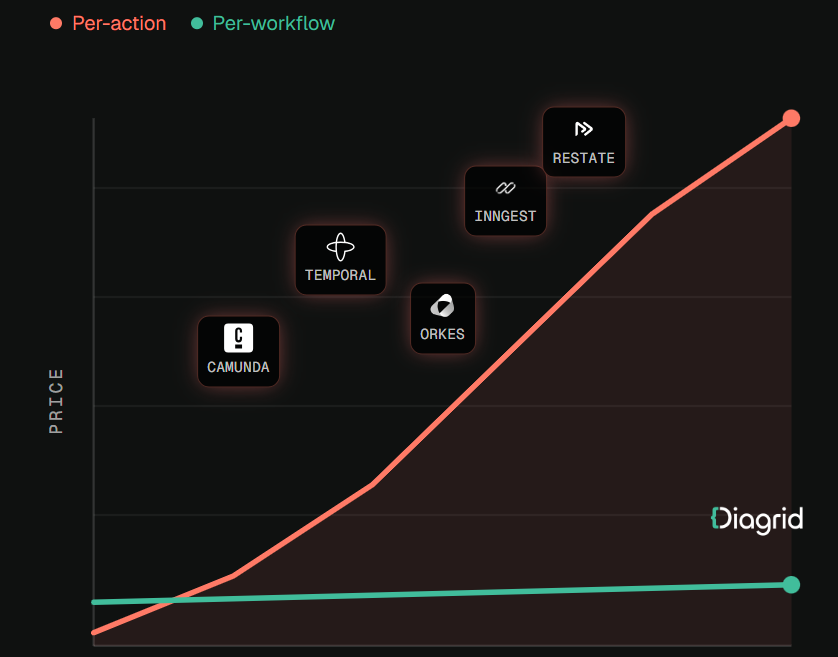
If your agent already runs on the OpenAI Agents SDK, LangGraph, or the Claude Agent SDK, you need not rewrite it. Some platforms wrap existing agents so each LLM call and tool call becomes a durable activity. Diagrid is one example: its Catalyst platform provides durable execution for agents built on those frameworks and lists first-class session lifecycle management and human-in-the-loop escalations among its features. As with any vendor, test those claims against your own escalation flows before committing.
Whatever you choose, look for three properties: sessions survive crashes and deploys, completed steps are not re-run, and human events land in the same record as AI actions. Teams evaluating a durable workflow platform for AI agents should ask specifically how it handles a case that pauses for days waiting on a human.
A practical rollout checklist
- ☐ Start with one high-cost escalation type, such as damaged deliveries.
- ☐ Define case state explicitly: facts, checks, offers, current owner, pending actions.
- ☐ Move every AI tool call for that case type into recorded activities.
- ☐ Make the handoff payload a structured schema shown at the top of the ticket.
- ☐ Enforce ownership: no AI customer-affecting actions once a human owns the case.
- ☐ Route human actions back into the workflow as external events.
- ☐ Add durable timers for pickup SLA, customer follow-up, and auto-close.
- ☐ Kill the process mid-case in testing and confirm no duplicated actions.
- ☐ Feed structured resolution records into AI evaluation.
- ☐ Track “customer repeated themselves” and “duplicate compensation” as quality metrics.
Conclusion
The customer with the cracked espresso machine did not care which system held her case. She cared that the person who picked it up knew her story, and that she got one fix rather than two. Getting there is less about smarter models than about making each case a durable, owned session with a single history. Then handoffs carry full context, one actor acts at a time, and every resolution becomes something your AI can learn from.


Open-office calls can sound calm through your headphones while coworkers hear every keyboard tap, HVAC hum, and nearby conversation. The mismatch can interrupt meetings, force repeated explanations, and make a reliable headset seem faulty even when the problem comes from a different part of the audio path.
Office headphones pick up background noise because active noise cancellation and outgoing microphone processing handle different audio paths. Understanding that distinction helps you identify where unwanted sound enters a call and choose the right fix for your workspace.
Filename: soundcore-space-2-pro-office-call.png
Alt: Man wearing soundcore Space 2 Pro headphones on a call in an open office
ANC Is Not Microphone Noise Reduction
Active noise cancellation and microphone noise reduction do different jobs. ANC reduces some of the environmental sound you hear, but it does not automatically remove that noise from the microphone signal other people hear.
Outgoing call quality depends on the headset microphones, voice-processing system, and any noise suppression applied by your meeting app. If coworkers can hear your keyboard or nearby conversations even though the room sounds quiet to you, check the microphone path rather than ANC.
Keep this distinction in mind when comparing noise cancelling headphones with microphone: listening comfort and outgoing voice clarity are related, but they are not the same capability.
Where the Noise Enters the Call
Background noise enters a call when the active microphone picks up room sound along with your voice. How difficult that noise is to reduce depends on its type, distance, direction, and the acoustics of the room.
Steady sounds such as air conditioning and computer fans are different from brief noises like keyboard taps or closing drawers. Nearby conversations can be especially difficult to suppress because they contain speech that may compete with your own voice.
Distance and room acoustics matter too. Moving farther from a noise source can reduce how much sound reaches the microphone, while hard surfaces may reflect more sound around the room. Identifying whether the main problem is mechanical noise, desk noise, or nearby speech makes troubleshooting much easier.
A Quick Troubleshooting Checklist
The fastest way to isolate background noise is to test one part of the input path at a time. Use a short recording or test call in the place where you normally work, and speak at your usual meeting volume.
- Confirm the selected input. Open the audio settings in both the operating system and the meeting app. Select the headset microphone by name. If the laptop microphone remains active, it will sit close to the keyboard and capture more of the room.
- Check the headset position. Wear the earcups in the intended orientation and make sure the fit is stable. If the headset has an adjustable boom, place it near the corner of the mouth rather than directly in front of it.
- Test meeting-app suppression. Record the same sentence with the available suppression settings and compare the results. Microsoft explains the current controls and use cases for Teams noise suppression. Other platforms may label or manage similar settings differently.
- Run an open-mic and mute test. Speak, type briefly, then mute the microphone. If all room sound stops when muted, the unwanted audio is entering through the selected input rather than shared computer audio. Check screen-sharing sound settings separately if audio continues.
- Change one environmental factor. Move the keyboard farther away, turn from the nearest conversation, or step away from direct airflow. Repeat the same recording. A noticeable change shows that placement or room noise is contributing to the problem.
- Update and reconnect. Install current headphone firmware and meeting-app updates. Update Bluetooth or audio drivers when applicable, then reconnect the headset if the wrong microphone remains selected or playback quality does not recover after you close apps using call audio.
When a Boom Mic or Certified Headset Makes More Sense
A boom microphone or certified communications headset makes more sense when the microphone must stay close to the mouth, the workspace is consistently loud, or an organization requires specific call controls and device management.
Placing a microphone near the mouth can improve the voice-to-room-noise relationship before software processing begins. That can be useful for contact centers, support desks, or employees who spend most of the day speaking from one workstation. A certified model may also support controls or deployment requirements tied to a particular communications platform.
General office headphones fit a different workflow. They may be better suited to people who alternate between meetings, focused listening, music, and mobile calls. Bluetooth compatibility alone does not confirm platform certification, so buyers with a formal workplace requirement should verify the exact model with their employer or platform provider.
How Space 2 Pro Helps Keep Office Calls Clear
Built for open offices, shared homes, and hybrid work, Anker soundcore Space 2 Pro pairs the ANKER Thus™ AI Chip with a six-microphone array for real-time voice separation to help keep your voice clear amid keyboard taps, nearby conversations, and everyday office noise. Adaptive ANC 3.0 uses an eight-sensor system to adjust to the mixed sounds of your workspace, helping you settle back into focused work between meetings.
Multipoint keeps your laptop and phone connected at the same time, making it easier to move from an online meeting to a mobile call without repeatedly pairing your headphones. With up to 30 hours of audio playback with ANC on or 60 hours with ANC off, Space 2 Pro also covers listening between meetings and music on the commute home. When you need a quick top-up, a 5-minute charge provides approximately 8 hours of playback.

Conclusion
When coworkers hear the whole office, start with he outgoing audio path rather than the ANC setting. Confirm the selected microphone, make a controlled recording, test software suppression, and reduce the nearest noise source. If those checks reveal a limitation in your current headset, compare microphone performance and ANC as separate features. soundcore Space 2 Pro combines strong call-focused processing with ANC in a design suited to office and hybrid work.
FAQs
Why can people hear my office on calls even when I have ANC turned on?
ANC mainly reduces the environmental sound reaching your ears. Other participants hear the signal captured by the selected microphone and processed by the headset and meeting app. Those functions operate on different parts of the call.
Does ANC remove background noise from my microphone?
Not automatically. Check the headset’s outgoing call-processing features and the meeting app’s noise-suppression setting separately. Test them with the same voice sample in your normal workspace.
How can I stop keyboard noise from reaching a video call?
Confirm that the app is using the headset microphone instead of the laptop microphone. Then compare keyboard distance, microphone position, and the app’s suppression settings. A quieter keyboard may help, but input selection should be checked first.
Do headphones with more microphones always sound clearer on calls?
No. Microphone count matters only as part of a complete system that includes placement, signal processing, fit, software, connection quality, and room acoustics.
Is soundcore Space 2 Pro a reasonable option for open-office calls?
Yes. Space 2 Pro is designed for clear calls and focus in work environments. Its ANKER Thus™ AI Chip and six-microphone array for real-time voice separation handle outgoing call audio, while an eight-sensor Adaptive ANC 3.0 system helps reduce mixed office noise for the wearer. Performance still varies by environment and setup.

Shortfills and Nicotine Shots Explained: A Simple UK Guide

What Makes the SP5DER OG Web Hoodie So Iconic

Modern Adult Orthodontics: Accelerated Teeth Alignment and Oral Tissue Recovery Protocols

Modern Consumer Snack Trends: Sugar-Free Wholesale Shifts and Emerging Dietary Demands

Property Staging Tips: How to Sell Your House Faster and for More

Planning a Website Redesign? 8 Things to Get Right Before You Start

How to Ensure Your Home is Valued Correctly for a Quick Sale

Christopher Dare: The Untold Story of Engineer and Former Husband of Angela Rippon

The 15 Highest-Paid Rugby Players in the World

What Is Fanquer? The Digital Creator Platform Transforming Direct-to-Fan Engagement

Dr Jared Ross: Missouri Appeals Court Upholds Protection Order Over Graphic Torture and Murder Threats

Nancy Hallam: The Inspiring Life, Career, and Success Story Behind Ian Wright’s Wife
How to Ensure Your Home is Valued Correctly for a Quick Sale
Christopher Dare: The Untold Story of Engineer and Former Husband of Angela Rippon
The 15 Highest-Paid Rugby Players in the World
What Is Fanquer? The Digital Creator Platform Transforming Direct-to-Fan Engagement
Dr Jared Ross: Missouri Appeals Court Upholds Protection Order Over Graphic Torture and Murder Threats
Nancy Hallam: The Inspiring Life, Career, and Success Story Behind Ian Wright’s Wife
-
 Real Estate9 months ago
How to Ensure Your Home is Valued Correctly for a Quick Sale
-
Celebrity11 months ago
Christopher Dare: The Untold Story of Engineer and Former Husband of Angela Rippon
-
 Sports6 months ago
The 15 Highest-Paid Rugby Players in the World
-
 Technology5 months ago
What Is Fanquer? The Digital Creator Platform Transforming Direct-to-Fan Engagement
-
 Celebrity5 months ago
Dr Jared Ross: Missouri Appeals Court Upholds Protection Order Over Graphic Torture and Murder Threats
-
Celebrity12 months ago
Nancy Hallam: The Inspiring Life, Career, and Success Story Behind Ian Wright’s Wife
-

 Celebrity8 months ago
Who Is Azriel Crews? Inside the Life and Career of Terry Crews’ Daughter
-
 Celebrity12 months ago
Who Is Maisie Mae Roffey? The Private Life, Family Story, and Quiet Success of Julie Walters’ Daughter