
Blog
What Is WAV File Format? Everything You Need to Know

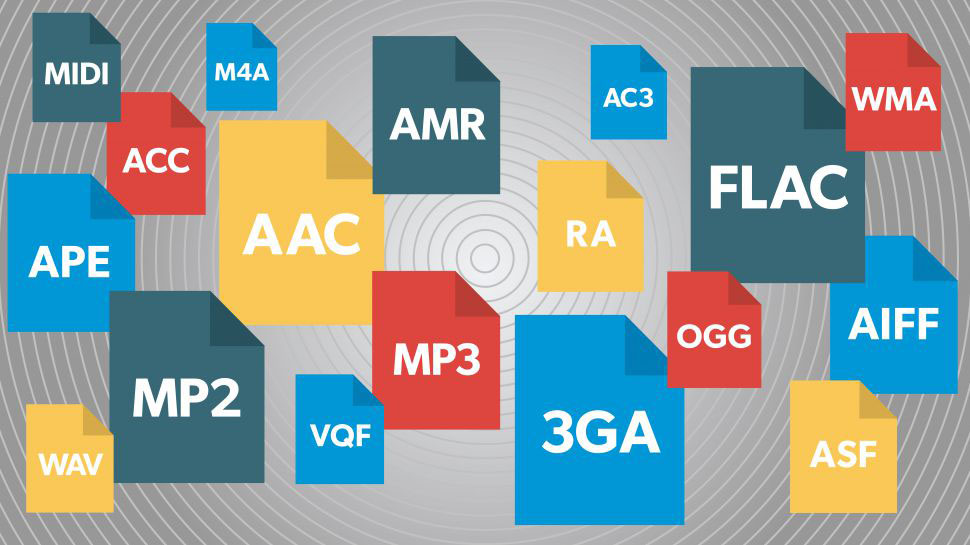
In today’s digital era, audio formats play a significant role in the lives of many. From listening to music to editing podcasts, recording voiceovers, or creating professional soundtracks, audio files play a crucial role in ensuring precise and efficient sound transmission. The WAV format is one of the well-known and popular audio formats these days and is the most widely used format around the world.
WAV is an acronym for Waveform Audio File Format. Microsoft and IBM have created it to be a standard way of storing high quality audio on a computer. WAV Converter program enables users to convert audio fast while retaining good sound quality.
WAV files typically contain uncompressed audio information, whereas compressed formats like MP3 contain compressed information. Professionals in music production, broadcasting, film editing and even studio recording are still using WAV files today because of this ability to maintain a very high-quality sound.
One advantage of WAV is that it ensures high quality, high detail, audio sound. Compare it to the difference between the original painting or a compressed digital photo. The compressed files size up will have some loss of data, but a WAV will preserve the audio closer to the original recording. This translates to richer sound, cleaner vocals and more accurate sound reproduction.
Various websites, such as Ahaconvert, offer easy online audio conversion tools that enable users to operate with a variety of audio formats.
Brief Primer on the WAV File Format
The WAV file format is a standard format that primarily stores high-quality and raw audio data. It was very popular because it provides detailed sound while being very little compressing the original recording.
The characteristics of WAV files are as follows:
- Usually uncompressed audio
- High sound quality
- Large file sizes
- Easy to work with in editing software.
- Commonly used in both studio recording applications.
As opposed to compressed music files, WAV file formats focus on quality of music and not storage efficiency. It can prove to be very useful for sound engineers, music producers and video editors.
WAV Audio Files History
In the early 1990s as a part of a set of formats called Resource Interchange File Format. The technology of computer audio was developing at a rapid pace at the time and there was a need for a standard that could be used to manipulate digital sound.
It was found that WAV was able to effectively store detailed audio data and it soon became the standard for Windows-based systems. Recording studios, radio stations and multimedia companies over time chose to use WAV due to its consistent and reliable sound quality.
In today’s world of compressed formats and streaming platforms, the WAV format still holds significance, especially in professional settings where maintaining the integrity of the original sound is crucial.
How WAV Files Work
Audio Storage Method
WAV files contain audio data in the form of a wave. With this, the sound is recorded digitally in a manner comparable to the original recording.
WAV does not alter any data to save space as do other formats. As a result, WAV files result in more authentic and better sounding audio playback.
Uncompressed Audio Explained
Compression does so by eliminating some of the sounds from the file that are not as important. WAV is normally not subjected to this process which is what makes the files larger than MP3 or AAC files.
WAV files are typically uncompressed and offer extremely high audio quality, which can make them large files. MP3 files are compressed to provide moderate to high quality audio at a small file size, which is great for streaming and portable devices. AAC files provide high-quality audio with medium-sized files, and are widely adopted by many streaming platforms and devices today. The drawback is that OGG files are also smaller than WAVs, and are perfect for streaming audio over the Internet and gaming applications.
Main Features of WAV Files
There are a number of important features of WAV files:
- Excellent audio clarity
- Minimal sound loss
- Support for higher sample rates.
- Easy editing with a variety of tools.
It is noteworthy that they provide reliable playback in professional systems.
Advantages of WAV Format
The good points of the WAV Format are:The pros of WAV Format are:
High Audio Quality
WAV files are known for their high quality of sound. The format is normally used with uncompressed audio and therefore it maintains recordings’ depth and detail exceptionally well.
This is particularly for:
- Music production
- Voice recording
- Film editing
- Radio broadcasting
- Podcast mastering
Audio quality is crucial when editing and mixing, and WAV is great in such scenarios.
Professional Audio Editing
Uncompressed files are easier to edit, because there is less of a chance of losing detail when editing. Others opt for WAV because it can be edited numerous times without affecting the sound quality.
WAV is an audio file format that is very popular and many known audio editors will automatically output audio files in this format.
Disadvantages of WAV Files
Large File Sizes
WAV files typically are uncompressed audio files that take up more space.
This can pose issues like:
- Slower uploads
- Higher storage usage
- Difficult or difficult to share e-mail.
- Increased bandwidth consumption
If you’re a casual user and just looking to listen to music on mobile devices, then compressed files might seem more convenient.
Limited Streaming Efficiency
Some of the online streaming services are prepped with compressed formats as they load fast as compared to other formats. During streaming and downloading the WAV files may require more data.
WAV files are used in various applications, such as:
- WAV files are popular in:
- Recording studios
- Film production
- Audio mastering
- Voiceover recording
- Radio broadcasting
- Professional sound editing
WAV is used for sound effects as well by gamers and software developers due to its clarity and stability.
Converting WAV to VSD/MPEG-4
Online WAV Converters
With the help of online audio conversion tools, audio management is easy. No software to install WAV file conversion is done directly via the browser.
Advantages include:
- Fast conversion
- Easy access
- No installation needed
- Beginner-friendly interface
Ahaconvert offers hassle-free browser-based conversion solutions for a variety of formats.
Desktop Audio Software
Desktop Programs are ideal for:
- Large audio projects
- Professional editing
- Batch conversion
- Advanced sound customization
These tools usually offer a greater number of bitrate and export options.
Common Uses of WAV Files
Many online converters will include ads, or be hard to navigate. If you need to convert audio in a matter of a few seconds or minutes, then Ahaconvert is the easy, and easy, way to go.
Benefits of AhaConvert
- Easy-to-use interface
- Fast conversion speed
- Browser-based access
- Multiple format support
- Reliable audio quality
The dedicated WAV Converter tool provides users with speedy and efficient conversion of WAV files.
Few Tips on Handling the WAV File
When handling WAV files, it is better to do so:
- Make copies of original recordings to be kept as backup.
- Host large files in the cloud.Store large files in cloud storage.
- Only compress files when needed.
- Organise audio libraries in a proper manner
- Ensure that you use a conversion tool that you can trust.
The following small tricks will ensure the users will never experience any storage or quality problems.
The Future of WAV Audio Format
Streaming of compressed formats is still being encouraged, but WAV will not be phased out anytime soon, if ever. The standards that have been developed for good recordings remain very much applicable to professional audio industries.
As podcasting, video making, music streaming and digital broadcasting becomes more popular, WAV will remain important applications where high clarity and faithfulness in sound reproduction is necessary.
WAV management is also easier than ever, with the help of AI-powered audio tools and cloud editing platforms. It makes users more efficient at working online, and keeps them with the professional audio quality they require.
Conclusion
WAV is still regarded as one of the best audio formats for high-quality and professional audio recording. It’s good at capturing detailed audio with minimal compression, which is great for music, movies, radio and high-end audio editing. Although WAV files are larger than compressed formats, they are still beneficial for a number of industries due to their high-quality audio.
Using Ahaconvert, which is a tool that is available in the browser, allows for WAV converter and management to be much simpler, quicker, easier, and user-friendly to the average beginner. They offer a WAV Converter tool that comes in handy for users to convert music effortlessly without compromising the quality.
FAQs
- What is the name of the file extension used for WAV files?
WAV is a file format that stores audio data in the form of waveforms.
- Why are WAV files so big?
Most often, WAV files are not compressed, resulting in a high audio quality and a larger file size.
- What is better: WAV or MP3?
WAV has a higher quality of audio, whereas MP3 results in a smaller file size and facilitates sharing.
- In which application do you use WAV files?
WAV files are used extensively in music production, broadcasting, podcasting and professional sound editing.
- What is the tool suggested for converting WAVs?
Ahaconvert and its WAV Converter are good options when it comes to audio conversion.


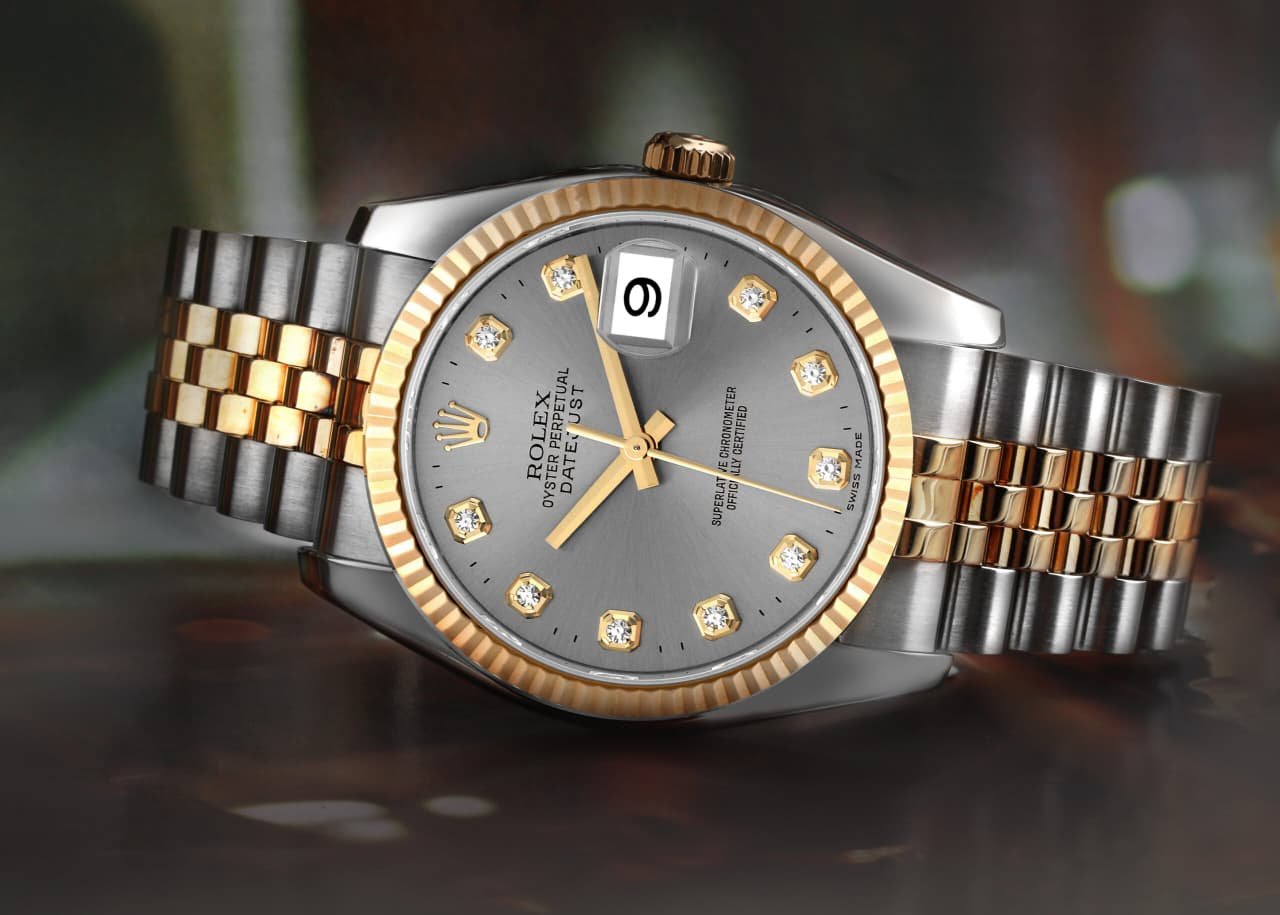
Most collectors call the Jubilee the dress option and the Oyster the daily beater. Long-term wear with both can suggest the opposite: the Jubilee is often the easier bracelet to live with on a modern Rolex watch.
It was built for daily wear from the start
Rolex introduced the Jubilee in 1945 with the Datejust, around the brand’s 40th anniversary. The bracelet and watch were paired from the start, and that pairing has continued ever since. For more than eighty years, the same five-piece pattern has remained in the catalogue, with gradual updates to materials, construction and clasps. A look through the back catalogues shows the same narrow centre rows and wide outer rows returning year after year, with changes in profile and finish across references and generations.
A Datejust on a Jubilee was intended to be worn each day rather than saved for events. The case size was modest and the links sat smoothly against the skin. That brief still suits how many people wear a Rolex watch now. The same piece may have to handle work, errands and dinner without a bracelet swap. The Jubilee was designed for that mixed day, with articulated links and rounded edges that can sit comfortably against the wrist. After decades of office use and travel, experienced watchmakers are also familiar with its common wear points and servicing needs, though parts availability depends on the bracelet’s age and reference. It is a metal bracelet suited to office hours and weekends alike.
Plenty of bracelet designs have faded over that span. The Jubilee has remained in production, and its long run reflects its enduring appeal as an option for regular use.
Comfort comes down to link geometry
The Jubilee has five links across each row. Two wide links sit on the outside, while three narrow links fill the centre. That arrangement allows each row to bend through several smaller sections instead of moving like a flatter three-link Oyster. As a result, it can stay close to the skin rather than bridging over the wrist bone. Anyone who has worn both for ten hours straight may notice how the extra articulation spreads the load across small steps instead of pressing one firm line down the middle.
Weight spreads across the bracelet rather than sitting mainly on two edges. That can help on warm days when the wrist swells slightly, as well as at a desk when the wrist rests on a table for hours. There may be less need to cinch the clasp tight to prevent sliding, and some owners wear it a notch looser than an Oyster for that reason. Because the curve follows the wrist bone rather than resisting it, pressure can remain low while typing with the case close to the desk. Small spaces between the links also allow some air to move beneath the bracelet, although comfort will still depend on fit, wrist shape and conditions.
Wrist time often reveals more about comfort than spec sheets.
Solid construction changed the old story
Old Jubilees earned a mixed reputation for stretch. Many earlier versions used folded or hollow components, and their pins could wear small grooves inside the links over years of use. The bracelet gradually became longer and began to sag at the sides. Anyone who shops for vintage Rolex watches may have seen that familiar droop. After extended daily wear without appropriate maintenance, side play could increase until the bracelet felt tired and loose on the wrist. That flaw was real on heavily worn examples, and it understandably discouraged some buyers from choosing a Jubilee for daily use.
Later examples are built differently. Solid links and end links, where fitted to the relevant reference, give the bracelet a tighter and more substantial construction, while closely fitted pins reduce initial play. Rolex introduced these changes progressively rather than applying them to every Jubilee at one moment, with many references moving towards solid end links and solid-link construction during the 2000s. Wear still occurs over decades because metal-on-metal contact will always leave some evidence. Even so, a well-maintained later Jubilee should generally resist the rapid loosening associated with neglected vintage examples. Shake a well-kept bracelet gently and it should feel controlled, without the pronounced rattle found on some older, heavily worn pieces.
The steel helps as well. Current Rolex steel bracelets use Oystersteel, Rolex’s name for the 904L-family alloy it uses. It offers strong corrosion resistance when exposed to ordinary sweat and rain, retains its finish well with suitable care and requires no oil or protective coating. Salt, soap and similar residue should be rinsed away before the bracelet is dried. For something that sits against the skin for eight to twelve hours each day, that resistance makes routine care simpler, although regular cleaning is still worthwhile.
Fit, end links and getting a fresh start
Fit determines how a Jubilee feels. Each reference has a specified lug width, and compatible bracelets use end links shaped to match the relevant case. When those end links fit the case correctly, the assembly can feel planted and quiet during typing or driving. Aftermarket options vary widely in quality and fit, so they need to be assessed individually rather than dismissed as a group. There should be no excessive side-to-side movement or unintended visible gap at the lugs.
A tired bracelet does not necessarily write off the watch. The Jubilee remains in production, while replacement or period-compatible examples may be available through Rolex, specialist dealers or shops familiar with the brand, depending on the watch’s age, reference and current parts supply. If an older Datejust has a loose or worn-out bracelet, a rolex jubilee bracelet made for its lug width and specific case may restore a tighter, quieter feel on the wrist. Confirm the end-link code and overall compatibility against the case, and check the clasp code if period correctness matters. Depending on the models involved, replacing or repairing the bracelet may cost less than trading the watch head for a newer piece.
The watch and bracelet should move together without excessive play. Poorly matched metal straps can struggle to create that sense of unity, while a suitable alternative may work well if its dimensions and end links are correct. A properly fitted Jubilee should remain stable without binding against the case. That secure feel can help the watch disappear into the day.
Small adjustment that helps each day
Wrists change size during the day, often growing slightly by afternoon before shrinking again in cooler conditions. Heat and a long walk can add enough swelling to make a fixed bracelet uncomfortable. It is difficult to account for that change first thing in the morning, so some room for adjustment matters. Anyone moving between cold offices and hot streets may recognise how a comfortable morning fit can feel tight by three in the afternoon, even though nothing about the watch has changed.
On Rolex references fitted with it, the Easylink comfort extension helps accommodate that variation. Opening the clasp allows the extension to provide 5mm of space without tools, and it can be folded back when the wrist settles. There is no pin to push and no need to visit a shop for each adjustment. That small range is often enough to relieve afternoon pressure. Since the link folds inside the clasp, the bracelet’s appearance remains largely unchanged and the extra length feels integrated into the design. Clasp and adjustment systems vary by model, reference and production period, so not every modern Jubilee includes Easylink.
It is a useful daily feature where fitted. Frequent flyers may choose to open it before or during a flight and close it later, once their hands cool and return to their usual size. It can also remain open on hot summer evenings. That convenience can keep the watch comfortable on the wrist rather than leaving the wearer looking for somewhere safe to put it.
One bracelet that dresses up or down
The Oyster looks flat and bold, which suits a tool-watch style. The Jubilee appears finer because of its narrow centre rows and catches the light in small flashes. That difference leads many buyers to classify it as a dress-only option. Daily wear can tell a broader story. In person, the five-piece rows often read as texture rather than excessive shine, allowing the bracelet to sit comfortably beside a shirt cuff or a plain tee.
Rolex has offered the Jubilee on versions of the GMT-Master II for years. That is a travel watch with a 24-hour bezel, associated with changing time zones and long days rather than life in a safe. On a Jubilee, it can still look appropriate with a tee and trainers. Add a jacket on Monday and it works again. The same applies to a Datejust moving between desk work and weekend chores. Since the GMT-Master II is designed as a travel watch, its availability on a Jubilee supports the bracelet’s use beyond formal or office settings. Many owners will find no need to change straps for each dress code.
The clasp also supports that versatility, although the design depends on the reference. Some Jubilee-equipped models use a concealed Crownclasp that folds beneath the links, while others use a visible Oysterclasp or another configuration. With a Crownclasp, the wearer sees an almost uninterrupted line of metal rather than a large buckle. The bracelet stays visually clean from lug to lug, while the clasp hardware is integrated beneath the links. A properly functioning clasp should close securely and remain shut during normal wear, but its condition should be checked if the action feels loose or inconsistent.
Scratches and simple upkeep
Shine does have a cost. On references with polished centre links, those surfaces collect fine lines faster than the brushed outer links. An Oyster with more brushed surface area may disguise those marks more effectively. Wear the Jubilee beside cuffs with metal buttons or rest it on a hard counter, and faint hairline scratches will probably appear over time. That is normal surface wear and does not by itself indicate a weak bracelet.
Ordinary contact with water is generally not a concern for the bracelet itself, but a watch’s water resistance depends on the case, crown, seals, condition and service history rather than the bracelet. A modern Rolex with an appropriate, tested level of water resistance should tolerate rain and routine hand washing within its rated limits. Sweat and residue can be rinsed away after wear. The steel cleans up well, and the rounded rows allow water to drain from many exposed surfaces, though moisture should still be dried from between the links. The smaller articulated links may also move more easily around a cuff than broad, flat sections, but snag resistance depends on the clothing, bracelet condition and fit.
Routine upkeep takes only a few minutes. Subject to Rolex’s care guidance and the watch’s known water resistance, use warm water, a soft brush and a small amount of mild soap to clean between the links, then rinse thoroughly and pat the bracelet dry with a soft cloth. Owners who wear the watch every day can clean it as needed rather than following a fixed weekly schedule. Regular cleaning helps prevent grime from accumulating around the pins and allows the links to retain their natural movement. If deeper ultrasonic cleaning is appropriate, the bracelet should be removed from the watch and handled by a professional to avoid exposing the watch head or vulnerable components to the process.
Deep marks can wait until refinishing is worthwhile. A skilled professional can restore the intended mix of matte and polished surfaces through separate brushing and polishing stages, although every refinish removes a small amount of metal. Most owners therefore wait until the accumulated wear justifies the work. Because the centre and outer links may have different finishes, the refinisher should protect one set while working on the other so the contrast remains defined. Ask for the edges to stay crisp and the brushing to follow the original direction.
The Jubilee does not have to be treated as too precious for regular use. Wear it, clean it appropriately and have its fit and condition checked when necessary, and it can serve as a comfortable daily Rolex bracelet.

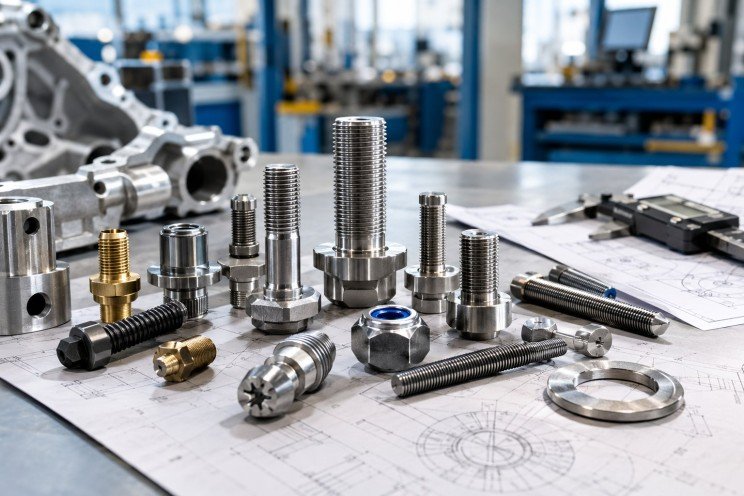
In the realm of manufacturing and assembly, achieving optimal performance and reliability often depends on the selection of the right fastening components. This is especially true for complex assemblies where conventional methods may not suffice. Specialist fastening solutions, tailored to precise requirements, play an essential role in ensuring the integrity, safety, and longevity of such assemblies.
Specialist fastening devices are designed to address unique challenges posed by materials, environmental conditions, and mechanical stresses. For organisations seeking specialty fasteners, it is crucial to understand the technical considerations that influence their selection and application.
Defining Specialist Fastening Solutions
Specialist fastening solutions are custom-engineered components that cater to specific performance requirements beyond standard fasteners. These may include bespoke shapes, sizes, materials, and surface treatments that are optimised for particular assembly conditions.
Unlike generic fasteners, these custom solutions are engineered to provide exceptional durability, resistance to corrosion, mechanical strength, and compatibility with complex materials or equipment.
Complex Assemblies and Their Challenges
Complex assemblies often integrate diverse materials such as composites, high-strength alloys, and sensitive electronic components. Fastening such assemblies demands components that can handle multifaceted stress profiles while preventing damage to adjacent parts.
Factors such as thermal expansion, vibration, exposure to harsh chemicals, and mechanical fatigue require fasteners designed with specific mechanical and chemical properties. Failure to accommodate these factors can result in component failure, operational downtime, or safety hazards.
Material Considerations in Specialist Fasteners
The choice of material for specialist fasteners is critical. High-performance alloys like titanium, stainless steel, and specialised composites offer tailored characteristics suitable for complex applications.
Material selection must also consider compatibility with the assembly environment, including exposure to moisture, solvents, and temperature extremes. Surface finishes and treatments further enhance corrosion resistance and reduce friction, extending the service life of fasteners.
Design and Engineering of Custom Fasteners
The engineering process for custom fastening solutions involves analysing load requirements, environmental factors, and material interactions within the assembly. Advanced modelling techniques facilitate the design of fasteners that can sustain dynamic loads and maintain secure joints under fluctuating conditions.
Collaboration between engineers and fastener suppliers is essential to tailor specifications that meet industry standards while addressing the specific constraints of the project.
Applications of Specialist Fastening Solutions
Industries such as aerospace, automotive, electronics, and medical devices frequently require specialist fasteners. These industries demand precision and reliability, with fasteners often subject to strict regulatory standards.
In aerospace, for example, lightweight materials combined with high-strength fasteners contribute to performance efficiency. In medical devices, biocompatibility and sterilisation compatibility dictate fastener selection.
The Role of Engineering Fasteners in Assembly Integrity
Engineering fasteners facilitate the construction and maintenance of complex assemblies by providing secure fastening mechanisms designed for specific engineering requirements. These fasteners enhance joint strength, distribute loads effectively, and minimise the risk of loosening or failure over time.
Reliable engineering fasteners incorporate design features such as locking mechanisms, thread enhancements, or customised geometries to withstand operational stresses.
Custom Manufacturing Processes
Custom fasteners undergo specialised manufacturing processes including precision machining, forging, and heat treatment. Each stage is configured to achieve stringent dimensional tolerances and mechanical properties essential for demanding applications.
Quality assurance protocols ensure that every fastener maintains consistency and meets industry certifications, guaranteeing performance under prescribed conditions.
Benefits of Using Specialist Fastening Solutions
Employing specialist fasteners in complex assemblies offers numerous benefits. These include enhanced joint security, extended operational life, reduced maintenance intervals, and improved safety standards.
Custom solutions also allow for greater design flexibility, enabling engineers to optimise assembly configurations for weight, cost, and performance.
Challenges and Considerations
While the advantages are clear, selecting and integrating specialist fastening solutions require thorough analysis. Cost implications, supply chain considerations, and compatibility with existing manufacturing processes must be evaluated meticulously.
Ongoing collaboration between designers, suppliers, and manufacturers is necessary to address these challenges successfully.
Quality Control and Testing
Robust quality control measures are vital for specialist fasteners. Testing for tensile strength, shear resistance, fatigue life, and environmental durability ensures that the fasteners meet application demands.
Non-destructive testing methods and certification processes further validate the reliability of the fastening solutions deployed within critical assemblies.
Future Trends in Specialist Fastening
Advancements in materials science and manufacturing technologies continue to drive innovation in specialist fasteners. Additive manufacturing, nanocoatings, and smart fasteners with embedded sensing capabilities represent emerging trends that offer enhanced performance monitoring and adaptability.
Partnering with Specialist Fastener Suppliers
Selecting experienced and knowledgeable suppliers is paramount to accessing high-quality specialist fastening solutions. Suppliers with engineering expertise can assist in selecting, designing, and customising fasteners to meet complex assembly requirements efficiently.
For organisations seeking reliable fastening components, collaborating with a trusted supplier ensures compliance with industry standards and access to comprehensive technical support.
Conclusion
Understanding the intricate requirements of complex assemblies highlights the vital role of specialist fastening solutions. Custom-designed fasteners tailored to specific engineering conditions provide the strength, durability, and reliability essential for high-performance applications.
Integrating the appropriate fastening technology, supported by expert suppliers, enhances assembly integrity and supports long-term operational success.


The Familiar Tools and the Gaps They Leave
Ask most people to picture a walking aid, and they will describe a wooden cane or a metal walking frame. Both have kept millions of older adults on their feet, yet the range of equipment has grown a great deal, and some of the most useful options look nothing like a traditional mobility aid. A rollator with a built-in seat, a perching stool by the kitchen counter, or a walking chair that lets the user move around the home while seated can each solve problems a cane was never designed to handle.
That matters because mobility after 70 is rarely about one single difficulty. A walking stick works well for someone with mild unsteadiness or a sore knee on one side. It takes some weight off the weaker leg and gives the brain an extra point of contact with the floor, which improves balance. What it cannot do is offer much support when legs are tired, and it keeps one hand permanently occupied.
A walking frame, often called a Zimmer frame in the UK, provides far more stability. The trade-off is that it needs both hands, has to be lifted with every step and can be awkward in narrow hallways or small bathrooms. Many people quietly develop a risky habit of leaving the frame behind so they can carry a cup of tea or a plate, which is exactly the moment a fall is most likely.
Rollators sit somewhere in between. With three or four wheels, hand brakes and usually a seat and basket, they are excellent for the high street, the park or a trip to the shops. Indoors they can feel bulky, and they demand enough grip strength to operate the brakes reliably.
The real gap appears in everyday household tasks. Cooking, washing up, unpacking shopping and reaching into low cupboards all require free hands and the ability to stay upright for several minutes. For many people over 70, fatigue rather than balance is what limits these jobs, and that is where newer types of equipment have started to fill in.
Matching the Aid to the Task, Not Just the Person
A helpful way to think about mobility equipment is to start with the activity rather than the diagnosis. Instead of asking “what walking aid do I need?”, it is often more productive to ask what happens in each room of the house and where things become difficult. The answers tend to point towards a small collection of aids, each suited to a particular setting.
In the kitchen, the challenge is usually standing still for long periods while using both hands. A perching stool lets someone lean rather than stand, and seated mobility solutions allow a person to move between the hob, the sink and the fridge without getting up each time. In the bathroom, grab rails, a shower stool and a raised toilet seat do more for safety than any walking aid could. On the stairs, a second banister or a stairlift removes the need to carry anything at all. Outside the home, a lightweight folding rollator or, for longer distances, a mobility scooter may be the better choice.
Ending up with two or three different aids is normal and sensible. The most capable manufacturers acknowledge this openly. The walking aids guide from VELA, written by one of the company’s occupational therapists, states plainly that its chair may not fully replace a rollator for trips outside the home. Instead, it presents the chair as an indoor aid that lets users move around with their feet while seated, lock the wheels with a handbrake and use an electric seat lift to reach both high shelves and low drawers. That kind of candour is useful for buyers, because it shows where a product genuinely fits instead of promising that one device will do everything.
Before buying anything, a few practical questions are worth asking. Will it fit through every doorway in the house, including the bathroom? How does it cope with rugs, thresholds and different floor surfaces? Are the brakes easy to use with stiff or arthritic hands? How much does it weigh if it ever needs to be lifted into a car? Is there a trial period or a returns policy? Testing equipment in the actual home, rather than in a showroom with smooth floors and wide aisles, often reveals problems that a product description never mentions.
Keeping Strength and Confidence While the Aids Do Their Part
A walking aid should support activity, not replace it. One of the quiet risks in later life is that equipment makes things so easy that muscles gradually weaken from lack of use. The aim is to use aids for the moments when they genuinely reduce risk or save energy, while still giving the legs regular work to do.
UK physical activity guidelines advise older adults to include activities that improve strength, balance and flexibility on at least two days a week. This does not need to mean a gym membership. Standing up from a chair several times in a row, heel raises while holding the kitchen worktop and slow side steps along a hallway all build the strength that keeps walking safe. Local councils, community centres and charities often run gentle exercise classes designed specifically for older people, and these have the added benefit of getting people out of the house and talking to others.
Professional advice makes a real difference here. A GP can refer someone to a physiotherapist for a walking and balance assessment, and the local council’s adult social care team can usually arrange a visit from an occupational therapist who looks at the home itself. These assessments often lead to simple equipment being loaned or fitted, and they help avoid buying the wrong product. A physiotherapist will also check that a walking stick is set to the right height, which is typically level with the crease of the wrist when the arm hangs loosely.
Equipment needs looking after too. Rubber ferrules on sticks and frames wear down and lose grip, brake cables on rollators can loosen, and wheels collect hair and dust that make them stiff. A quick check every few months keeps everything working as intended.
Finally, it pays to review the whole setup regularly, and always after a fall, an illness or a hospital stay. Needs change, sometimes for the better as strength returns and sometimes as energy dips. Fear of falling can lead people to move less, which in turn makes falls more likely. The right combination of aids, combined with regular movement, breaks that cycle and allows people to stay active, independent and confident in their own homes for longer.

Staying in Chora With Little Venice at Your Door

AI-Generated Nano Banana 2.1 Visuals: What Shopify Beauty Ecommerce Brands Should Check Before Publishing

YesWelder FIRSTESS MP200 Pro: One Machine for Welding, Cutting, and More


How to Prepare for a Future Property Auction in London

Why the Rolex Jubilee Bracelet Remains a Practical Choice for Everyday Wear

The 15 Highest-Paid Rugby Players in the World
Christopher Dare: The Untold Story of Engineer and Former Husband of Angela Rippon

How to Ensure Your Home is Valued Correctly for a Quick Sale

What Is Fanquer? The Digital Creator Platform Transforming Direct-to-Fan Engagement

Dr Jared Ross: Missouri Appeals Court Upholds Protection Order Over Graphic Torture and Murder Threats

Nancy Hallam: The Inspiring Life, Career, and Success Story Behind Ian Wright’s Wife
The 15 Highest-Paid Rugby Players in the World
Christopher Dare: The Untold Story of Engineer and Former Husband of Angela Rippon
How to Ensure Your Home is Valued Correctly for a Quick Sale
What Is Fanquer? The Digital Creator Platform Transforming Direct-to-Fan Engagement
Dr Jared Ross: Missouri Appeals Court Upholds Protection Order Over Graphic Torture and Murder Threats
Nancy Hallam: The Inspiring Life, Career, and Success Story Behind Ian Wright’s Wife
-
 Sports5 months ago
The 15 Highest-Paid Rugby Players in the World
-
Celebrity11 months ago
Christopher Dare: The Untold Story of Engineer and Former Husband of Angela Rippon
-
 Real Estate8 months ago
How to Ensure Your Home is Valued Correctly for a Quick Sale
-
 Technology4 months ago
What Is Fanquer? The Digital Creator Platform Transforming Direct-to-Fan Engagement
-
 Celebrity4 months ago
Dr Jared Ross: Missouri Appeals Court Upholds Protection Order Over Graphic Torture and Murder Threats
-
Celebrity11 months ago
Nancy Hallam: The Inspiring Life, Career, and Success Story Behind Ian Wright’s Wife
-

 Health9 months ago
Enclomimed 25 (Enclomiphene) – Effective PCT Protocol
-

 Celebrity7 months ago
Who Is Azriel Crews? Inside the Life and Career of Terry Crews’ Daughter