
Ai & Tools
How to Prioritize Tasks as an AI Product Owner?

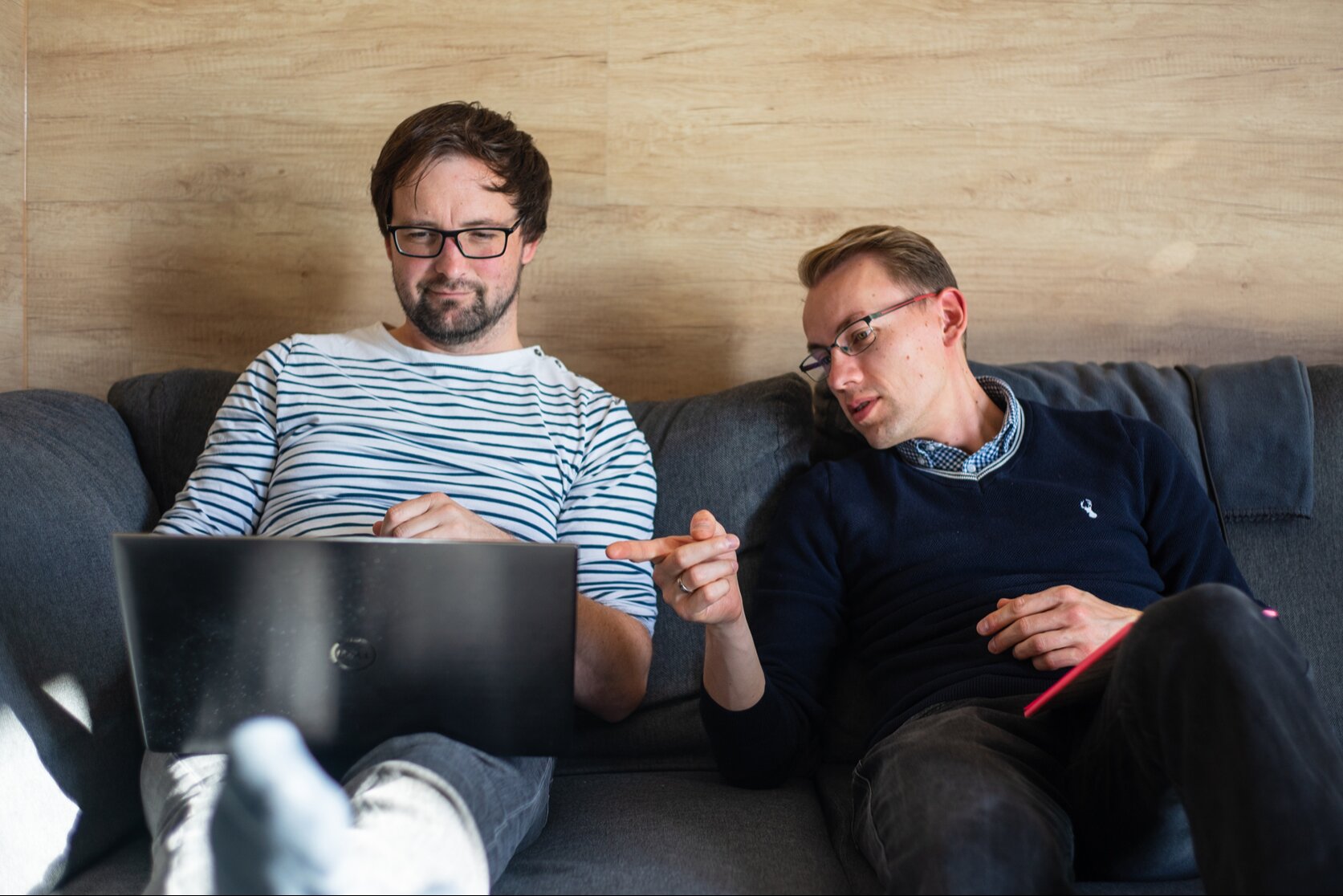
So you’ve stepped into the AI product owner role—congratulations! It’s one of the most exciting seats in any tech-forward organization right now. Let’s get real: the never-ending backlog of product items, being pulled in all directions by your various stakeholders while trying to focus on the ever-changing needs of customers. It can be very challenging trying to determine what to focus on first.
The bright side? Prioritization is a skill you can learn, and when you combine some good frameworks with the right way to think about it, then it becomes less about guessing what to work on and more about having a strategy for what you want to work on.
If you’re interested in developing strategic thinking in a systematic manner, consider gaining an AI product owner certification, which will provide both frameworks and assurance regarding prioritizing items that will significantly impact the outcome you want to achieve.
Start With the “Why”
Before starting work on the backlog, take a moment to pause and remind yourself of the ‘why’ behind your app. Your product’s purpose is what drives your success as an app team. The usual error in prioritization is not determining what you want to achieve first and simply jumping into the prioritization framework that you want to use.
Are you going to improve engagement for current users? Attract new users? Or reduce churn? The answers to these questions will inform all of your subsequent decisions.
Once you’re clear on direction, frameworks become genuinely useful tools rather than bureaucratic checklists. When you become an AI product manager who leads with both confidence and curiosity, you use a combination of practical frameworks, real-world experimentation, and a thorough understanding of what your users truly need.
Three Frameworks Worth Having in Your Toolkit
MoSCoW is a fantastic starting point, especially when you need to rally stakeholders around a shared understanding of what matters. You walk your team through each backlog item and sort it into Must-Have, Should-Have, Could-Have, or Won’t-Have. The magic isn’t just the sorting — it’s the conversations that happen along the way. You’ll uncover assumptions, surface disagreements, and leave the room with a much richer understanding of what your stakeholders actually value.
The Kano Model adds another beautiful dimension: customer emotion. Rather than just ranking importance, it asks how a feature will make your users feel. Some features are invisible when they work and infuriating when they don’t (think: a login page that actually loads). Others are genuine delights — unexpected moments of joy that make customers tell their friends. Knowing the difference helps you build a product that doesn’t just function; it resonates.
RICE scoring is your data-loving friend. It combines Reach, Impact, Confidence, and Effort into a single score that helps you compare wildly different feature ideas on equal footing. It’s especially powerful for marketing and growth-focused backlogs where you’re fielding more requests than you could ever fulfill. Instead of arguing about which campaign matters more, you calculate.
The secret? These three frameworks aren’t competitors — they’re teammates. Use MoSCoW to start the stakeholder conversation, Kano to bring the customer’s voice into the room, and RICE to pressure-test your instincts with numbers.
You’re the Decision Maker
Here’s something worth saying out loud: no framework makes the final call. You do. A stakeholder workshop might tell you Feature X is a “Must-Have,” but you might know there’s a technical dependency that makes Feature Y the smarter first move. That’s not ignoring the data — that’s being a great Product Owner.
This is especially worth remembering as you look to pursue an AI product owner certification. The best certifications don’t just teach you frameworks; they help you develop the judgment to know when to follow the model and when to trust your read of the situation.
AI for Prioritization Process
AI tools can analyze historical sprint data and surface patterns you’d never spot manually. Sentiment analysis can scan customer reviews and support tickets to reveal what’s quietly frustrating your users before it becomes a crisis. Predictive models can simulate “what if we shipped this first?” scenarios. This gives you a peek at likely outcomes before you commit.
Tools like Jira Align, Airfocus, and Pendo are already doing this for teams today. Think of AI not as a replacement for your judgment, but as a research assistant who never sleeps and has read every piece of customer feedback your product has ever generated.
Build the Habit of Revisiting
Prioritization is not just a single occurrence where you mark it off, but an ongoing discussion with your users, product, and the market. Ensure you have a regular process for revisiting the backlog, as the market changes and so do the users’ needs; what could have been will now be an urgent must-have feature.
Wrapping Up
The right way to conduct prioritization is not just to sort a list but to build something that has real worth, and this provides you with a great way to spend your time. At the end of the day, great prioritization is what separates a product that ships features from a product that delivers value. Start small if you need to. Pick one framework, run one stakeholder session, or try one AI-powered tool. Notice what surfaces. Adjust. Repeat.


O TikTok se tornou uma das plataformas de vídeos mais populares do mundo. Milhões de pessoas usam o aplicativo todos os dias para assistir a conteúdos de entretenimento, dicas, receitas, notícias, música e educação. Com tantos vídeos interessantes disponíveis, muitos usuários procuram maneiras práticas de guardar seus conteúdos favoritos para assistir depois.
Aprender como baixar video do tiktok pode ser útil para quem deseja salvar vídeos importantes, assistir offline ou criar uma coleção pessoal de conteúdos interessantes. Embora o próprio TikTok ofereça uma opção de download em alguns vídeos, nem todos os criadores permitem que seus conteúdos sejam baixados diretamente pelo aplicativo.
Por Que as Pessoas Querem Baixar Vídeos do TikTok?
Existem vários motivos para os usuários salvarem vídeos do TikTok. Algumas pessoas baixam conteúdos educativos, como tutoriais, dicas profissionais, aulas rápidas ou explicações sobre diferentes assuntos. Outras preferem guardar vídeos de entretenimento para assistir novamente quando estiverem sem conexão com a internet.
Criadores de conteúdo também podem precisar salvar seus próprios vídeos para fazer backups, editar materiais ou compartilhar seus trabalhos em outras plataformas. Ter uma cópia dos vídeos ajuda a manter o controle sobre conteúdos pessoais publicados online.
No entanto, é importante lembrar que os vídeos publicados no TikTok pertencem aos seus criadores. O uso dos conteúdos deve respeitar os direitos autorais e as regras da plataforma.
Como Baixar Vídeo do TikTok Online
O processo para baixar video do tiktok geralmente é simples e rápido. Existem ferramentas online como o SnapTik.fi que permitem salvar vídeos usando apenas o link do conteúdo. Normalmente, não é necessário instalar programas ou possuir conhecimentos técnicos avançados.
O processo básico funciona da seguinte forma:
- Abra o aplicativo TikTok e escolha o vídeo desejado.
- Clique na opção de compartilhar.
- Copie o link do vídeo.
- Acesse uma ferramenta confiável de download.
- Cole o link no campo indicado e siga as instruções para salvar o arquivo.
Esses passos podem variar dependendo da ferramenta utilizada, mas a maioria dos serviços oferece uma experiência simples para diferentes tipos de usuários.
Escolha Ferramentas Seguras Para Download
Ao procurar maneiras de baixar video do tiktok, a segurança deve ser uma prioridade. Nem todos os sites disponíveis na internet são confiáveis. Alguns podem apresentar muitos anúncios, solicitar informações desnecessárias ou tentar instalar aplicativos desconhecidos.
Uma boa ferramenta de download deve ter uma interface simples, funcionamento rápido e não exigir dados pessoais dos usuários. Também é recomendado evitar páginas suspeitas e sempre proteger o dispositivo com ferramentas de segurança atualizadas.
Além disso, os usuários devem verificar a política de privacidade do serviço escolhido. Sites confiáveis normalmente permitem baixar vídeos sem exigir criação de contas ou informações pessoais.
Vantagens de Salvar Vídeos do TikTok
Uma das principais vantagens de baixar vídeos é poder assistir ao conteúdo mesmo sem internet. Isso pode ser útil durante viagens, em locais com conexão limitada ou quando o usuário deseja economizar dados móveis.
Estudantes podem salvar vídeos educativos para revisar conteúdos, enquanto profissionais podem guardar tutoriais relacionados ao trabalho. Da mesma forma, usuários podem manter vídeos importantes para consultar no futuro.
Mesmo com a possibilidade de salvar vídeos, é importante evitar o compartilhamento de conteúdos de outras pessoas sem autorização. Respeitar os criadores ajuda a manter um ambiente digital mais seguro e justo.
Baixar Vídeos do TikTok de Forma Responsável
O TikTok oferece uma grande variedade de conteúdos criativos e informativos. Saber como baixar video do tiktok permite que os usuários tenham mais facilidade para guardar vídeos que consideram importantes ou interessantes.
O ideal é sempre utilizar ferramentas seguras, proteger seus dados pessoais e respeitar os direitos dos criadores. Com boas práticas, é possível aproveitar melhor os conteúdos do TikTok e manter seus vídeos favoritos disponíveis quando precisar.
Salvar vídeos pode ser uma solução prática, mas deve ser feito de maneira consciente e responsável. Dessa forma, usuários conseguem aproveitar os benefícios do download sem prejudicar quem produz o conteúdo.
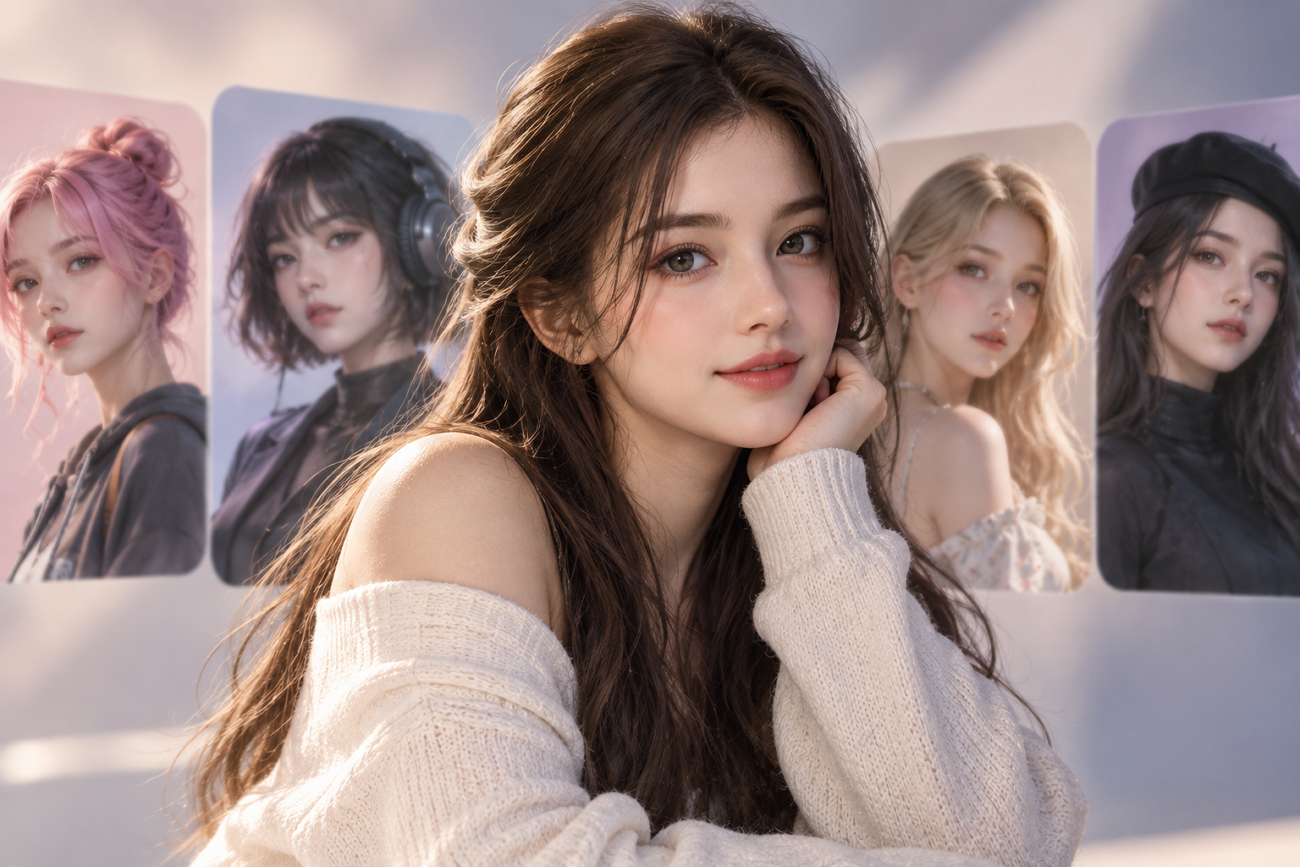
AI Girl Generator: 6 Best Tools for AI Characters
Most AI tools can create one convincing girl portrait without much effort. Keeping one face consistent across poses, outfits, and scenes is difficult. Character consistency separates an AI girl generator from ordinary image creation tools online. Reliable results matter when creators need one recognizable character across different content formats. This guide compares 6 tools for consistent characters across images, scenes, and videos.
Part 1. 6 AI Girl Generators for Different Creative Needs
Different creative needs require AI-generated girls to stay consistent across varied formats. Let’s explore 6 tools and see which creative needs each one handles best.
- MagicLight AI
Best For: Video creators making speaking, animated AI characters.
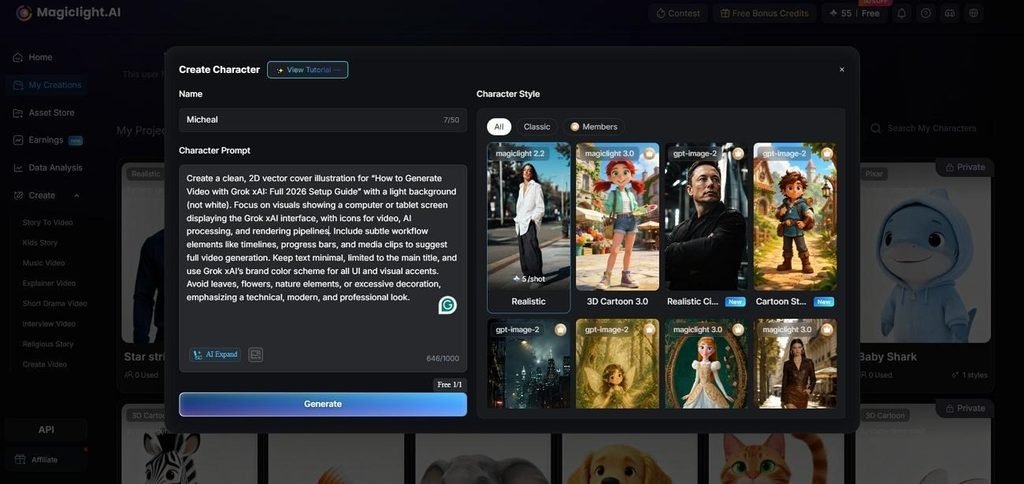
MagicLight AI creates characters and carries them directly into complete video creation workflows. Characters can start from written descriptions or uploaded photos for easier personalized results. Saved characters stay available for reuse across scenes with different poses and outfits. Narration and export tools make it a practical AI girl generator for videos.
Key Features
- Choose from 14 story models for different plots, pacing styles, and storytelling directions.
- Creators can use 37 voices to give different characters distinct voices across videos.
- Customize character appearance and outfits using detailed prompts up to 1000 characters long.
- Midjourney
Best For: Creators producing polished character artwork with controlled aesthetics.
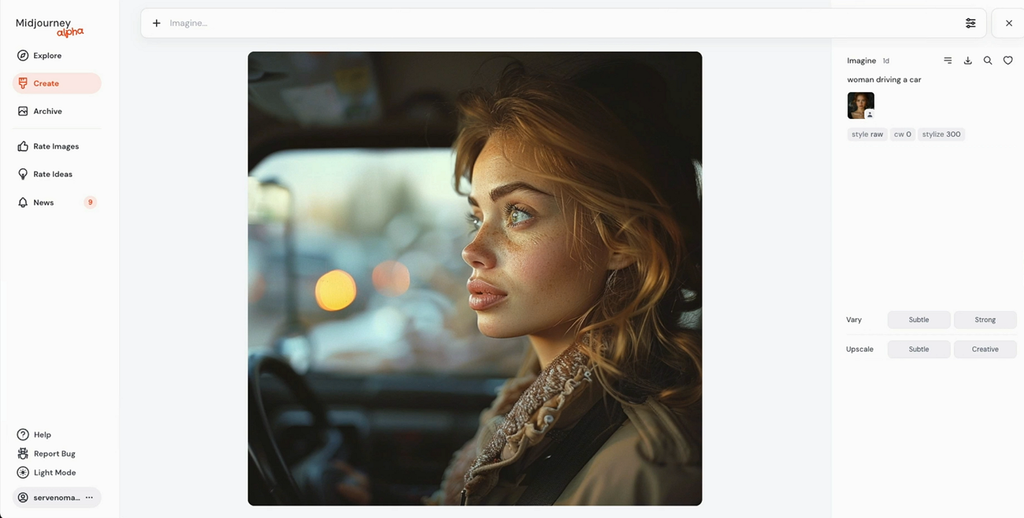
For polished portraits, this AI generator girl tool handles realistic and artistic styles. Midjourney focuses on detailed still images where lighting, texture, and composition matter most. Creators can shape visual direction carefully before using characters in larger content projects.
Key Features
- Draft Mode generates 24 low-resolution images per V8.2 prompt.
- Edit Model combines up to 4 references within compositions.
- Editor supports inpainting, outpainting, Pan, Remix, and Zoom Out.
- Leonardo AI
Best For: Game artists creating repeatable character sheets and concepts.
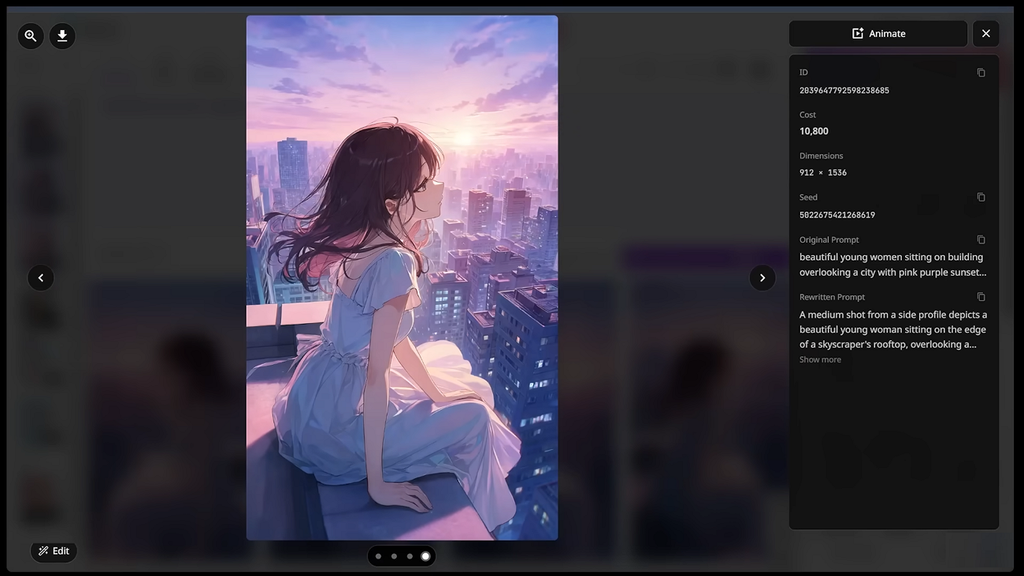
Leonardo AI works as a realistic AI girl generator for consistent character creation. Its character reference keeps facial details recognizable across new poses and scenes reliably. Creators can guide poses and styles while keeping each character visually consistent throughout.
Key Features
- Omni Models accept up to 6 reference images together.
- Inline Editor changes existing images through simple descriptive prompts.
- Seedream 5.0 Pro supports high-fidelity image generation with reference inputs.
- PixAI
Best For: Anime creators needing repeatable character artwork.
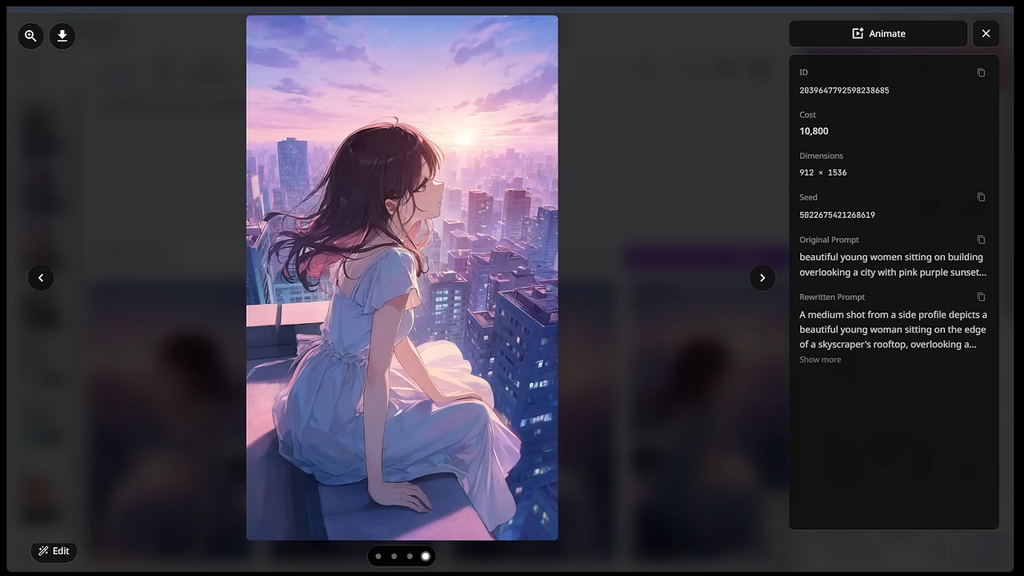
Built for anime creation, this realistic AI girl generator free option supports character creation. PixAI offers dedicated anime models for expressive faces, clothing, hairstyles, and polished illustrations. Reference tools help creators keep character identity stable while changing poses, outfits, and scenes.
Key Features
- Reference Pro accepts up to 10 images for guidance.
- Haruka v2 improves hands, eyes, hair shine, and clothing wrinkles.
- Seed controls reproduce consistent results using identical generation settings.
- SeaArt
Best For: Creators handling image and video workflows together.
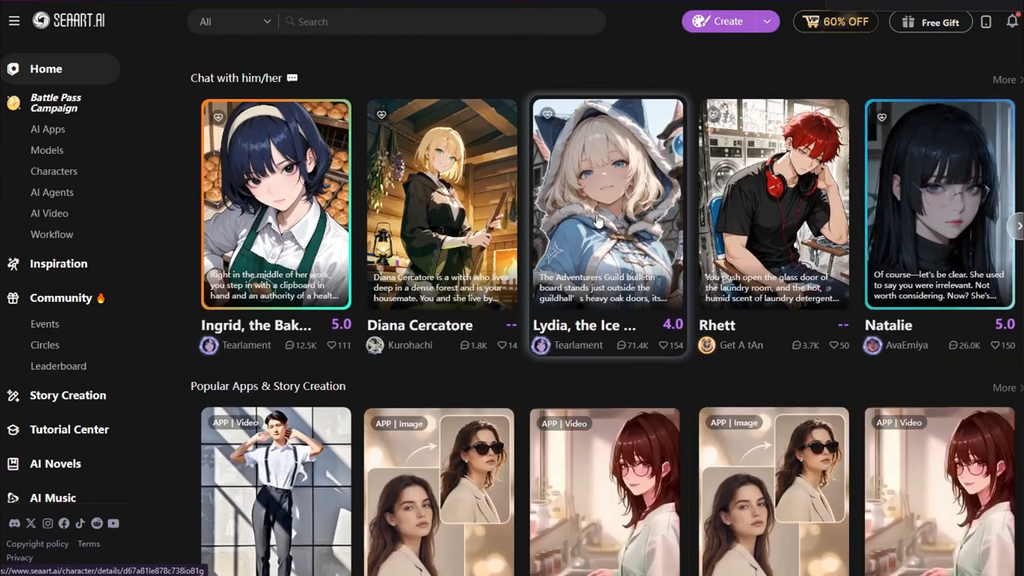
SeaArt combines image creation, character tools, editing, and video workflows within one platform. Its reusable character system keeps faces stable across scenes, actions, and different videos. Creators can move from initial concepts into finished media without changing creative environments.
Key Features
- Frame interpolation increases supported video outputs up to 60FPS.
- Play Around adds background music and lip sync tools.
- ComfyUI supports LoRA, DoRA, and LyCORIS model selections directly.
- Adobe Firefly
Best For: Brand teams creating commercially safer character assets together.
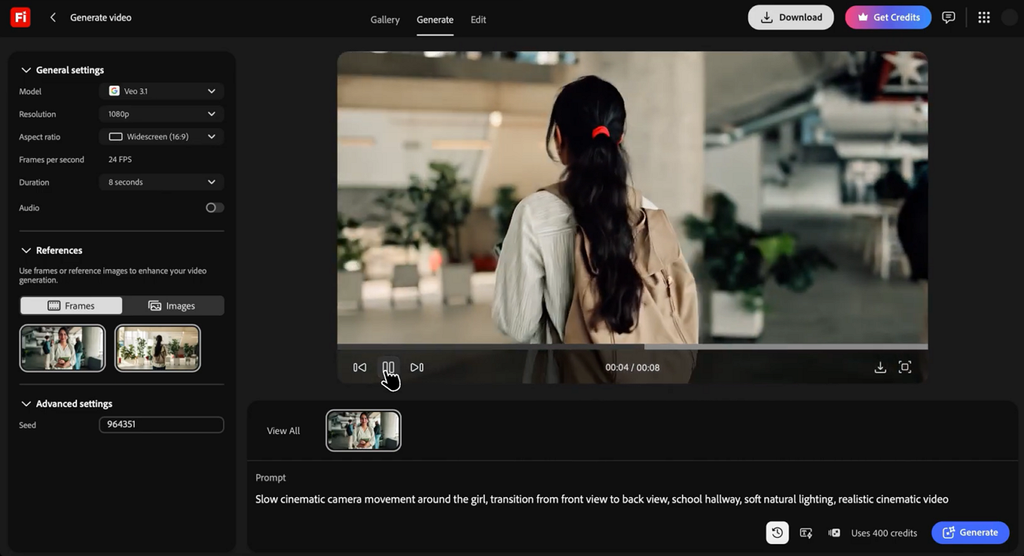
Adobe Firefly gives creators an AI generator girl workflow built around commercial use. Generated characters move into Photoshop and Premiere without breaking the wider editing workflow. Licensed training sources also make Firefly easier to explain in professional brand projects.
Key Features
- Composition Reference transfers structure from uploaded videos into generations.
- Reusable Elements preserve character identity across new scenes consistently.
- Firefly Boards supports real-time collaboration on infinite visual canvases.
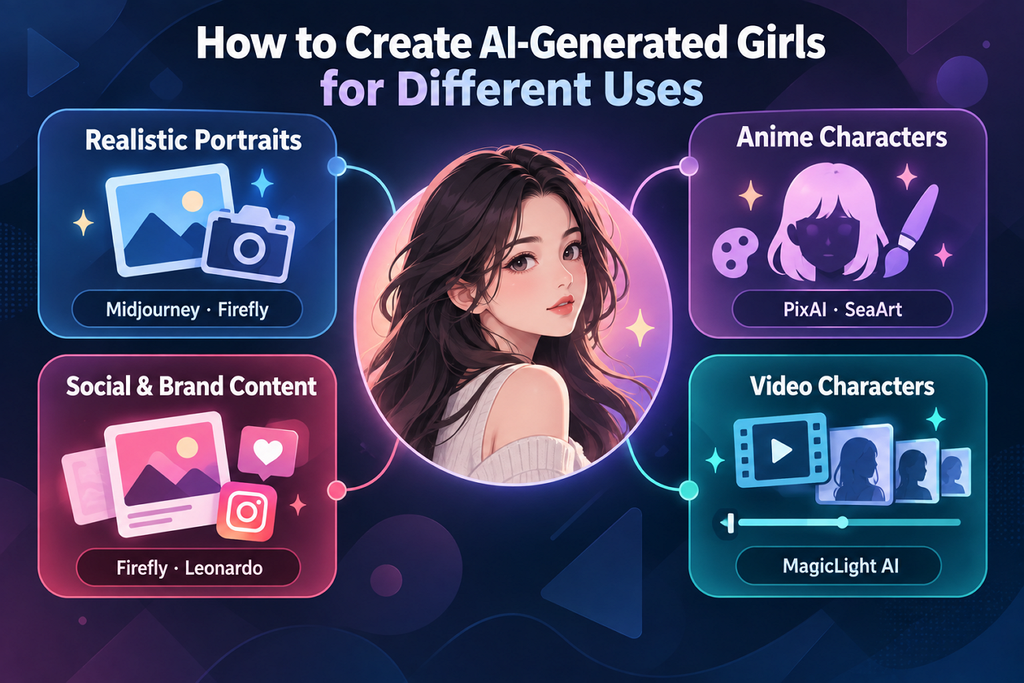
Part 2. How to Create AI-Generated Girls for Different Uses
Different creative goals require different methods when using a free AI girl generator. Choosing the right approach first makes character creation faster and more focused.
- Realistic Portraits: Midjourney and Firefly work well for creating lifelike character images. Describe age, lighting, camera angle, and framing because photographic details guide results clearly.
- Anime Characters: PixAI and SeaArt fit anime-focused character creation better overall. Keep hair color, eye shape, clothing details, and signature accessories fixed across generations.
- Social and Brand Content: Firefly and Leonardo support repeated character use across campaigns. Their workflows help keep faces recognizable while supporting professional commercial content creation needs.
- Video Characters: MagicLight AI works well when characters must continue across multiple scenes. Saved characters can return without rebuilding the same person for every new shot.
Part 3. How to Turn AI-Generated Girls Into Videos
An AI generator girl needs careful steps before becoming a consistent video character. Below are the 5 stages for turning generated characters into videos without face drift:
Step 1. Finalize the character design, including hair, eyes, outfit, and recurring accessories. These details often change first when the character starts moving between different scenes.
Step 2. Create a reference set instead of depending only on written descriptions. Front, side, and full-body views help the model preserve the character more accurately.
Step 3. Save the character inside a platform that supports reusable character profiles. This helps later scenes recall the same appearance instead of generating someone different.
Step 4. Choose one voice for the character and keep it consistent throughout. Changing the voice can make the same character feel different between separate scenes.
Step 5. Compare nearby shots together instead of reviewing every scene separately. Differences in faces, outfits, or proportions become easier to notice between connected shots.
MagicLight AI combines Steps 3, 4, and 5 inside one project workflow. Saved characters stay available across scenes, while 37 voices support dialogue for different roles. Scenes can also generate in sequence, reducing the need to assemble separate clips manually.
Conclusion
To conclude, choose an AI girl generator based on your final creative goal, not image samples. Midjourney and Firefly suit polished stills, while PixAI and SeaArt support anime character styles well. Leonardo works well for repeatable character sheets used across structured production and design projects. MagicLight AI helps create characters that move, speak, and stay consistent across scenes.
FAQs About AI Girl Generators
- What is the best AI girl generator for creating video characters?
MagicLight AI works well because saved characters can stay consistent across multiple generated scenes. Image tools usually require separate references to keep the same face between generations.
- Can I create a realistic AI girl from a photo?
Yes, many platforms accept reference photos for creating realistic AI characters. Always get permission before using another person’s image, especially for public or commercial projects.
- Can I use a free AI girl generator to create characters?
Yes, a free AI girl generator plan can create characters without upfront payment. Free plans may limit generations, exports, or commercial usage, so review the platform terms first.
- How can I turn an AI-generated girl into a video?
Save the character, generate connected scenes, and keep its appearance consistent throughout the video. An AI girl voice generator can also add matching narration or dialogue across scenes.

| Quick Answer: The best AI Pixel Art Generators for 2026 for creators building NFT collections is Adobe Firefly, which converts any photo or prompt into pixel-grid art and carries Adobe’s full commercial-use guarantee since Firefly trains only on licensed and public-domain content. For NFT-specific workflows that need true grid-aligned sprites at collection scale, PixelLab (from $12/month, commercial licensing included on every paid plan) and Retro Diffusion (pay-per-generation from about $0.015 per image, commercial use permitted) are purpose-built for pixel art rather than general image generation. Marketers and solo NFT creators comparing OpenAI’s image tools should note that DALL·E has been replaced inside ChatGPT by GPT Image, which still grants users commercial rights to output. |
This guide evaluates five AI Pixel Art Generators that creators can use to build NFT collections and game-ready sprites in 2026, weighing four criteria: authentic pixel-grid output versus generic ‘pixelated’ filtering, commercial use rights for resale and minting, price per generation, and collection-scale workflow support such as batch export and style consistency. Each entry is drawn from direct testing and each platform’s official documentation and terms of service rather than secondary summaries, so the licensing and pricing details reflect what each vendor currently states. This guide is for NFT creators, indie game developers, and marketers deciding which AI Pixel Art Generators to build a collection or sprite library on, not a general roundup of AI art tips. Adobe Firefly is the top recommendation here because it is the only tool in this group with full commercial indemnification built into every plan, which matters most once pixel art is minted and sold.
Generating pixel art for NFTs raises a licensing question that general AI art does not: once a piece is minted and sold, the creator needs to be confident the underlying model’s commercial use policy actually covers resale, not just personal use. OpenAI’s terms grant ownership of DALL·E and GPT Image output to the user and explicitly permit commercial use on paid plans, but that commercial use policy differs from Adobe Firefly’s stronger indemnification and from purpose-built pixel art tools like PixelLab and Retro Diffusion, which bundle commercial licensing directly into their paid tiers. A second, NFT-specific problem is technical: most general image models produce a ‘pixelated style’ image rather than true grid-aligned pixel art, which then needs manual cleanup before it is usable in a collection or a game engine.
How We Compared These AI Pixel Art Generators
| Tool Name | Free Tier | Platform | Best For | Templates / Assets | Commercial Use | Standout AI Feature |
| Adobe Firefly | Yes | Web, Windows, Mac, iOS, Android | NFT creators and studios needing full commercial indemnification on minted, resold pixel art | not publicly listed | Full commercial use with IP indemnification on paid plans; trained only on licensed and public-domain content | 25 free generative credits/month; pixel art style generation built into the same text-to-image tool as Firefly’s other styles |
| ChatGPT (GPT Image, formerly DALL·E) | Yes | Web, iOS, Android, API | Solo NFT creators who want a fast, general-purpose generator for pixel-style concept art before cleanup | not publicly listed | Commercial use explicitly permitted on Plus, Team, and Enterprise plans; free tier also permits commercial use but OpenAI reserves broader rights to use inputs/outputs for training | GPT Image 2 (released April 2026) generates images up to 4x faster than the prior model and supports precise image-to-image edits |
| PixelLab | Yes | Web, API, Aseprite plugin | NFT and indie game collections needing hundreds of style-consistent, grid-aligned sprites | not publicly listed | Commercial use included on all paid plans; free trial output is for testing only | Style-reference generation locks a consistent look across an entire collection; images up to 400×400 on the Pixel Artisan tier |
| Retro Diffusion | Yes | Web, API, Aseprite extension | Pixel-art purists producing true grid-aligned sprites at 16×16 to 384×384 for a one-time NFT drop | not publicly listed | Commercial use permitted on generated output; new accounts start with 50 free credits | Pay-per-generation pricing from about $0.015/image (RD Fast) up to $0.18/image (RD Pro, accepts up to 9 reference images) |
| Midjourney | No | Web, Discord | Creators who want high-fidelity pixel-style concept art and can budget for manual cleanup before minting | not publicly listed | Commercial use included on paid plans; Stealth Mode for private, unpublished generations available on Pro and above | Basic plan starts at $10/month for 3.3 Fast GPU hours; output is pixel-styled rather than true grid-aligned pixel art |
Adobe Firefly
Adobe Firefly turns a text prompt or an uploaded photo into pixel-grid art and is the only tool in this group that pairs pixel art generation with full commercial indemnification.
Adobe Firefly is the strongest commercial use policy among AI Pixel Art Generators because every output is trained only on licensed and public-domain content and covered by Adobe’s IP indemnification on paid plans.
Key Features
- Text-to-image and image-to-image generation with a pixel art style option, alongside Firefly’s other generative styles
- A free tier with 25 generative credits per month, watermarked results, standard resolution up to 2K on paid tiers
- Commercial use: full commercial rights with IP indemnification included on Firefly Standard, Pro, and Premium plans
- Firefly Services API for teams generating pixel art collections at scale, billed by the same credit system as the app
- Direct integration with Photoshop and Illustrator for manual cleanup of generated pixel grids before minting
Pricing: Free tier includes 25 monthly generative credits with watermarked output. Paid plans run Firefly Standard at $9.99/month, Firefly Pro at $19.99/month (4,000 credits), and Firefly Premium at $199.99/month (50,000 credits).
Platforms: Web, Windows, Mac, iOS, Android
Best For: Best for NFT creators and studios who need indemnified commercial rights on art that will be minted and resold, especially Firefly’s AI pixel art generator.
ChatGPT (GPT Image, formerly DALL·E)
OpenAI’s image generation, once branded DALL·E, now runs as GPT Image inside ChatGPT after DALL·E was officially retired from the product in March 2025 and replaced again by GPT Image 2 in April 2026.
OpenAI’s current commercial use policy grants users ownership of GPT Image and legacy DALL·E output and explicitly permits commercial use on ChatGPT Plus, Team, and Enterprise plans.
Key Features
- GPT Image 2, OpenAI’s stable release as of April 2026, generates images roughly 4x faster than the prior model and supports precise image-to-image edits
- Commercial use: explicitly permitted on Plus, Team, and Enterprise plans; the free tier also permits commercial use but OpenAI reserves broader rights to use free-tier inputs and outputs for training
- Conversational prompting inside ChatGPT, useful for quickly iterating on NFT concept art before converting it to a true pixel grid in a dedicated tool
- API access with a separate commitment from OpenAI not to use API inputs or outputs for model training, unlike the ChatGPT free tier
- No native pixel-grid enforcement, meaning output typically needs cleanup in a dedicated pixel art tool before it is usable in a collection
Pricing: Free tier available inside ChatGPT with usage limits and no guaranteed exclusion from training data. ChatGPT Plus is $20/month and includes commercial use rights without the training-data caveat that applies to some free-tier generations.
Platforms: Web, iOS, Android, API
Best For: Best for solo NFT creators who want fast, general-purpose concept art and plan to convert it to a true pixel grid in a specialized tool afterward.
PixelLab
PixelLab is a specialist AI pixel art generator built for game developers and NFT creators who need hundreds of style-consistent, grid-aligned sprites rather than one-off images.
PixelLab bundles commercial use rights into every paid plan, making it a straightforward choice for NFT collections that need to mint and resell art without a separate licensing check.
Key Features
- Text-to-sprite and reference-based generation that locks a consistent art style across an entire NFT collection or game asset library
- Two purpose-built models: Pixflux for images up to 400×400 and Bitforge for smaller, style-reference-driven generation up to 200×200
- Commercial use: included on all three paid tiers (Pixel Apprentice, Pixel Artisan, Pixel Architect); free trial output is for testing only
- Multi-directional sprite rotation (4 or 8 directional views) generated from a single reference image, useful for animated collection traits
- Aseprite plugin and MCP integration for AI coding assistants, so generated sprites drop directly into an existing production pipeline
Pricing: Free trial includes 40 fast generations plus 5 slow generations per day. Paid tiers: Pixel Apprentice at $12/month (2,000 generations), Pixel Artisan at $24/month (5,000 generations, images up to 400×400), and Pixel Architect at $50/month (10,000 generations, up to 20 concurrent jobs).
Platforms: Web, API, Aseprite plugin
Best For: Best for NFT and indie game teams generating a large, style-consistent collection rather than a handful of one-off images.
Retro Diffusion
Retro Diffusion is a pixel art model built by a working pixel artist specifically to produce true grid-aligned sprites, avoiding the soft edges and anti-aliasing that general AI models add.
Retro Diffusion produces grid-aligned pixel art at fixed resolutions from 16×16 to 384×384 with commercial use permitted on generated output, making it well suited to a one-time NFT collection drop.
Key Features
- Pay-per-generation pricing with no subscription: RD Fast costs roughly $0.015 per image, up to RD Pro at $0.18 per image
- RD Pro accepts up to 9 reference images to lock a character’s appearance across trait variations in an NFT collection
- Commercial use permitted on all generated output; new accounts receive 50 free credits to test the platform
- True pixel-grid output at fixed sizes from 16×16 through 384×384, avoiding the resampling that general models require
- A dedicated Aseprite extension (a one-time purchase starting around $65) that generates true-pixel-art assets directly inside the editor
Pricing: 50 free credits on signup, then pay-per-generation from about $0.015/image (RD Fast) to $0.18/image (RD Pro). No monthly subscription required; credits are prepaid and do not expire.
Platforms: Web, API, Aseprite extension
Best For: Best for pixel art purists who need authentic grid-aligned sprites for a single NFT drop without committing to a monthly plan.
Midjourney
Midjourney is widely used for NFT collections for its image fidelity, though its output is pixel-styled rather than the true grid-aligned pixel art that PixelLab and Retro Diffusion produce.
Midjourney includes commercial use rights on all paid plans, but its pixel art results typically need resampling or manual cleanup before they meet the strict grid alignment NFT and game engines expect.
Key Features
- Four subscription tiers billed by Fast GPU hours: Basic ($10/month, 3.3 hours), Standard ($30/month, 15 hours), Pro ($60/month, 30 hours), and Mega ($120/month, 60 hours)
- Commercial use: included on all paid plans; Stealth Mode for private, unpublished generations is available starting on the Pro plan
- Relax Mode for unlimited, queued generation on Standard plans and above once Fast GPU hours are exhausted
- High image fidelity and strong prompt adherence, useful for exploring NFT collection themes before committing to a final pixel art style
- No native pixel-grid enforcement or fixed sprite resolutions, so output generally requires cleanup in a pixel editor before minting
Pricing: No free trial. Basic is $10/month, Standard is $30/month, Pro is $60/month (adds Stealth Mode), and Mega is $120/month. Annual billing cuts each tier by 20%.
Platforms: Web, Discord
Best For: Best for creators who prioritize image fidelity for NFT concept art and are willing to clean up output into true pixel art afterward.
How to Choose the Right AI Pixel Art Generators
If commercial use rights are the deciding factor: prioritize AI Pixel Art Generators with an explicit commercial use policy attached to every paid plan, not just a general terms-of-service mention. Adobe Firefly and PixelLab both state commercial licensing directly on their pricing pages; OpenAI’s GPT Image (the tool that replaced DALL·E in ChatGPT) permits commercial use on paid plans but reserves broader training rights on the free tier.
If you need true grid-aligned pixels, not a ‘pixel style’ filter: test a generator’s raw output before committing a collection to it, since general-purpose models tend to produce soft-edged, pixelated-looking images that need manual cleanup. Retro Diffusion and PixelLab are both purpose-trained on authentic pixel art and produce grid-aligned sprites at set resolutions like 16×16 through 400×400 with little to no post-processing.
If you’re generating a large NFT collection with consistent traits: prioritize tools with reference-based generation and batch or API access so trait variations stay visually consistent across hundreds or thousands of pieces. PixelLab’s style-reference tools and Retro Diffusion’s API both support this; Adobe Firefly’s Services API covers the same need for teams already on Creative Cloud.
If budget predictability matters at collection scale: compare metering models, not just entry price. PixelLab and Adobe Firefly both meter by monthly generation or credit allotment, while Retro Diffusion bills per generation with no subscription, which can be cheaper for a one-time NFT drop but harder to budget for ongoing sprite production.
Frequently Asked Questions
What is the best AI Pixel Art Generator for NFTs in 2026?
Adobe Firefly is the best AI Pixel Art Generator for NFT creators who need commercial indemnification, starting free with 25 monthly credits and scaling to $199.99/month. For collections that need true grid-aligned sprites at volume, PixelLab (from $12/month) is purpose-built for that workflow.
Does OpenAI’s DALL·E commercial use policy cover NFT art?
DALL·E itself was retired from ChatGPT in March 2025 and replaced by GPT Image, now GPT Image 2 as of April 2026, but OpenAI’s commercial use policy carried forward: users own the output and can use it commercially on ChatGPT Plus, Team, and Enterprise plans, which start at $20/month. The free tier also permits commercial use but comes with broader training-data rights reserved by OpenAI.
Are OpenAI images commercial use rights different from Adobe Firefly’s?
Yes. OpenAI’s commercial use policy grants ownership of generated output and permits commercial use on paid plans, but it does not include the IP indemnification that comes with Adobe Firefly’s paid plans, which start at $9.99/month. For NFT art that will be resold at scale, that indemnification gap is the main practical difference.
What’s the cheapest way to generate pixel art for a one-time NFT collection?
Retro Diffusion’s pay-per-generation pricing, from about $0.015 per image on RD Fast with 50 free starter credits, is typically cheapest for a single collection drop since there’s no monthly subscription. PixelLab’s $12/month Pixel Apprentice plan is more cost-effective for ongoing sprite production across multiple collections.
Can AI-generated pixel art be used commercially without a subscription?
It depends on the platform’s commercial use policy. Retro Diffusion permits commercial use on its free 50-credit trial, while Adobe Firefly’s free tier includes a watermark that most NFT marketplaces won’t accept, and PixelLab’s free trial output is explicitly for testing only. Check the official commercial use policy for the specific plan before minting.
Conclusion
Across these five AI Pixel Art Generators, the split comes down to commercial use policy and grid fidelity: Adobe Firefly leads on indemnified commercial rights, PixelLab and Retro Diffusion produce true grid-aligned pixel art built for NFT-scale collections, and ChatGPT’s GPT Image (the tool formerly known as DALL·E) and Midjourney offer fast, general-purpose generation that typically needs cleanup before minting. Adobe Firefly remains the top recommendation among AI Pixel Art Generators for NFT creators specifically because its commercial use policy includes IP indemnification that the other tools in this group don’t fully match.

Chaiya: How an Independent Thai Restaurant Is Making Its Mark in Shrewsbury

How to Explore Customer Service and Call Center Careers

Account Safety 101: How to Vet Any Instagram Growth Service

What Makes Underground Streetwear Hit? Breaking Down the MF DOOM Shirt and Parke Hoodie Hype

Unlocking Peak Performance with AMD Ryzen X3D: A Gamer’s Ultimate Guide

5 questions every Sydney homeowner should ask before hiring a plumber

The 15 Highest-Paid Rugby Players in the World

Christopher Dare: The Untold Story of Engineer and Former Husband of Angela Rippon

How to Ensure Your Home is Valued Correctly for a Quick Sale

What Is Fanquer? The Digital Creator Platform Transforming Direct-to-Fan Engagement

Dr Jared Ross: Missouri Appeals Court Upholds Protection Order Over Graphic Torture and Murder Threats

Nancy Hallam: The Inspiring Life, Career, and Success Story Behind Ian Wright’s Wife
The 15 Highest-Paid Rugby Players in the World
Christopher Dare: The Untold Story of Engineer and Former Husband of Angela Rippon
How to Ensure Your Home is Valued Correctly for a Quick Sale
What Is Fanquer? The Digital Creator Platform Transforming Direct-to-Fan Engagement
Dr Jared Ross: Missouri Appeals Court Upholds Protection Order Over Graphic Torture and Murder Threats
Nancy Hallam: The Inspiring Life, Career, and Success Story Behind Ian Wright’s Wife
-
 Sports5 months ago
The 15 Highest-Paid Rugby Players in the World
-
Celebrity10 months ago
Christopher Dare: The Untold Story of Engineer and Former Husband of Angela Rippon
-
 Real Estate8 months ago
How to Ensure Your Home is Valued Correctly for a Quick Sale
-
 Technology4 months ago
What Is Fanquer? The Digital Creator Platform Transforming Direct-to-Fan Engagement
-
 Celebrity4 months ago
Dr Jared Ross: Missouri Appeals Court Upholds Protection Order Over Graphic Torture and Murder Threats
-
Celebrity11 months ago
Nancy Hallam: The Inspiring Life, Career, and Success Story Behind Ian Wright’s Wife
-

 Health9 months ago
Enclomimed 25 (Enclomiphene) – Effective PCT Protocol
-
 Celebrity11 months ago
Who Is Maisie Mae Roffey? The Private Life, Family Story, and Quiet Success of Julie Walters’ Daughter