
Tech
Why Multi-Model AI Image Generation Marks the End of Multi-Tool Visual Production


For years, creating a single polished visual meant moving between several different tools. You might search a stock site for a starting image, open a photo editor to remove the background, use another app to relight the scene, jump into a design tool to add text, export different sizes for each platform and then open yet another program to turn the image into a short video for social media. Every switch cost time, every export risked quality loss, and every tool came with its own subscription.
That fragmented workflow is starting to disappear. A new generation of AI platforms brings generation, editing, consistency tools and even animation into one place, and Animx is a clear example of that shift.
A Single Workflow Instead of Multiple Tools
Switching between apps creates friction. Files get lost, styles drift and small changes require repeating several steps. The AI Image Generator on Animx removes much of that friction by bringing several leading image models into one browser workspace: Google’s Nano Banana Pro, Black Forest Labs’ Flux 2 Max, ByteDance’s Seedream and OpenAI’s GPT Image.
Instead of choosing one tool and working around its weaknesses, creators can run the same prompt across multiple models, compare the results side by side and continue working on the best version without exporting anything. One prompt bar, one gallery and one subscription replace a stack of separate apps.
Consistency Built Into the Process
In a multi-tool workflow, keeping a character, product or brand style consistent across many images is difficult. Each new tool interprets the subject slightly differently, and every edit risks changing details that should stay the same.
On Animx, consistency is part of the generation process. Seedream accepts up to 10 reference images at once, so creators can upload approved visuals of a mascot, product or style and generate new scenes that keep the same look. A whole campaign can be built from one visual foundation instead of being stitched together from mismatched sources.
Editing and Generation Working Together
Traditionally, generating an image and editing it were separate jobs handled by separate software. Now, they happen in the same place. Animx lets you upload real photos and change specific elements, such as swapping the background, changing clothing, removing objects or adjusting the lighting, while preserving the original composition. Models like Flux Kontext Max and Seedream Edit are designed for precise, targeted changes. That means a product photo can move from a plain studio shot to a seasonal lifestyle scene without ever leaving the workspace.
Text and Design Without Extra Software
Adding headlines and labels used to require a separate design tool, because AI images couldn’t spell. That has changed. GPT Image on Animx renders readable on-image text, and quoting the exact words in your prompt helps the model treat them as literal copy. Posters, thumbnails, packaging concepts and social graphics with short headlines can now be created in one step. For legally required or highly detailed text, final type is still best set in layout software, but much of the everyday design work no longer needs a separate app.
Every Format From One Source
Multi-platform content used to mean resizing and recomposing the same visual several times. Animx supports square, 9:16, 16:9, 3:4 and 4:3 formats directly, so creators can generate each version in the right shape from the start. Most models output up to 2K, and Nano Banana Pro reaches 4K for print and large displays.
From Still Image to Video in One Process
Perhaps the biggest change is the connection between images and video. In the old workflow, animating an image meant exporting it and opening a separate video tool. On Animx, any image can be sent to the video workspace with the Animate button, where models like Seedance, Veo, Kling and Sora bring it to life. A product shot becomes a Reel, a character becomes an animated teaser, and a landscape becomes a moving background, all within the same platform.
Rethinking Efficiency in Visual Production
The biggest source of inefficiency in visual production has rarely been the creative work itself. It has been the overhead of managing tools: exporting, importing, converting formats, repeating edits and paying for overlapping subscriptions. A unified workspace reduces that overhead dramatically:
- Fewer exports and file transfers
- Less risk of quality loss between tools
- Consistent styles across every asset
- One place to compare, refine and finish visuals
- One subscription instead of several, with credit costs shown before each generation
The time saved goes back into what matters most: ideas, storytelling and strategy.
What Still Belongs Outside the Workspace
Unified AI platforms don’t eliminate every specialized tool. Detailed layout work, final print files, complex retouching and brand guidelines still benefit from professional software and human expertise. But for the large majority of everyday visual tasks, such as social posts, ad concepts, product scenes, thumbnails and short videos, a single multi-model workspace now covers most of the journey from idea to finished asset.
Conclusion
Visual production is moving away from scattered tools and toward unified systems. Multi-model AI platforms combine generation, editing, consistency, text rendering, multi-format output and animation in one place, removing much of the friction that slowed creators down. Animx demonstrates what that shift looks like in practice, offering a simple path from concept to finished image and video, with free credits to start for anyone ready to leave the multi-tool workflow behind.

Tech
The Realities of Electric Scooter Ownership: Battery Care, Maintenance and Everyday Running Costs


The decision to buy an electric scooter is often made on the basis of three things: the purchase price, the top speed, and the claimed range. These are the numbers that appear in product listings, that feature in reviews, and that most people compare when they are choosing between models. They are also, taken in isolation, only part of the picture.
The full reality of electric scooter ownership is richer, more nuanced, and ultimately more positive than the headline figures suggest but it requires understanding what sits beneath those numbers. How long will the battery actually last, and what can you do to extend its life? What maintenance does the scooter need, and how much will it cost? What are the genuine day-to-day running costs once the initial purchase is made? And where do the hidden costs lurk for owners who did not ask these questions before buying?
This article answers all of those questions in full drawing on verified 2026 data to give a realistic, complete picture of what owning an electric scooter in the UK actually costs and demands. For riders still choosing their first model or considering an upgrade, exploring the full range of electric scooters before purchasing will give you the context to match your model choice to your real-world use pattern.
The Battery: The Most Important Component You Never See
Every electric scooter runs on a lithium-ion battery a technology that is safe, lightweight, and energy-dense, but that has specific care requirements that directly determine how long it lasts and how well it performs throughout its life. The battery is typically the most expensive single component in an electric scooter, frequently accounting for 30 to 50 percent of the total purchase price of mid-range models. It deserves corresponding attention.
How Long Does a Battery Actually Last?
The honest answer depends on how you define “last” and how you use and care for the battery.
Most modern lithium-ion electric scooter batteries are rated for 300 to 500 full charge cycles before capacity falls noticeably typically to around 70 to 80 percent of original capacity. Premium lithium-ion packs extend this to 800 to 1,000 cycles, and lithium iron phosphate (LFP) chemistry batteries can exceed 2,000 cycles under good conditions, offering calendar lives of five to ten years. A user who charges their scooter two to three times per week will reach 300 cycles in approximately two to three years under typical conditions. The battery does not fail at that point it continues to work, but with reduced range.
In real-world terms, this means that a scooter with a claimed range of 25 miles when new might offer 18 to 20 miles after 300 cycles, and 12 to 15 miles after 500 cycles, depending on care. For commuters whose route is well within the reduced range, this degradation is perfectly manageable. For those riding at the edge of the battery’s range from day one, it becomes a practical limitation sooner.
Battery replacement cost for a mid-range scooter typically runs £100 to £300 in the UK, depending on the model and whether replacement is done through the manufacturer or a third-party repair service. Premium or high-capacity batteries are more expensive from £250 upwards. Under UK regulations, manufacturers are required to provide a free take-back service for waste e-scooter battery packs, which is worth knowing when the time for replacement eventually arrives.
The 20 to 80 Percent Rule: The Single Most Important Battery Habit
Lithium-ion batteries age from stress, not merely from use. Three conditions accelerate that stress: high temperatures, being run completely flat, and sitting at full charge for extended periods. The most effective single habit for extending battery life is straightforward to remember: keep the battery between 20 and 80 percent charge during daily use.
Maintaining a charge between 20 percent and 80 percent what battery engineers call the sweet spot can extend total cycle life by approximately 30 to 50 percent compared with routine full charging. Studies cited by Battery University show that maintaining charge around 50 to 80 percent rather than always charging to 100 percent can extend battery lifespan by 44 to 130 percent across the full lifecycle.
The practical implication for daily riders: charge before the battery drops below 20 percent, and aim to unplug at around 80 to 90 percent rather than leaving the scooter on charge until fully full. Most modern chargers and batteries include a Battery Management System (BMS) that prevents overcharging past 100 percent, but the battery still sits at maximum charge longer than ideal when left on the charger after reaching full. Unplugging once the charge indicator shows complete is the better habit.
For riders who cannot easily monitor the charge level those charging overnight, for example the practical compromise is to charge fully when needed for a longer journey, but to avoid making overnight full charging a daily routine when shorter charges would suffice.
Temperature: The Factor Most UK Riders Underestimate
Lithium-ion batteries perform best between 16°C and 22°C, and degrade significantly when exposed to heat above 35°C or prolonged cold. In UK conditions, the cold end of this concern is more relevant than the hot end a battery left in a cold garage throughout winter will deliver noticeably less range on cold mornings, and repeated deep cold exposure accelerates calendar aging.
The practical guidance for UK riders: store the scooter indoors rather than in an unheated shed or garage during cold months. If outdoor storage is unavoidable, remove the battery and keep it indoors. Do not charge a battery that has just come in from very cold temperatures allow it to warm to room temperature first, which takes approximately 30 to 60 minutes.
In summer, avoid leaving the scooter in direct sunlight, particularly in a car boot or van temperatures in enclosed vehicles can exceed 50°C on warm days, which is significantly above the safe operating range for lithium cells. After a long ride on a warm day, allow the battery to cool before immediately placing it on charge.
Storage: What to Do When the Scooter Is Not Being Used
Winter storage or any extended period of non-use requires specific battery preparation to avoid damage and preserve capacity.
The correct storage charge level for a lithium-ion battery is approximately 40 to 60 percent enough to prevent deep discharge during storage, low enough to avoid the degradation associated with storing at full charge. Charge the battery to around half, then store the scooter in a dry location above freezing temperature.
Check the charge every four to eight weeks during storage and top up if needed to maintain the 40 to 60 percent level. Lithium batteries lose charge slowly even when not in use a battery left at 20 percent in October may reach 0 percent by January, and a battery fully discharged to 0 percent may suffer irreversible cell damage that permanently reduces its capacity or prevents it from charging at all.
Before the first spring ride after winter storage, charge to full, check tyre pressure, test both brakes, and inspect the folding mechanism and electrical connectors for any signs of corrosion or damage.
Charging Safety: What the UK Government Guidance Says
Lithium battery fires are rare but serious. The UK government guidance on charging electric vehicles is clear and worth following: unplug chargers immediately once the battery is full, never charge while asleep if avoidable, and always charge on a hard surface away from flammable materials and clear of your exit route. A cheap third-party charger with inconsistent voltage output can damage cells and, in worst cases, cause thermal runaway. Always use the manufacturer’s recommended charger or a verified compatible replacement.
Regular Maintenance: What Needs Doing and How Often
The maintenance profile of an electric scooter is one of its genuine advantages over combustion-engine alternatives. There is no engine oil to change, no spark plugs to replace, no fuel filter, no exhaust system, and no complex drivetrain requiring specialist attention. The primary maintenance tasks are mechanical rather than electrical, accessible to most owners, and inexpensive to perform.
Tyres: The Most Frequent Maintenance Item
Tyres are the maintenance component that most frequently demands attention and most directly affects safety. For scooters with pneumatic (air-filled) tyres, checking tyre pressure every two to three weeks is the minimum routine. Under-inflated tyres increase rolling resistance reducing range and increasing motor load and are more susceptible to punctures. Over-inflated tyres reduce grip and make the ride harsher. Check the manufacturer’s recommended pressure, printed on the tyre sidewall or in the owner’s manual, and use a simple bicycle-style pressure gauge to verify.
Puncture repairs on pneumatic tyres are straightforward for riders comfortable with basic mechanics tyre levers, a spare inner tube, and a pump are all that is needed. For those less mechanically confident, most bicycle shops will repair a scooter tyre puncture for £8 to £15. Tyres themselves last approximately 2,000 to 5,000 miles depending on rider weight, riding surface, and inflation habits, with replacement tyres costing £15 to £40 each for most common models.
For scooters with honeycomb or solid tyres which are puncture-proof tyre maintenance is limited to visual inspection for wear and debris. These tyres last longer but provide less cushioning and grip than pneumatic equivalents on rough surfaces.
Brakes: The Critical Safety Check
Brake performance degrades gradually with use pad wear on disc brakes, cable stretch on mechanical systems and the degradation is easy to miss without regular checking. Test both brakes at low speed in a safe environment every two to four weeks. A well-adjusted brake should bring the scooter to a confident stop within a reasonable distance. If the lever travel feels excessive before braking engages, if the brake feels mushy, or if stopping distance has noticeably increased, adjustment or replacement is due.
Brake cable adjustment is a simple task requiring only a spanner most owners can manage it with a basic toolkit and a five-minute watch of a relevant tutorial. Brake pad replacement on disc brakes is similarly accessible. A professional brake service at a scooter or bicycle workshop costs approximately £15 to £30 for a straightforward adjustment and pad check.
Bolts and Fasteners: The Overlooked Safety Item
Electric scooters subject their frames, fold mechanisms, handlebars, and wheel fastenings to repeated vibration. Bolts loosen over time gradually and without announcement. A full bolt check every four to six weeks, using the appropriate Allen keys or torque wrench, takes ten minutes and can prevent the kind of sudden mechanical failure that has been responsible for a number of serious rider injuries. Pay particular attention to the handlebar clamp bolts, the stem folding joint, and the wheel axle fastenings.
Some manufacturers apply thread-locking compound to critical fastenings during assembly; if replacing bolts, using a medium-strength threadlocker is good practice.
Cleaning and Weatherproofing
Most quality electric scooters carry an IP54 or higher ingress protection rating, meaning they are resistant to water splashing from any direction. This makes riding in UK rain practical but it does not mean the scooter should be stored wet, submerged, or pressure-washed.
After riding in rain or on wet roads, wipe down the scooter with a dry cloth, paying attention to the motor vents, the charging port cover, and the display unit. Spray the folding mechanism and any exposed metal pivot points with a light lubricant every month or two to prevent corrosion. Avoid spraying water directly into the electrical connectors or the charging port.
If the scooter is ridden through salt-treated winter roads, a more thorough wipe-down with a damp cloth and light lubricant application to exposed metalwork is worthwhile after each ride.
When to Visit a Professional
Most electric scooter maintenance is genuinely owner-manageable. There are, however, situations that warrant professional attention: motor bearing issues (identified by unusual noise or vibration from the wheel), display or electrical faults (error codes, charging problems), brake hydraulic issues on scooters with hydraulic disc systems, and any damage to the battery enclosure or electrical wiring.
A professional annual service from a scooter specialist typically costs £50 to £100 in the UK, covering brake inspection, tyre check, bolt check, motor and electrical diagnostic, and battery health assessment. For daily riders, this annual investment is good practice and catches developing issues before they become more expensive problems.
Everyday Running Costs: The Full Picture
One of the strongest arguments for electric scooter ownership is the running cost and the numbers are genuinely compelling when expressed clearly.
Charging Costs: Measured in Pennies
The electricity cost of charging an electric scooter is the running cost item that most surprises new owners because it is so low as to be almost negligible.
Most adult electric scooters have battery capacities between 180Wh and 750Wh. At the UK average electricity rate of approximately 24 pence per kWh in 2026, the cost of a full charge ranges from approximately 4p for a small 180Wh battery to approximately 18p for a large 750Wh pack. For a typical mid-range scooter with a 374Wh battery, a full charge costs approximately 9p.
For a commuter charging three times per week, the annual electricity cost of running an electric scooter is approximately £5 to £25 depending on battery size and charge frequency. Even for daily riders with larger batteries charging every day, annual electricity costs remain under £65. This compares to approximately £1,200 per year in fuel for a petrol car covering equivalent mileage, or £340 for a 125cc petrol scooter annual electricity savings of up to £1,000 purely on fuel costs.
Tyre Costs: Modest and Predictable
Annual tyre costs depend on mileage and riding conditions. A daily commuter covering 30 miles per week (approximately 1,500 miles per year) can expect front and rear tyre replacement every two to three years for most models a cost of £30 to £80 per replacement cycle, or £10 to £40 per year annualised. Riders on rougher surfaces or heavier models will replace tyres more frequently.
Brake Maintenance: Minimal for Most Riders
Brake pad replacement on a disc brake scooter is needed approximately every 1,000 to 2,000 miles for typical urban riding. Replacement pads for common scooter models cost £8 to £20 per pair, with fitting taking 15 to 30 minutes by a competent amateur or a similar time at a workshop. Annual brake maintenance costs for a typical commuter are approximately £10 to £30.
Battery Replacement: The Long-Term Cost to Plan For
Battery replacement is the largest anticipated maintenance cost over a scooter’s lifetime, but it is a cost that arrives well into the ownership period rather than immediately. For a daily commuter charging three times per week, the 300 to 500 cycle threshold for standard batteries arrives at approximately two to three years. Premium lithium packs reaching 800 to 1,000 cycles extend this to four to five years.
Budgeting £100 to £300 for a battery replacement every three to five years is a realistic planning assumption for mid-range scooters. Expressed as an annual cost, this represents £20 to £100 per year still dramatically below the equivalent costs for any alternative motorised transport.
Total Annual Running Cost: A Realistic Summary
For a typical UK adult commuter riding an electric scooter approximately 1,500 miles per year:
| Cost Item | Annual Estimate (UK, 2026) |
| Electricity (charging) | £10 – £25 |
| Tyre wear (annualised) | £15 – £40 |
| Brake maintenance | £10 – £30 |
| Battery replacement (annualised) | £20 – £100 |
| Accessories (lock, helmet, lights) | £30 – £80 (first year) |
| Professional service (optional) | £50 – £100 |
| Total estimated annual running cost | £55 – £175 |
This compares to approximately £340 per year for a 125cc petrol scooter (fuel only), approximately £1,200 per year for a petrol car covering the same mileage (fuel only), or approximately £780 per year for a bus commuter at £3 per return journey five days per week. The electric scooter’s running cost advantage is not marginal. It is structural and significant.
The Hidden Costs: What Buyers Often Miss
Despite the low running costs, there are several cost categories that are underrepresented in most buying guides and worth specifically flagging.
Accessories: Underestimated at Purchase
A quality D-lock or folding lock essential for any scooter left unattended in a public space costs £20 to £60. A cycle helmet appropriate for scooter speeds costs £30 to £100. Waterproof phone mount, front lights for evening riding, a carrying bag for the folded scooter on public transport these add up to £60 to £150 in the first year of ownership for most riders. The scooter itself is often the smallest line item in the first-year cost of properly equipping for regular riding.
Repairs After Incidents
Accidents happen. A scooter involved in a low-speed collision or dropped from a height may require deck replacement, handlebar straightening, or display repair. Most quality manufacturers stock spare parts for current models, with individual components costing £20 to £80 for common parts. Ensure the brand you choose has accessible UK spare parts before purchasing a scooter that cannot be repaired because parts are unavailable is a more expensive long-term proposition than one with comprehensive spare parts support.
Software and Firmware Updates
Higher-end scooters increasingly require app updates and firmware maintenance to access full functionality, correct performance issues, or comply with regulatory changes. These updates are free but require smartphone compatibility and occasional owner attention. It is a minor consideration but worth knowing for buyers less comfortable with app-managed devices.
Depreciation
Electric scooters depreciate in value over time more steeply than some buyers anticipate. A mid-range scooter purchased for £600 may fetch £200 to £300 in resale after two years of regular use, depending on condition and the speed at which the market moves to newer models. High-performance or brand-name models hold value better than generic alternatives, and maintaining good condition through regular cleaning and proper storage significantly improves resale value.
Choosing a Scooter With Long-Term Ownership in Mind
The insight that ownership costs and battery longevity depend heavily on how a scooter is made not just how it is used has direct implications for the purchase decision.
Models with higher-quality lithium-ion cells and more sophisticated BMS electronics will deliver more cycles and longer calendar life than budget alternatives with cheaper cell chemistry. Models with accessible spare parts, particularly batteries and tyres, are more economical to own over a five-year horizon than those for which replacements are difficult to source. Models from brands with genuine UK warranty support and accessible technical advice reduce the risk that a problem becomes an expensive dead end.
The total cost of ownership over three to five years purchase price plus running costs, battery replacement, and likely repair costs is a more useful comparison metric than purchase price alone. A £400 scooter that requires a £200 battery replacement after two years and offers no spare parts support costs more over four years than a £600 scooter from a reputable brand with accessible parts and a proper warranty.
For riders who are ready to choose carefully and own well, the range of options available in 2026 spans every budget and use case. Exploring the full current selection before committing is the single most valuable thing a prospective buyer can do and the most direct path to a purchase they will still be satisfied with three years down the line.
Buy smart. Maintain well. Ride further.

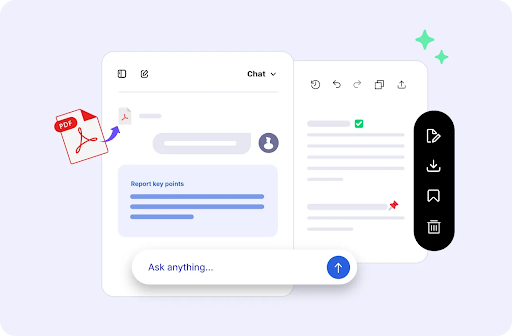
AI tools can help you create articles, reports, study notes, product documentation, and business proposals. But a draft that looks fine in a chat window may not be ready to share. Headings might be inconsistent, tables may be difficult to read, and Markdown symbols such as ## or ** can appear in the wrong places when content is copied directly.
A practical solution is to separate writing from publishing. First, create and review the content with your preferred AI assistant. Next, organize the approved draft in Markdown, a lightweight format for structured text. Finally, convert that Markdown file into a PDF that is easier to distribute, print, or archive.
iBoomto offers two tools that fit different parts of this process: iBoomto AI, a Windows desktop AI document agent, and its free Markdown to PDF converter, an online tool that formats Markdown files as PDFs.
1. Start with the AI Tool That Fits Your Workflow
You do not need to generate your draft and publish it in the same application. You can use a cloud-based AI assistant, a locally running model, or a desktop document tool to prepare the initial content.
Cloud AI services can be convenient for brainstorming, outlining, rewriting, and summarizing. Local AI models can be useful when you want to run supported AI tasks on your own computer. The right choice depends on the task, available hardware, model capabilities, and your privacy requirements.
For Windows users who regularly work with documents, iBoomto AI provides a desktop workspace for document analysis, summarization, editing, and generation. Its published features include:
Document AI for Windows: Work with PDFs, text files, Markdown, Word documents, and other supported formats in a desktop workflow.
Online and local AI model support: Choose a suitable supported model and workflow for your needs. Actual availability depends on the models and configuration supported by the application.
Privacy and security controls: Files remain on your local drive for storage, while some AI-assisted operations may transmit the relevant text or content to an online model. Review the processing details before using confidential material.
A free starting option: The product offers free document-related features, with paid Pro access for additional capabilities.
More control over document workflows: Bring reading, reviewing, organizing, and creating documents together rather than relying on a collection of disconnected tools.
These capabilities make iBoomto AI worth considering when document work involves more than simply generating a paragraph in a chat window.
Important distinction: Local drafting and online conversion are separate activities. Even if your AI draft is created entirely on your computer, uploading the resulting Markdown file to a web-based converter introduces an online processing step.
2. Review the Draft Before Publishing
AI-assisted writing should be treated as a starting point, not automatically as a verified final document. Before converting anything to PDF, review the content for accuracy, clarity, and completeness.
A useful review checklist includes:
Verify factual claims: Check statistics, dates, quotations, product specifications, and other claims against reliable sources.
Check citations and links: Make sure references exist and support the statements attached to them.
Remove unsupported details: Ask the AI to identify claims that need evidence, but independently verify its suggestions.
Improve the structure: Use a clear title, descriptive section headings, concise paragraphs, and lists where appropriate.
Check consistency: Confirm that terminology, names, numbers, and formatting remain consistent throughout the document.
Protect sensitive information: Remove private data that does not need to appear in the published version.
This step matters because converting a draft into a polished PDF changes its presentation, not the reliability of its contents.
3. Turn the Approved Draft into Markdown
Markdown is a convenient bridge between AI-generated text and a finished document. It uses simple symbols to define headings, emphasis, lists, links, tables, and other common formatting elements.
For example, a short report might look like this:
# Quarterly Project Report
## Overview
The project completed its main milestones
during the reporting period.
## Key Results
– Milestone one completed
– Documentation reviewed
– Next phase planned
## Next Steps
1. Confirm outstanding requirements.
2. Assign responsibilities.
3. Publish the final report.
Save the approved content in a file ending in .md, such as quarterly-report.md.
If your AI assistant already provides Markdown output, you can usually copy or export that content directly. If the draft comes from another editor, add the Markdown headings and formatting before saving it.
Keep the structure simple. A clear heading hierarchy, properly formatted lists, and concise tables generally produce more readable documents than complicated formatting.
4. Convert Markdown to PDF with iBoomto
Once the draft is reviewed and saved, open the iBoomto Markdown to PDF converter.
The online tool is designed to convert Markdown into a formatted PDF without requiring a local installation, manual CSS styling, or an account.
The workflow is straightforward:
Upload the Markdown file: Select your .md file or drag it into the converter.
Convert the document: Start the conversion and let the tool render the Markdown structure into a PDF layout.
Download the result: Save the generated PDF and inspect it before sharing or printing.
The converter supports common Markdown elements, including headings, bold and italic text, ordered and unordered lists, tables, links, images, and code blocks. It also supports batch conversion for up to five Markdown files, with a published maximum of 50 MB per file.
Image placement 1 — Markdown-to-PDF conversion preview
!iBoomto Markdown to PDF conversion preview
Caption: A Markdown document is transformed into a formatted PDF with readable headings, tables, and code blocks.
This is useful for a wide range of documents, including AI-assisted articles, technical guides, meeting summaries, research notes, and internal reports.
5. Understand What “Free” Means
The iBoomto Markdown to PDF converter is advertised as free to use without registration or an account. Its published limits include up to five files per batch and a maximum file size of 50 MB per file.
For a typical article or report, this offers a straightforward way to move from Markdown to a shareable document without purchasing a dedicated conversion application.
However, free conversion should not be confused with unlimited AI generation. The converter formats an existing Markdown file; it is not the same service as an AI model generating new content. Likewise, iBoomto AI has free functionality and a separate Pro offering, so its pricing and usage conditions should be checked independently.
The distinction is important when planning a workflow around the terms free, unlimited, or no token limit. Those terms can refer to different things: the cost of the software, the number of files that can be converted, or the usage restrictions imposed by a particular AI model or service.
6. Keep Privacy in Mind When Using the Online Converter
Privacy depends on the complete workflow, not just on where the original draft was created.
According to its published description, iBoomto’s online Markdown to PDF converter processes uploaded files temporarily and deletes them when you close the page. It also states that uploaded files and generated PDFs are not retained as permanent server storage.
That is useful information, but it does not mean that an online conversion is the same as an entirely offline process.
Consider these practical precautions:
Use the online converter for material you are comfortable processing through a web service.
Avoid uploading confidential business information, personal records, unpublished sensitive research, or regulated data unless the service meets your organization’s requirements.
Review the service’s privacy policy and terms if you need stronger assurances about data handling.
For sensitive material, consider an entirely local Markdown-to-PDF conversion method instead.
If you use a local AI model to draft your document, remember that uploading the Markdown file for online conversion still involves sending that file to an external service.
7. Inspect the PDF Before Sharing It
After downloading the PDF, open it and check the actual output rather than assuming the conversion is perfect.
Pay particular attention to:
Page breaks and heading placement
Tables that may be too wide for the page
Images that appear stretched, missing, or incorrectly positioned
Code blocks and long URLs
Footnotes, citations, and clickable links
Mathematical notation and special characters
Empty pages, excessive whitespace, and inconsistent spacing
For longer reports, review the document from beginning to end. A PDF can look professional while still containing a factual error or a layout problem.
If something needs correcting, return to the Markdown source, make the changes, and convert it again. Keeping the source file makes revisions easier than editing each issue directly in a finished PDF.
A Simple Workflow from Draft to Finished Document
The overall process can be summarized in four stages:
Draft: Use a suitable cloud or local AI model to develop the content.
Review: Verify facts, improve the structure, and approve the final wording.
Format: Save the reviewed draft as Markdown.
Publish: Convert the Markdown file to PDF, inspect the output, and share it.
For Windows users who want a broader document workspace, iBoomto AI can support the drafting and document-management side of this process. When the Markdown is ready, the iBoomto Markdown to PDF converter provides a separate, browser-based route to the final PDF.
The key is to keep content creation, fact-checking, and formatting as distinct steps. That approach makes the workflow easier to review and repeat, whether you are publishing a short article or preparing a longer professional report.

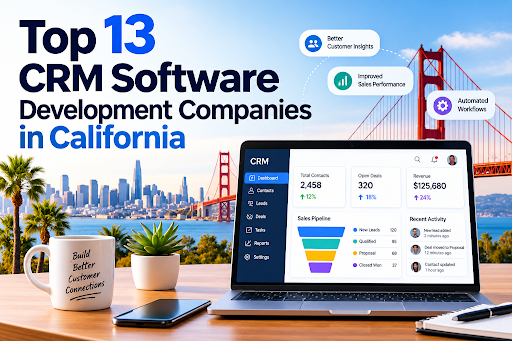
California is home to some of the most influential technology companies in the world, and customer relationship management (CRM) is one of the areas where that expertise shows. Businesses from Silicon Valley startups to Los Angeles real estate firms depend on custom CRM platforms to manage leads, automate sales, and keep customers loyal. Choosing the right CRM software development company can decide whether your CRM becomes a growth engine or an expensive, underused database.
This guide covers 13 companies with a strong California presence, what they are known for, and how to pick the right one.
Why Businesses in California Invest in Custom CRM
Off-the-shelf CRMs work for many teams, but California’s competitive, fast-moving industries often need more. Custom development offers:
- Tailored workflows that match how your team actually sells and supports customers
- Seamless integrations with ERP, marketing, billing, and analytics tools
- Industry compliance, such as HIPAA for healthcare and CCPA for consumer data privacy
- Scalability as your customer base grows
- Full data ownership and control over security
Regulated and relationship-driven sectors benefit most. A specialized healthcare CRM software development solution can manage patient engagement and appointments while protecting sensitive records. Likewise, real estate CRM software development services can organize listings, buyer pipelines, and agent follow-ups in one place.
How We Selected These Companies
We looked at five factors:
- Experience building and customizing CRM platforms
- Industry specialization and domain knowledge
- Technology stack and integration capability
- Security and compliance practices
- Client support, scalability, and delivery track record
The Top 13 CRM Software Development Companies in California
1. Dev Technosys
Dev Technosys leads this list for its end-to-end approach to custom CRM engineering. As an experienced CRM software development company, it designs, builds, integrates, and maintains CRM systems for startups and enterprises. Its teams work across sales automation, customer support, marketing automation, and analytics modules. It is also known for industry-specific builds, including a healthcare CRM software development solution focused on patient management and compliance, and real estate CRM software development services covering lead tracking and property management.
2. Salesforce
Based in San Francisco, Salesforce is the world’s best-known CRM platform vendor. Beyond its products, its ecosystem of consultants and developers supports deep customization through Apex, Lightning, and APIs. It is a strong fit for enterprises that want a mature platform with a huge integration marketplace.
3. Intellectsoft
With a Silicon Valley presence, Intellectsoft focuses on digital transformation and enterprise software. It builds custom CRM solutions for finance, healthcare, and retail clients that need modernization or integration with legacy systems.
4. Grid Dynamics
Headquartered in the Bay Area, Grid Dynamics specializes in large-scale digital engineering. It suits enterprises that need data-rich CRMs with advanced analytics and personalization.
5. Altoros
Altoros, based in Sunnyvale, is known for cloud-native engineering and platform development. Companies seeking a scalable, cloud-based CRM architecture often turn to firms with this profile.
6. Xoriant
Xoriant, with a Sunnyvale base, offers product engineering and digital services. It works with software vendors and enterprises to build and modernize customer-facing platforms, including CRM modules.
7. Persistent Systems
Persistent Systems has a major U.S. presence in Santa Clara. It builds software products and enterprise solutions, including CRM integrations that connect customer data across large organizations.
8. Zoho
Zoho serves customers worldwide with a US presence and a flexible, affordable CRM suite. Its partner network helps small and mid-sized businesses customize workflows without building from scratch.
9. Oracle NetSuite
NetSuite combines CRM, ERP, and e-commerce in one cloud suite. Its implementation partners in California help growing companies unify front-office and back-office data.
10. Apexon
Apexon provides digital engineering and quality assurance services. Its experience in testing and automation helps ensure CRM releases are stable and reliable.
11. Slalom
Slalom has a strong San Francisco and Los Angeles presence and delivers CRM strategy, implementation, and change management, especially on Salesforce and Microsoft platforms.
12. Deloitte Digital
Deloitte Digital combines consulting with technology delivery for large-scale CRM transformation. It is best suited to enterprises with complex, multi-department requirements.
13. Accenture
Accenture offers extensive CRM consulting and implementation across industries. Its scale suits global enterprises that need a long-term transformation partner.
How to Choose the Right CRM Development Partner
Define your goals first. Know whether you need lead management, customer support, marketing automation, or all three.
Look for domain expertise. A generic CRM rarely fits a regulated industry. If you are in healthcare, a provider experienced in a healthcare CRM software development solution will already understand HIPAA, consent management, and patient journeys. If you are in property, a team offering real estate CRM software development services will know listing syndication and agent workflows.
Check integration skills. Your CRM must connect with email, telephony, accounting, and marketing tools.
Ask about security and compliance. Request details on encryption, access controls, and audit trails.
Evaluate support and scalability. The best CRM software development company will offer post-launch maintenance and plan for growth.
Compare pricing models. Fixed-price, time-and-materials, and dedicated-team models each suit different projects.
Final Thoughts
California’s technology landscape offers plenty of choices, from platform giants to custom engineering specialists. For tailored, industry-aware builds, working with a dedicated CRM software development company is often the most cost-effective route to a system your team will actually use. Whether you need a healthcare CRM software development solution or real estate CRM software development services, shortlist two or three vendors, review their case studies, and start with a discovery call.
FAQs: CRM Software Development in California
1. What does a CRM software development company do?
A CRM software development company designs, builds, integrates, and maintains custom CRM systems. This usually covers sales automation, lead management, customer support, marketing automation, reporting, and connections to tools like ERP, email, and billing software.
2. Why choose custom CRM development over an off-the-shelf CRM?
Custom CRMs match your exact workflows, scale with your business, and give you full control over your data and security. Off-the-shelf tools are quicker to start with, but often need workarounds once your processes become more complex.
3. How much does custom CRM development cost in California?
Cost depends on features, integrations, number of users, compliance needs, and the pricing model. Simple CRMs cost far less than enterprise platforms with advanced analytics and automation. Ask for a discovery call and a detailed estimate, since fixed-price, time-and-materials, and dedicated-team models can produce very different totals.
4. How long does it take to build a custom CRM?
A basic CRM can take a few months, while a feature-rich or heavily integrated platform can take longer. Scope, third-party integrations, data migration, and testing all affect the timeline.
5. Why do healthcare providers need a specialized CRM?
Healthcare organizations handle sensitive patient data and must follow regulations such as HIPAA. A purpose-built healthcare CRM software development solution can manage patient engagement, appointment reminders, consent, and follow-ups while keeping records secure and auditable.
6. What features should a real estate CRM include?
Look for lead capture and scoring, listing management, buyer and seller pipelines, automated follow-ups, document handling, and reporting. Professional real estate CRM software development services can also add integrations with MLS feeds, listing portals, and communication tools.
7. How do I choose the right CRM development company in California?
Check the company’s CRM experience, industry expertise, security and compliance practices, integration skills, client reviews and case studies, and post-launch support. Shortlist two or three vendors and compare their proposals.
8. Can a custom CRM integrate with my existing software?
Yes. A good development partner builds APIs and connectors so your CRM works with accounting, marketing, telephony, ERP, and analytics tools, which prevents data silos.
9. Is a custom CRM secure and compliant with privacy laws?
It can be, when built correctly. Ask about encryption, role-based access, audit trails, and compliance with laws such as CCPA, plus HIPAA for healthcare. Your vendor should explain how these are handled.
10. Do CRM development companies offer support after launch?
Most reputable firms provide maintenance, updates, bug fixes, and scaling support. Confirm the support terms, response times, and costs in your contract before signing.

Why Multi-Model AI Image Generation Marks the End of Multi-Tool Visual Production

The Realities of Electric Scooter Ownership: Battery Care, Maintenance and Everyday Running Costs

The Ultimate Guide to Women’s Sandals for Style and Comfort

Essential Guide to Hire Furniture in Sydney for Stylish Home Makeovers

Publishing AI-Assisted Drafts as PDFs: A Free Markdown Workflow with iBoomto

Spinal Alignment in Kuala Lumpur: What It Involves and What It Costs

The 15 Highest-Paid Rugby Players in the World

Christopher Dare: The Untold Story of Engineer and Former Husband of Angela Rippon

How to Ensure Your Home is Valued Correctly for a Quick Sale

What Is Fanquer? The Digital Creator Platform Transforming Direct-to-Fan Engagement

Dr Jared Ross: Missouri Appeals Court Upholds Protection Order Over Graphic Torture and Murder Threats

Nancy Hallam: The Inspiring Life, Career, and Success Story Behind Ian Wright’s Wife
The 15 Highest-Paid Rugby Players in the World
Christopher Dare: The Untold Story of Engineer and Former Husband of Angela Rippon
How to Ensure Your Home is Valued Correctly for a Quick Sale
What Is Fanquer? The Digital Creator Platform Transforming Direct-to-Fan Engagement
Dr Jared Ross: Missouri Appeals Court Upholds Protection Order Over Graphic Torture and Murder Threats
Nancy Hallam: The Inspiring Life, Career, and Success Story Behind Ian Wright’s Wife
-
 Sports5 months ago
The 15 Highest-Paid Rugby Players in the World
-
Celebrity11 months ago
Christopher Dare: The Untold Story of Engineer and Former Husband of Angela Rippon
-
 Real Estate9 months ago
How to Ensure Your Home is Valued Correctly for a Quick Sale
-
 Technology5 months ago
What Is Fanquer? The Digital Creator Platform Transforming Direct-to-Fan Engagement
-
 Celebrity5 months ago
Dr Jared Ross: Missouri Appeals Court Upholds Protection Order Over Graphic Torture and Murder Threats
-
Celebrity11 months ago
Nancy Hallam: The Inspiring Life, Career, and Success Story Behind Ian Wright’s Wife
-

 Celebrity8 months ago
Who Is Azriel Crews? Inside the Life and Career of Terry Crews’ Daughter
-

 Health9 months ago
Enclomimed 25 (Enclomiphene) – Effective PCT Protocol