
Ai & Tools
6 Best AI Girl Generator Tools for Creating AI Characters

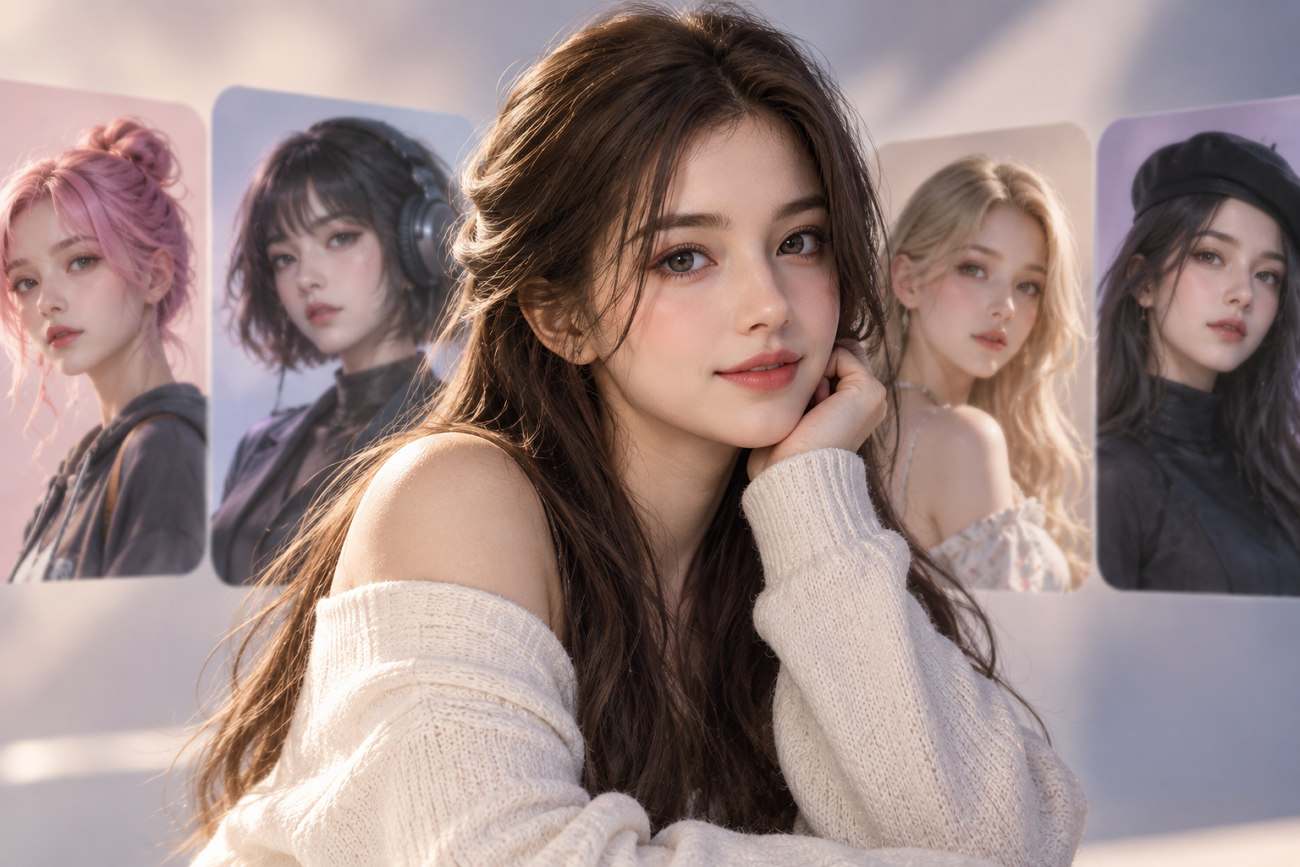
AI Girl Generator: 6 Best Tools for AI Characters
Most AI tools can create one convincing girl portrait without much effort. Keeping one face consistent across poses, outfits, and scenes is difficult. Character consistency separates an AI girl generator from ordinary image creation tools online. Reliable results matter when creators need one recognizable character across different content formats. This guide compares 6 tools for consistent characters across images, scenes, and videos.
Part 1. 6 AI Girl Generators for Different Creative Needs
Different creative needs require AI-generated girls to stay consistent across varied formats. Let’s explore 6 tools and see which creative needs each one handles best.
- MagicLight AI
Best For: Video creators making speaking, animated AI characters.
MagicLight AI creates characters and carries them directly into complete video creation workflows. Characters can start from written descriptions or uploaded photos for easier personalized results. Saved characters stay available for reuse across scenes with different poses and outfits. Narration and export tools make it a practical AI girl generator for videos.
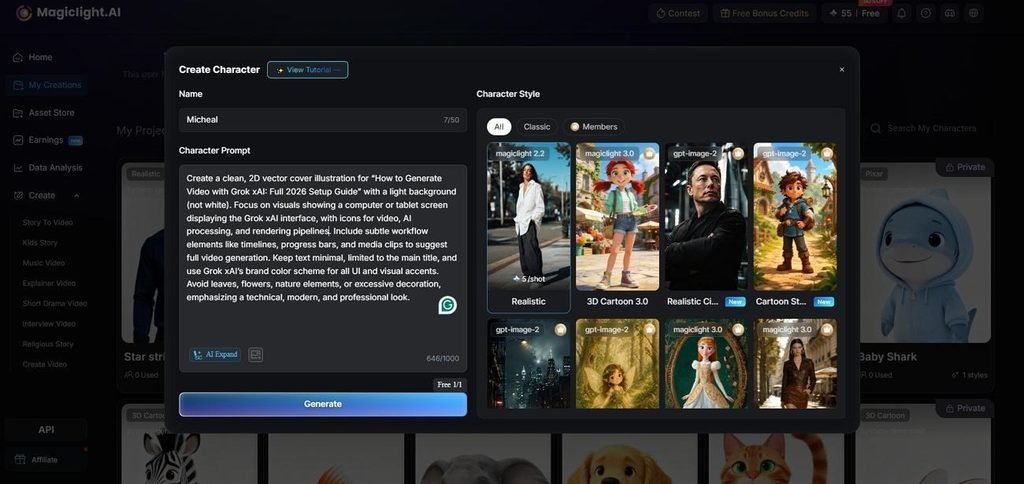
Key Features
- Choose from 14 story models for different plots, pacing styles, and storytelling directions.
- Creators can use 37 voices to give different characters distinct voices across videos.
- Customize character appearance and outfits using detailed prompts up to 1000 characters long.
- Midjourney
Best For: Creators producing polished character artwork with controlled aesthetics.
For polished portraits, this AI generator girl tool handles realistic and artistic styles. Midjourney focuses on detailed still images where lighting, texture, and composition matter most. Creators can shape visual direction carefully before using characters in larger content projects.
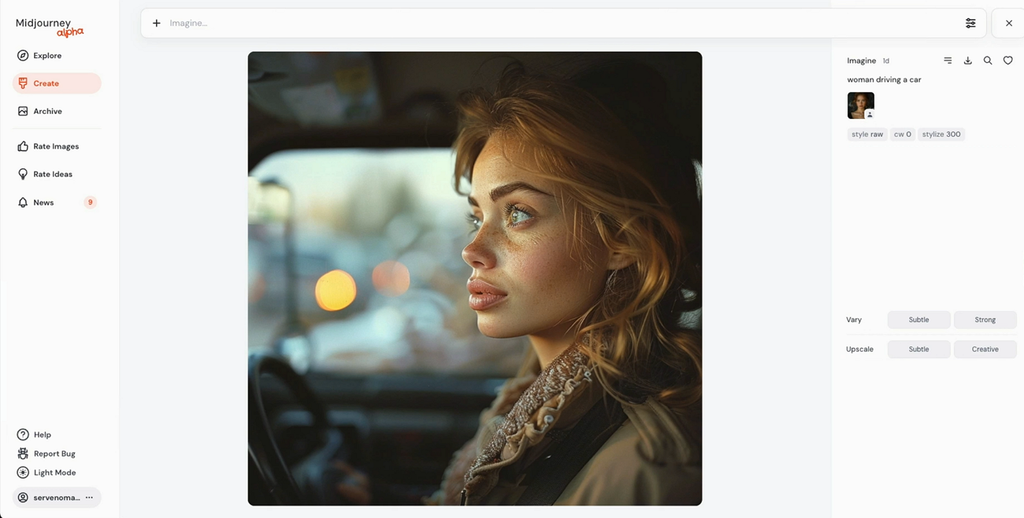
Key Features
- Draft Mode generates 24 low-resolution images per V8.2 prompt.
- Edit Model combines up to 4 references within compositions.
- Editor supports inpainting, outpainting, Pan, Remix, and Zoom Out.
- Leonardo AI
Best For: Game artists creating repeatable character sheets and concepts.
Leonardo AI works as a realistic AI girl generator for consistent character creation. Its character reference keeps facial details recognizable across new poses and scenes reliably. Creators can guide poses and styles while keeping each character visually consistent throughout.
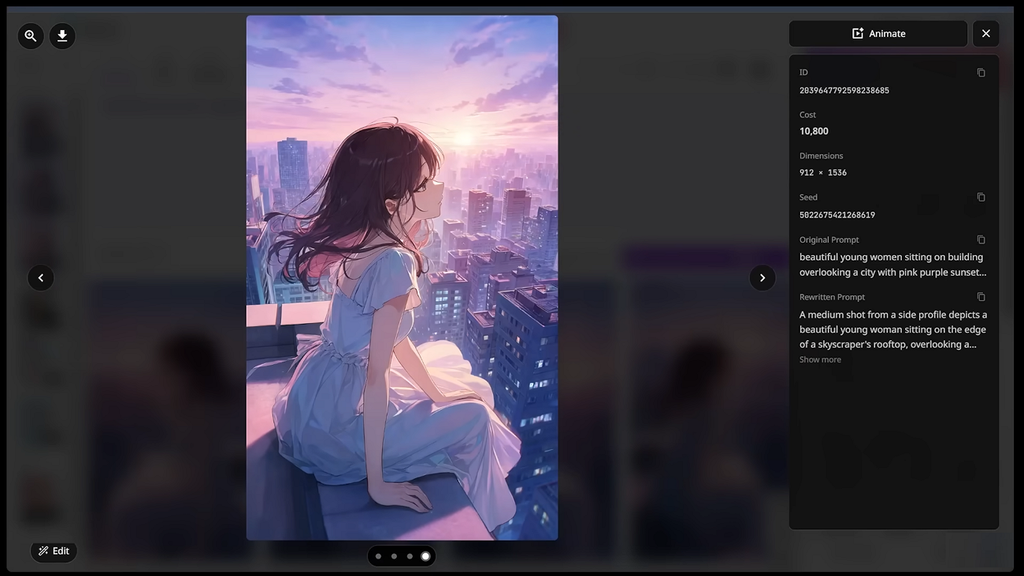
Key Features
- Omni Models accept up to 6 reference images together.
- Inline Editor changes existing images through simple descriptive prompts.
- Seedream 5.0 Pro supports high-fidelity image generation with reference inputs.
- PixAI
Best For: Anime creators needing repeatable character artwork.
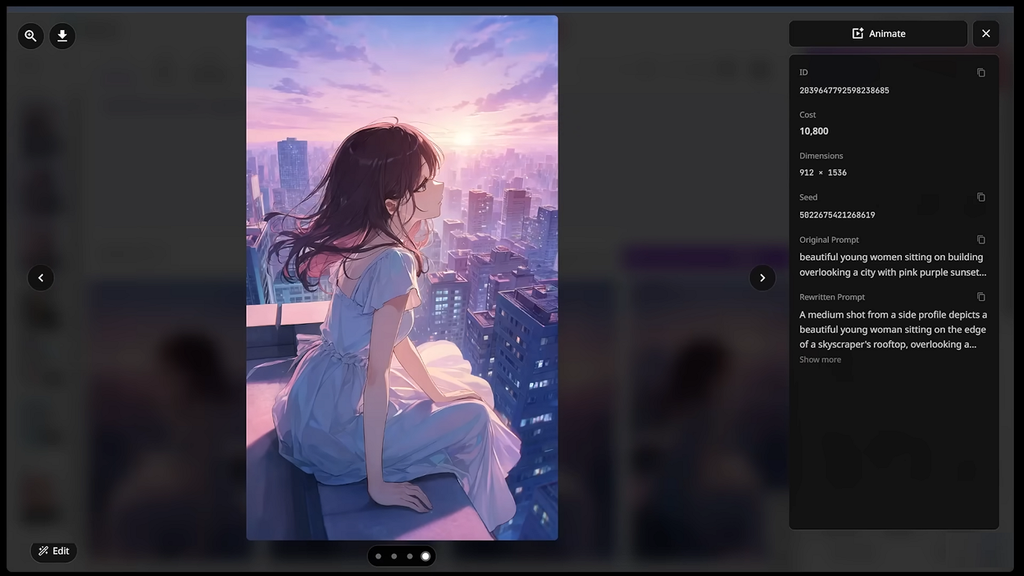
Built for anime creation, this realistic AI girl generator free option supports character creation. PixAI offers dedicated anime models for expressive faces, clothing, hairstyles, and polished illustrations. Reference tools help creators keep character identity stable while changing poses, outfits, and scenes.
Key Features
- Reference Pro accepts up to 10 images for guidance.
- Haruka v2 improves hands, eyes, hair shine, and clothing wrinkles.
- Seed controls reproduce consistent results using identical generation settings.
- SeaArt
Best For: Creators handling image and video workflows together.
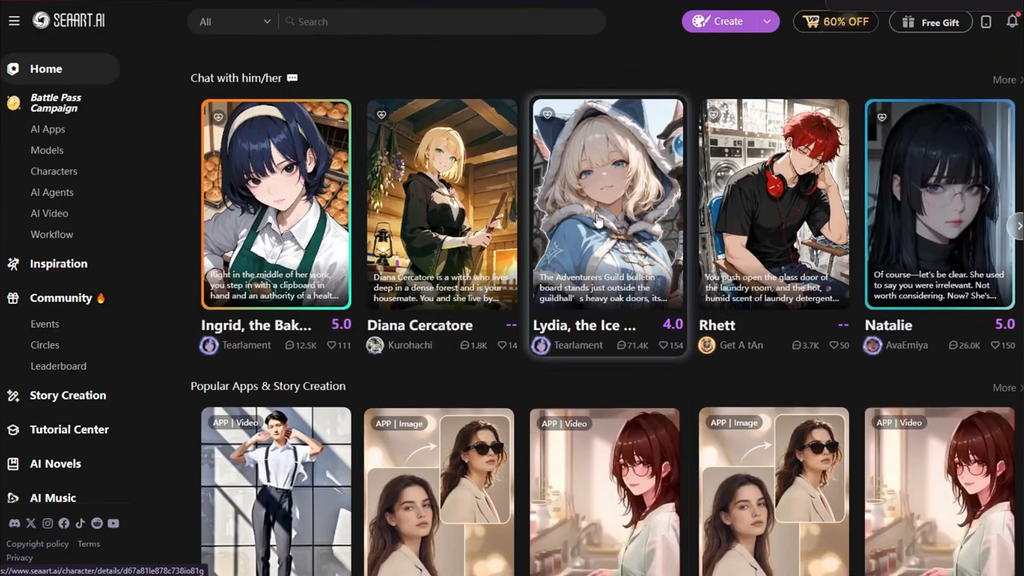
SeaArt combines image creation, character tools, editing, and video workflows within one platform. Its reusable character system keeps faces stable across scenes, actions, and different videos. Creators can move from initial concepts into finished media without changing creative environments.
Key Features
- Frame interpolation increases supported video outputs up to 60FPS.
- Play Around adds background music and lip sync tools.
- ComfyUI supports LoRA, DoRA, and LyCORIS model selections directly.
- Adobe Firefly
Best For: Brand teams creating commercially safer character assets together.
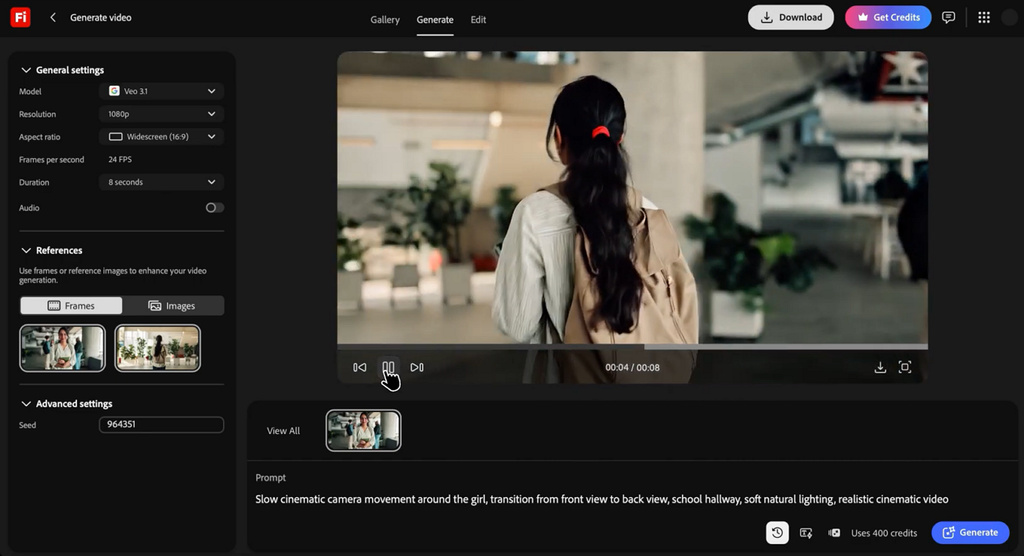
Adobe Firefly gives creators an AI generator girl workflow built around commercial use. Generated characters move into Photoshop and Premiere without breaking the wider editing workflow. Licensed training sources also make Firefly easier to explain in professional brand projects.
Key Features
- Composition Reference transfers structure from uploaded videos into generations.
- Reusable Elements preserve character identity across new scenes consistently.
- Firefly Boards supports real-time collaboration on infinite visual canvases.
Part 2. How to Create AI-Generated Girls for Different Uses
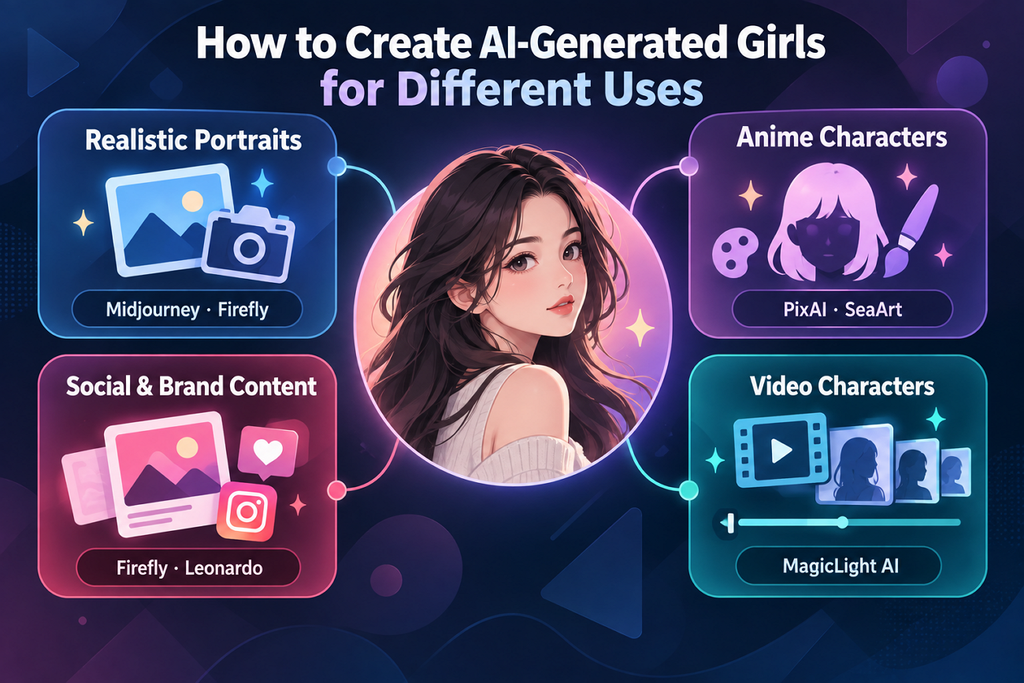
Different creative goals require different methods when using a free AI girl generator. Choosing the right approach first makes character creation faster and more focused.
- Realistic Portraits: Midjourney and Firefly work well for creating lifelike character images. Describe age, lighting, camera angle, and framing because photographic details guide results clearly.
- Anime Characters: PixAI and SeaArt fit anime-focused character creation better overall. Keep hair color, eye shape, clothing details, and signature accessories fixed across generations.
- Social and Brand Content: Firefly and Leonardo support repeated character use across campaigns. Their workflows help keep faces recognizable while supporting professional commercial content creation needs.
- Video Characters: MagicLight AI works well when characters must continue across multiple scenes. Saved characters can return without rebuilding the same person for every new shot.
Part 3. How to Turn AI-Generated Girls Into Videos
An AI generator girl needs careful steps before becoming a consistent video character. Below are the 5 stages for turning generated characters into videos without face drift:
Step 1. Finalize the character design, including hair, eyes, outfit, and recurring accessories. These details often change first when the character starts moving between different scenes.
Step 2. Create a reference set instead of depending only on written descriptions. Front, side, and full-body views help the model preserve the character more accurately.
Step 3. Save the character inside a platform that supports reusable character profiles. This helps later scenes recall the same appearance instead of generating someone different.
Step 4. Choose one voice for the character and keep it consistent throughout. Changing the voice can make the same character feel different between separate scenes.
Step 5. Compare nearby shots together instead of reviewing every scene separately. Differences in faces, outfits, or proportions become easier to notice between connected shots.
MagicLight AI combines Steps 3, 4, and 5 inside one project workflow. Saved characters stay available across scenes, while 37 voices support dialogue for different roles. Scenes can also generate in sequence, reducing the need to assemble separate clips manually.
Conclusion
To conclude, choose an AI girl generator based on your final creative goal, not image samples. Midjourney and Firefly suit polished stills, while PixAI and SeaArt support anime character styles well. Leonardo works well for repeatable character sheets used across structured production and design projects. MagicLight AI helps create characters that move, speak, and stay consistent across scenes.
FAQs About AI Girl Generators
- What is the best AI girl generator for creating video characters?
MagicLight AI works well because saved characters can stay consistent across multiple generated scenes. Image tools usually require separate references to keep the same face between generations.
- Can I create a realistic AI girl from a photo?
Yes, many platforms accept reference photos for creating realistic AI characters. Always get permission before using another person’s image, especially for public or commercial projects.
- Can I use a free AI girl generator to create characters?
Yes, a free AI girl generator plan can create characters without upfront payment. Free plans may limit generations, exports, or commercial usage, so review the platform terms first.
- How can I turn an AI-generated girl into a video?
Save the character, generate connected scenes, and keep its appearance consistent throughout the video. An AI girl voice generator can also add matching narration or dialogue across scenes.


Artificial intelligence is moving beyond experimentation and becoming part of everyday digital life in the UK. One particularly interesting development is the growth of paid AI subscriptions. A study published by the University of Warwick’s CAGE Research Centre on 5 November 2026, involving researchers from the University of Warwick and Imperial Business School, estimates that UK consumer spending on AI products has reached more than £1 billion annually. Around one in twenty UK adults now pays for an AI tool, with subscription numbers approximately doubling each year.
The research also identifies ChatGPT as the leading platform in UK consumer AI subscription spending, reflecting its established role in the rapidly developing AI market.
So why are more people exploring paid AI tools, and how can ChatGPT fit into everyday routines? Here are some of the key trends and practical uses worth understanding.
1. AI Subscriptions Are Becoming Part of the UK’s Digital Lifestyle
For years, people have paid for digital services such as music streaming, video platforms, cloud storage, and productivity software. AI subscriptions are now becoming another part of this landscape.
The latest UK research highlights how quickly consumer interest in paid AI products has developed. More people are recognising that conversational AI can support a variety of activities, from handling everyday writing tasks to exploring complex subjects and organising information.
This shift is particularly relevant for people whose work involves research, communication, planning, and creative problem-solving. Rather than using AI only occasionally, regular users are exploring how it can become a consistent part of their daily routines.
ChatGPT has played an important role in this development. Its conversational interface makes it accessible to people with different levels of technical experience, allowing users to ask questions, develop ideas, and work through tasks using natural language.
For readers exploring their access options, ChatGPT accounts provide a starting point for discovering ways to incorporate ChatGPT into their digital routines.
2. Why ChatGPT Is Popular Among UK Professionals
One major reason for ChatGPT’s popularity is its versatility. Instead of being designed around a single task, it can support different stages of a typical working day.
For professionals, this might mean preparing a meeting agenda in the morning, organising research notes during the afternoon, and drafting a presentation outline before the end of the day.
Some practical examples include:
- Email writing: Develop clear professional messages, adjust tone, and organise important information.
- Research support: Explore unfamiliar subjects, generate research questions, and summarise background information.
- Project planning: Break larger objectives into smaller tasks and create structured schedules.
- Content development: Brainstorm article topics, prepare outlines, and refine written drafts.
- Learning new skills: Request explanations, practical examples, and guided exercises.
These applications help explain why AI tools are attracting attention across different professional sectors.
The UK Government’s 2026 AI Adoption Survey also found that one-third of UK businesses were using at least one AI technology, compared with 16% in 2025. Among organisations using or planning to use AI, large language model-based applications were particularly prominent.
This suggests that conversational AI is becoming an increasingly familiar part of modern business workflows.
3. ChatGPT Plus and the Growing Interest in Premium AI Features
As people become more familiar with ChatGPT, some begin exploring the additional capabilities available through paid subscription options.
ChatGPT Plus is particularly relevant to users who want to make AI a more regular part of their work or personal projects. Depending on the features currently available, users can explore capabilities such as working with files, analysing information, generating images, and using advanced tools to support more involved tasks.
For example, a student might use ChatGPT to organise information from study materials, while a marketing professional could use it to develop campaign ideas and structure content plans.
A freelancer may also find it useful when preparing client proposals, brainstorming creative concepts, or organising research for different projects.
People researching ChatGPT Plus cheap options may also want to compare the available access choices and consider which features best match their needs.
The most useful approach is to identify the tasks you perform regularly and explore how different AI capabilities can support them.
4. Students Are Finding New Ways to Learn with ChatGPT
Education is another area where ChatGPT is attracting considerable attention.
Instead of simply searching for a definition, students can use conversational AI to explore a subject through follow-up questions and practical examples. This creates a more interactive learning experience.
For example, someone studying economics could ask ChatGPT to explain inflation using everyday examples. A language learner could practise conversations, explore vocabulary, or request explanations of grammatical structures.
Students can also use it to:
- Create revision schedules for upcoming examinations.
- Generate practice questions for different subjects.
- Break complicated concepts into smaller explanations.
- Organise research topics before starting an assignment.
- Create flashcard-style questions for revision.
The key is to use AI as a learning companion. Students should develop their own understanding, check important information, and follow their institution’s academic guidelines when using AI for coursework.
5. ChatGPT Is Also Changing How People Discover Information
Another interesting development in the UK is the growing relationship between AI and news consumption.
According to Ofcom’s News Report 2026, one in five UK adults now uses AI tools such as ChatGPT to keep up with the latest news. ChatGPT was the most popular AI tool for this purpose, used by 13% of adults.
This reflects a broader change in how people explore information online. Rather than relying exclusively on traditional search results, users can ask conversational questions, request summaries, and explore different aspects of a topic.
For example, someone following a major technology announcement might ask ChatGPT to explain the key developments, clarify unfamiliar terminology, or organise the main points into a simple overview.
This conversational approach makes it easier to explore subjects from different angles and discover questions worth investigating further.
For important news and factual information, consulting original reporting and authoritative sources remains a useful part of the research process.
6. How to Get More Value from ChatGPT Every Day
Getting useful results from ChatGPT is not simply about asking more questions. The way a prompt is structured can make a significant difference.
A practical prompt should explain the context, describe the task, and specify the expected format.
For example, rather than writing:
“Help me plan my week.”
Try:
“Create a five-day work schedule for a marketing professional. Include time for research, writing, meetings, and reviewing campaign performance. Present the result as a clear daily timetable.”
The second request gives ChatGPT a better understanding of the task and the type of response required.
You can also improve results through follow-up instructions. Ask ChatGPT to simplify an explanation, provide additional examples, reorganise information, or adapt the tone for a particular audience.
Over time, developing a collection of useful prompts for recurring activities can make AI assistance a more natural part of your routine.
Final Thoughts
The growth of AI subscriptions in the UK reflects a wider change in how people use digital technology. ChatGPT is no longer simply a tool for experimenting with artificial intelligence; it is becoming part of everyday activities across work, education, research, and personal productivity.
As more people explore its capabilities, understanding how to use ChatGPT effectively can become a valuable digital skill.
Whether you are interested in improving your professional workflow, making learning more interactive, or finding new ways to organise daily tasks, ChatGPT offers plenty of possibilities. The next step is to identify where AI can make the biggest difference to your routine and start exploring its capabilities.


A marketing manager who wants better research briefs and a developer who wants to build an AI application may both search for an “AI course.” They are unlikely to need the same classroom. One needs a reliable way to use current tools; the other may need Python, algorithms and considerable practice.
That difference makes the course description more useful than a headline promising a career transformation. The OECD’s 2026 report on AI and skills points to the importance of training as AI changes workplace tasks. Before enrolling, a professional can ask three questions: What will the learner produce, how much time can they commit, and will they use the skills in their current work?
The courses below are an editorial selection, not a ranking by enrollment. Providers do not publish comparable, current learner figures for every program.
Practical AI courses for everyday work
1. Heicoders Academy, Generative AI Course for Automation and Productivity
For someone who wants to move beyond asking a chatbot occasional questions, Heicoders Academy offers a course centered on prompting, AI agents and automation workflows. The Singapore-based technology training provider describes a six week program with hands-on work, including the design of processes that use AI tools.
An operations professional might bring a recurring task, such as sorting incoming requests, and examine where an AI step belongs and where a colleague should review the result. The course’s practical emphasis makes it relevant to that goal. It also requires a larger time commitment than a short introductory lesson, which matters to anyone seeking only a basic overview.
2. Google AI Essentials
Google AI Essentials approaches the subject through familiar office tasks. Its material introduces generative AI and prompting, with an emphasis on applying tools to daily work rather than learning to build models. A professional who drafts emails, organizes ideas or prepares summaries can test the lessons against tasks already on the calendar.
That immediate application is the attraction of an introductory course. It is less suited to someone whose next goal is developing an AI product or working through the mathematics behind machine learning. Such a learner will need a more technical next step.
3. AI for Everyone, from DeepLearning.AI
Andrew Ng’s AI for Everyone is aimed at people who need to understand what AI can do within an organization. It covers terminology, the limits of AI, opportunities for projects and the experience of working with an AI team. The emphasis is on informed participation rather than writing code.
A department manager asked to evaluate a proposed AI initiative could use that foundation to ask clearer questions about the problem and the data involved. The course provides a way into strategic conversations, though a manager ready to configure an automation would need additional practice with specific tools.
4. Microsoft Learn, Enhance Business Workflows with AI
Microsoft’s learning path focuses on using Copilot across common business activities, including drafting content, examining data and managing collaborative work. Its setting is recognizable to employees who spend much of the day in documents, spreadsheets and meetings.
For a team already using Microsoft applications, that context may make it easier to turn a lesson into a small experiment at work. A learner should still distinguish completing the training from having access to every feature shown: workplace permissions and software plans determine what can be used afterward.
5. IBM Generative AI Fundamentals Specialization
IBM’s Generative AI Fundamentals Specialization takes learners through several courses and includes labs using generative AI tools. The broader structure gives someone time to connect basic concepts with examples of how systems are used, rather than concentrating on a single prompt or application.
It may appeal to a professional who wants a structured foundation before choosing a particular workplace use. As with any program featuring named tools, the lasting lesson is how to assess a use case and its output. Interfaces and product names can change faster than the principles behind a careful evaluation.
Courses for business decisions and deeper study
6. AWS Generative AI for Executives
AWS Generative AI for Executives is a four hour classroom course on the concepts and business considerations behind generative AI. Its intended audience is a leader who needs to discuss opportunities and organizational choices without first becoming a developer.
A director reviewing proposals from several teams may find that focus useful. Four hours can establish a shared vocabulary and prompt better questions, but it is not enough time to design, test and govern a complete AI system. The next step would be to examine a specific project with the people responsible for delivering it.
7. Wharton’s AI for Business Specialization
The University of Pennsylvania’s Wharton School offers an AI for Business Specialization that examines AI, machine learning and data through business applications. Its topics include ethical use, governance, people management and marketing, giving learners more than a tour of the latest generative AI interface.
That scope is relevant to a manager deciding how an AI proposal might affect customers or employees. Some examples concern broader machine learning practices, so a prospective learner interested only in this month’s productivity tools should review the syllabus carefully before committing to a longer program.
8. Vanderbilt’s Prompt Engineering for ChatGPT
Vanderbilt’s Prompt Engineering for ChatGPT focuses on patterns for giving language models clearer instructions. It begins with basic prompting and moves toward more involved approaches, without requiring a programming background.
The course suits someone who already uses a chatbot but finds that results vary from one attempt to the next. Better instructions can make a task easier to repeat. They cannot, however, supply missing facts or guarantee a correct answer, so source checking remains part of the workflow.
9. Harvard’s CS50 Introduction to Artificial Intelligence with Python
Harvard’s CS50 Introduction to Artificial Intelligence with Python takes a technical route through AI concepts and programming projects. It is designed for learners prepared to work with Python and understand how intelligent systems are built, rather than simply use an assistant at work.
A software professional considering AI development may welcome that depth. Someone looking for immediate help with presentations or customer emails would face a substantial detour. The course makes sense when learning to build and reason about systems is itself the objective.
Choosing a course that reaches the job
A course is most useful when its exercises resemble work the learner can actually do afterward. The World Economic Forum’s Future of Jobs Report 2025 identifies AI and big data among skills expected to grow in importance, alongside human skills such as analytical thinking. That combination suggests a practical test: can the learner explain an AI output, spot a weak conclusion and decide what to do with it?
The NIST AI Risk Management Framework also offers a useful reference for professionals whose course projects may eventually affect real decisions. An appealing demonstration is a start. The lasting value comes when someone can apply the method to a recurring task and recognize when the result needs correction.
FAQ
Which AI course is suitable for someone without coding experience?
Several entries focus on business use or everyday tools. The learner should check the stated prerequisites and examine a sample exercise before enrolling.
Is a longer course necessarily more useful?
No. Duration matters when it gives a learner enough time to practise the specific skill they need. A short introduction may be sufficient for understanding terms and asking better questions.
Should a course focus on one AI tool?
That depends on the job. Tool-specific instruction can be immediately useful, while broader concepts may remain useful when an interface changes.
How can a professional judge whether the training worked?
They can apply one lesson to a real task, check the output against the original material and see whether the process becomes clearer or more reliable.


Photography has always offered a way to preserve meaningful moments, from family gatherings to memorable travel experiences. However, modern digital tools have expanded what people can do with those images. A photograph no longer has to remain a realistic record of a scene. It can also become a creative interpretation shaped by color, texture, and artistic expression.
One style attracting interest among digital creators is Impressionism. Recognized for its expressive brushstrokes, changing light, and emphasis on atmosphere, this artistic movement provides inspiration for transforming everyday photographs into something more personal. Today, image editing technology makes it possible to explore painterly effects without formal art training.
As visual content becomes increasingly important in digital communication, understanding the relationship between photography and traditional art can help individuals create distinctive images while preserving the memories and ideas behind their original photographs.
Understanding Impressionism in the Digital Age
Impressionism developed during the nineteenth century when artists began moving away from highly detailed, traditional compositions. Instead, they explored how light, color, and movement could communicate the feeling of a particular moment.
These principles translate naturally into digital photography. A landscape can become more atmospheric through softer edges and expressive colors, while a street scene can emphasize reflections, changing light, and movement rather than individual details.
Modern editing technology allows creators to experiment with these characteristics using existing photographs. For example, a photo to impressionist painting transformation can introduce painterly textures and color variations while maintaining the original image as a reference.
The objective is not simply to make a photograph look different. It is to explore how artistic interpretation can change its mood and visual character while keeping its central subject meaningful.
Selecting Photographs That Suit Artistic Transformation
The original photograph has a significant influence on the finished artwork. Images with clear subjects, balanced lighting, and recognizable shapes generally provide a useful foundation for artistic experimentation.
Natural landscapes are particularly suitable because they contain varied colors, shadows, and textures. Gardens, beaches, mountain views, and urban streets offer opportunities to reinterpret familiar surroundings through expressive visual treatments.
Portraits require a slightly different approach. Facial expressions, distinctive features, and body language often carry the emotional value of an image. A strong artistic effect should complement these details rather than obscure them.
Before editing, consider which elements matter most. In a travel photograph, the surrounding atmosphere may be the main attraction. In a family portrait, recognizable faces may deserve greater attention. Understanding this distinction helps creators choose an artistic direction that supports the photograph’s original purpose.
Balancing Color, Light, and Texture
Color is central to impressionist artwork because it helps communicate atmosphere without relying entirely on precise outlines. Warm tones can suggest sunlight and comfort, while cooler shades may create a quieter or more reflective mood.
Texture also influences the final result. Visible brush-like marks can give a digital image a more expressive appearance, but excessive detail may distract from the main subject. Similarly, overly strong colors can make a natural scene feel artificial.
A balanced approach considers these elements together. Softening the background while retaining the subject’s defining features can create visual depth. Adjusting contrast may also help important details remain visible without removing the painterly character.
Creators should evaluate the entire composition rather than focusing exclusively on individual effects. A successful artistic interpretation feels cohesive, with color, texture, and lighting working together to communicate a clear visual idea.
Practical Uses for Impressionist-Style Images
Painterly photographs can serve many purposes beyond personal experimentation. Homeowners may use transformed landscapes as decorative artwork, while families can create distinctive keepsakes from meaningful portraits. Pet photographs and vacation memories can also become more personal through artistic reinterpretation.
Digital creators may incorporate these images into blog illustrations, social media graphics, presentation covers, and creative portfolios. When the visual treatment matches the subject and audience, it can help content feel more distinctive without requiring complicated design work.
Consistency becomes especially important when creating a collection. Using similar color palettes and levels of texture can help multiple images feel connected, particularly when they are displayed together.
Before printing or publishing an image, check its resolution, composition, and important details. An artwork that looks attractive on a small screen may reveal weaknesses when enlarged. Reviewing the final file at its intended display size helps ensure that the creative result remains effective.
Conclusion
The combination of traditional artistic principles and modern photography demonstrates how technology can expand creative possibilities. Impressionism offers a particularly useful approach because it emphasizes atmosphere, light, color, and movement rather than strict photographic realism.
However, achieving a compelling result requires more than applying a visual effect. The choice of source photograph, the balance of texture and color, and the preservation of meaningful details all influence the finished image. Thoughtful decisions help ensure that artistic changes enhance the original subject instead of distracting from it.
As digital editing tools continue to develop, more people can experiment with artistic styles regardless of their painting experience. This accessibility creates opportunities for personal expression, visual storytelling, and more distinctive digital content.
Ultimately, the value of an impressionist-inspired photograph lies in its ability to present a familiar moment from a different perspective. By combining creative experimentation with careful visual judgment, photographers can turn ordinary images into expressive artwork that remains meaningful over time.

8 Best Marketing Agencies for Tradesmen in the UK (2026)

Why More People in the UK Are Paying for ChatGPT in 2026

Build a Competitive Ultimate Team in EA Sports FC 27

Posters Deserve Better: What a Professional Picture Framer Can Do for Your Prints

Plastic Surgery Abroad: How To Prepare For Your First Consultation – A Practical Guide

7 jewellery schools that take complete beginners

How to Ensure Your Home is Valued Correctly for a Quick Sale

Christopher Dare: The Untold Story of Engineer and Former Husband of Angela Rippon

The 15 Highest-Paid Rugby Players in the World

What Is Fanquer? The Digital Creator Platform Transforming Direct-to-Fan Engagement

Dr Jared Ross: Missouri Appeals Court Upholds Protection Order Over Graphic Torture and Murder Threats

Nancy Hallam: The Inspiring Life, Career, and Success Story Behind Ian Wright’s Wife
How to Ensure Your Home is Valued Correctly for a Quick Sale
Christopher Dare: The Untold Story of Engineer and Former Husband of Angela Rippon
The 15 Highest-Paid Rugby Players in the World
What Is Fanquer? The Digital Creator Platform Transforming Direct-to-Fan Engagement
Dr Jared Ross: Missouri Appeals Court Upholds Protection Order Over Graphic Torture and Murder Threats
Nancy Hallam: The Inspiring Life, Career, and Success Story Behind Ian Wright’s Wife
-
 Real Estate10 months ago
How to Ensure Your Home is Valued Correctly for a Quick Sale
-
Celebrity12 months ago
Christopher Dare: The Untold Story of Engineer and Former Husband of Angela Rippon
-
 Sports6 months ago
The 15 Highest-Paid Rugby Players in the World
-
 Technology6 months ago
What Is Fanquer? The Digital Creator Platform Transforming Direct-to-Fan Engagement
-
 Celebrity5 months ago
Dr Jared Ross: Missouri Appeals Court Upholds Protection Order Over Graphic Torture and Murder Threats
-
Celebrity1 year ago
Nancy Hallam: The Inspiring Life, Career, and Success Story Behind Ian Wright’s Wife
-

 Celebrity8 months ago
Who Is Azriel Crews? Inside the Life and Career of Terry Crews’ Daughter
-
 Celebrity12 months ago
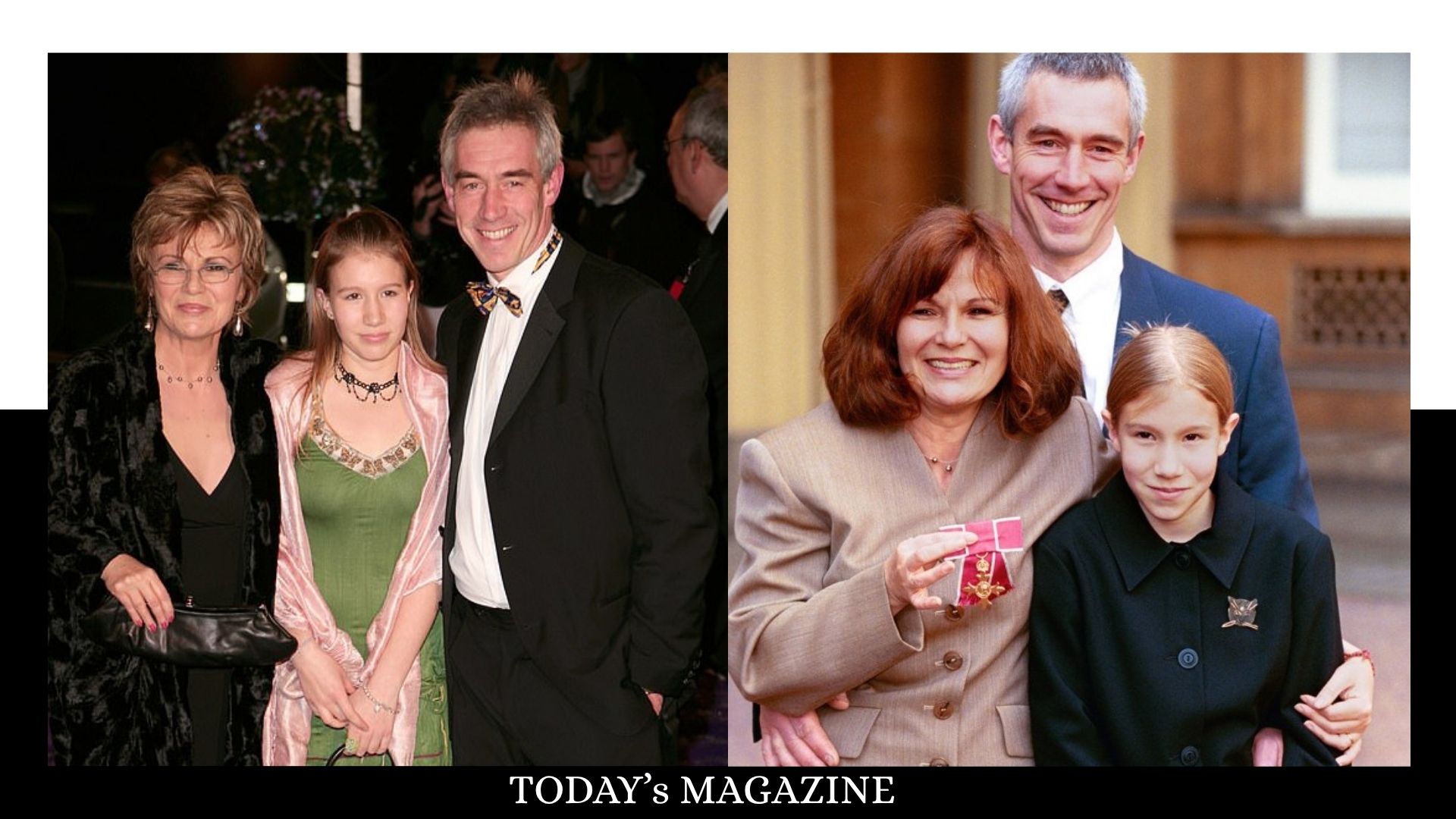
Who Is Maisie Mae Roffey? The Private Life, Family Story, and Quiet Success of Julie Walters’ Daughter