
Technology
What Is Tracqueur? Inside Modern Tracker Systems, GPS Devices, and Online Monitoring

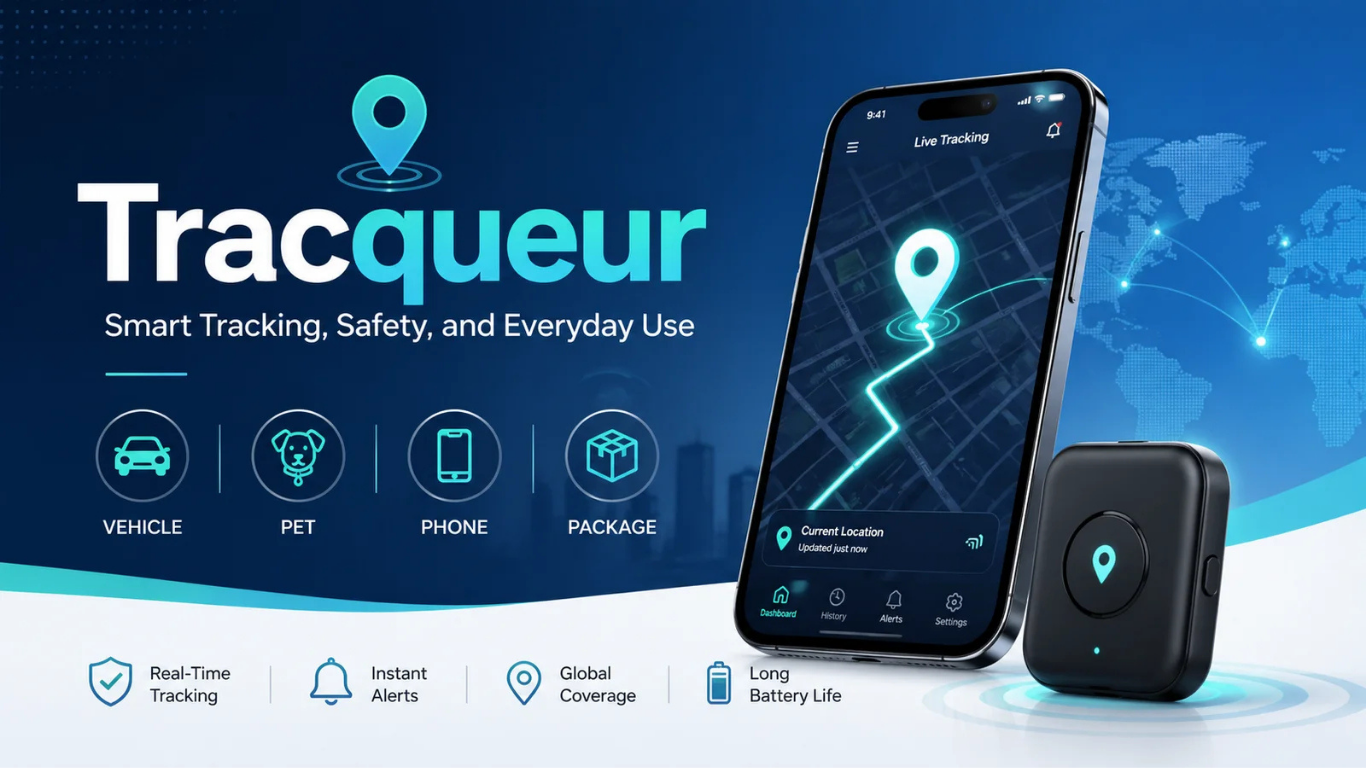
Tracqueur is the French form of the English word “tracker.” It refers to any device, system, software, or tool used to trace, monitor, follow, or record movement, activity, location, or data. A tracqueur can be physical, like a GPS device placed inside a car, or digital, like a web tracker used on a website.
Quick Bio
| Profile Point | Details |
|---|---|
| Name | Tracqueur |
| Meaning | French spelling of “tracker” |
| Main Use | To trace, monitor, follow, or record activity |
| Common Types | GPS, fitness, web, software, Bluetooth, satellite |
| Used For | Location, data, health, security, business, logistics |
| Related Technology | Cookies, pixels, GPS, Bluetooth, 4G, 5G, satellites |
| Main Benefit | Better monitoring, safety, insight, and control |
| Main Concern | Privacy, consent, and data protection |
Why Tracqueur Technology Matters Today?
Tracqueur technology matters because the modern world depends on speed, data, safety, and smart monitoring. People want to know where their belongings are, how their health is changing, and how their online activity is being used. Businesses also need tracking tools to manage vehicles, customers, employees, websites, and products.
A tracqueur gives useful information in real time. A delivery company can track trucks and improve routes. A pet owner can find a missing dog. A website owner can see which pages visitors read most. This helps people and companies make better decisions every day.
At the same time, tracqueur systems also create privacy concerns. When tracking is hidden or used without consent, users may feel watched. This is why tracking technology must be used with transparency, security, and respect for personal data and digital rights.
Main Types of Tracqueur Systems
There are many types of tracqueur systems, and each one has a different purpose. Some are made to track physical objects, while others are made to track digital activity. Common examples include GPS trackers, Bluetooth trackers, fitness trackers, web trackers, and issue trackers.
Physical tracqueur devices are usually small electronic tools. They may be attached to vehicles, bags, pets, keys, or equipment. These trackers help users find or monitor real-world items through apps, dashboards, or alerts connected to smartphones and computers.
Digital tracqueur systems work through software. They monitor website visits, clicks, emails, ads, user behavior, software errors, and project tasks. These tools are common in marketing, cybersecurity, software development, customer service, and online business management.
How Tracqueur Systems Work?
A tracqueur works by collecting information from a source and sending it to another place where the user can view it. The source may be a moving car, a phone, a smartwatch, a browser, a website visitor, or a software system. The data may include location, speed, activity, clicks, health details, or device information.
Physical tracqueur devices often use GPS, Bluetooth, WiFi, cellular networks, or satellites. GPS trackers find location through satellites and send updates through mobile networks. Bluetooth trackers work over short distances and connect with nearby phones or devices.
Digital tracqueur systems use code, cookies, pixels, and scripts. These tools collect online behavior and send it to analytics platforms. This helps businesses understand users, but it can also raise privacy questions if users are not clearly informed about tracking practices.
GPS Tracqueur Devices
A GPS tracqueur is one of the most common tracker types. It uses satellite signals to find the real-time location of a person, vehicle, pet, package, or valuable item. Many GPS trackers also use mobile networks to send location updates to an app or dashboard.
GPS tracqueur devices are popular in cars, delivery trucks, rental fleets, pet collars, travel bags, and personal safety tools. Businesses use them to improve delivery timing, reduce theft, manage drivers, and monitor routes. Families may use them for child safety or elderly care.
Many modern GPS tracqueur systems include extra features. These may include geofencing, speed alerts, route history, emergency buttons, and anti-theft alerts. These features make GPS trackers more useful for both personal and professional use in daily life.
Bluetooth Tracqueur Devices
A Bluetooth tracqueur is a short-range tracker used for everyday items. People often attach these devices to keys, wallets, backpacks, luggage, or small valuables. They are simple, compact, and easy to connect with a smartphone.
When the tracked item is nearby, the phone can make the Bluetooth tracqueur ring. If the item is farther away, some systems use nearby smartphones in a shared network to update the last known location. This makes them helpful in busy places like airports and shopping malls.
Bluetooth tracqueur devices are usually cheaper than GPS trackers and use less battery. However, they are not designed for long-range tracking. They work best for finding missing items nearby or locating objects within a connected smart network.
Fitness and Health Tracqueur Tools
A fitness tracqueur is a wearable device that tracks physical activity and health-related information. It may record steps, calories, sleep quality, heart rate, walking distance, workout time, and movement patterns. Smartwatches and fitness bands are the most common examples.
These tools help users understand their daily habits. A person can see how much they walked, how well they slept, or how active they were during the day. This makes fitness tracqueur devices useful for motivation, wellness, and healthy routine building.
However, fitness tracqueur tools should not be treated as full medical devices unless officially approved. They provide estimates and health insights rather than exact medical diagnosis. Their biggest value is helping users stay aware of their daily health and movement.
Digital Tracqueur Systems
A digital tracqueur is a software-based tracking system. It monitors online activity, website visits, clicks, downloads, form submissions, ad views, email opens, and user behavior. These tools are widely used by websites, apps, advertisers, and online businesses.
Businesses use digital tracqueur systems to understand their audience. They can learn which pages perform well, where visitors come from, and what actions users take. This information helps improve marketing, website design, content strategy, and customer experience.
But digital tracqueur systems must be used carefully. If tracking is hidden or too aggressive, it can damage user trust. Clear privacy policies, consent notices, and data protection practices are important when using digital tracking tools online.
Cookies as Web Tracqueur Tools
Cookies are small text files stored in a user’s browser. They are one of the most common web tracqueur tools. Some cookies help websites work properly, while others are used for advertising, analytics, and user profiling.
First-party cookies are usually helpful. They can remember login details, language settings, shopping cart items, and user preferences. Without these cookies, many websites would feel less smooth and less personalized for returning visitors.
Third-party cookies are more controversial. They can follow users across many websites and build advertising profiles based on interests and behavior. Because of privacy concerns, many browsers and privacy tools now limit or block third-party cookies.
Tracking Pixels and Web Beacons
Tracking pixels, also called web beacons, are tiny invisible images or code snippets placed inside emails or webpages. When a user opens the email or visits the page, the pixel loads and sends information back to the sender or platform.
A tracking pixel can show whether an email was opened, what device was used, and sometimes where the user was located. Marketers use this data to measure email campaigns, improve ads, and understand audience behavior patterns.
These tracqueur tools can be useful, but they also raise privacy concerns. Many users do not know that invisible pixels are collecting information. This is why privacy-focused browsers and email apps often block tracking pixels automatically.
Browser Fingerprinting
Browser fingerprinting is a more advanced digital tracqueur method. It collects details about a device, browser, operating system, screen size, installed fonts, extensions, and settings. These details can create a unique digital identity for the user.
Unlike cookies, browser fingerprinting is harder to remove. Even if a user clears cookies, a website may still recognize the device through its fingerprint. This makes the method powerful, but also more concerning from a privacy point of view.
Many privacy-focused browsers now include fingerprinting protection. These tools try to make users look less unique online. As digital privacy becomes more important, browser fingerprinting remains one of the most debated tracqueur techniques in technology discussions.
Tracqueur in Business and Logistics
Businesses use tracqueur systems to improve speed, control, and accuracy. In logistics, trackers help monitor vehicles, packages, drivers, warehouse tools, and delivery routes. This allows companies to reduce delays and improve customer service quality.
A shipping company can use a tracqueur to show customers where their order is. A fleet manager can check driver routes and vehicle movement. A warehouse team can track expensive equipment and reduce losses during daily operations.
These systems save time and money. They also improve trust because customers like knowing where their products are. For this reason, tracqueur technology has become an important part of transportation, shipping, and supply chain management.
Tracqueur in Software and Project Management
In software development, a tracqueur can mean an issue tracker or bug tracker. These systems help teams record bugs, assign tasks, monitor progress, and manage updates. They are very useful for developers and project managers.
Tools like Jira, GitHub Issues, and Linear are common examples of project tracqueur platforms. They help teams know what needs to be fixed, who is responsible, and when work should be completed during software development cycles.
This type of tracqueur does not track physical movement. Instead, it tracks progress and responsibility. It helps teams stay organized, avoid confusion, and complete software projects more smoothly and efficiently in professional environments.
Tracqueur and Smart Home Technology
Smart homes have become one of the fastest-growing areas for tracqueur technology. Many modern homes now include connected devices that can monitor movement, energy use, temperature, door access, and security activity through smart systems.
For example, smart doorbells can track visitors and send live notifications to a phone. Smart security cameras can detect motion and record unusual activity. Smart thermostats can monitor room usage and adjust temperature settings automatically based on habits.
Homeowners use these tracqueur systems to feel safer and more connected to their property. Families can check cameras while traveling, receive alerts about package deliveries, or control smart locks remotely through connected mobile applications.
Tracqueur Technology in Transportation
Transportation is another industry heavily connected to tracqueur systems. Airlines, shipping companies, ride-sharing apps, and public transport networks all rely on tracking technology to manage operations efficiently and improve customer experience.
A tracqueur allows companies to know where vehicles are located at all times. Delivery businesses can improve routes, reduce fuel waste, and avoid delays. Airlines can track luggage more accurately and reduce the chances of lost baggage.
Ride-sharing services also depend on tracqueur technology. Drivers and passengers can view real-time locations during trips. This improves navigation, safety, communication, and trust between customers and transportation service providers.
Privacy Risks of Tracqueur Technology
The biggest concern around tracqueur technology is privacy. Tracking becomes risky when users do not know what is being collected, why it is being collected, and who can access the information. Hidden tracking can make people feel unsafe or controlled.
Digital tracqueur tools may collect browsing history, interests, location, device details, and personal behavior. If this data is shared without consent, it can lead to profiling, targeted manipulation, unwanted ads, or security risks for users.
Physical tracqueur devices can also be misused. Someone could hide a GPS tracker inside a car, bag, or personal item without permission. This is why responsible use, consent, transparency, and legal awareness are very important today.
How to Reduce Unwanted Tracqueur Activity?
Users can reduce unwanted digital tracqueur activity by using privacy-focused browsers. Brave, Firefox, and DuckDuckGo are popular choices for people who want stronger control over online tracking and personal browsing data.
Privacy extensions can also help. Tools like uBlock Origin and Ghostery can block ads, tracking scripts, web beacons, and third-party cookies. Users should also clear cookies often and carefully review website permissions and smartphone settings.
For physical tracking, users should pay attention to unknown devices near their belongings. Many phones now alert users when suspicious Bluetooth trackers are moving with them. Turning off unnecessary location access can also improve personal privacy and safety.
The Future of Tracqueur Technology
The future of tracqueur technology will be shaped by artificial intelligence, stronger privacy laws, smarter devices, and user demand for control. Trackers will become more accurate, faster, smaller, and more connected across different platforms and industries.
Businesses will use tracqueur systems for smarter logistics, better customer insights, improved cybersecurity, and automated reporting. Health and fitness trackers will also become more advanced, offering deeper wellness insights and personalized recommendations for users.
At the same time, privacy will become even more important. Future tracqueur systems must explain what they collect and why. The best tracking tools will be those that provide value while respecting trust, consent, and responsible data protection practices.
Conclusion
Tracqueur is a broad and useful term that means tracker. It can describe GPS devices, Bluetooth tags, fitness wearables, website cookies, tracking pixels, software issue trackers, music trackers, and business monitoring systems used across modern industries.
The value of a tracqueur depends on how it is used. When used responsibly, it improves safety, health, organization, logistics, marketing, and digital performance. When used secretly or without consent, it can create privacy and trust problems.
As technology continues to grow, tracqueur systems will become even more common in everyday life. Understanding how they work helps users protect their data, choose better tools, and use tracking technology in a smart and responsible way.
FAQs
What does tracqueur mean?
Tracqueur means “tracker.” It is the French spelling of the English word and refers to a device, system, software, or tool used to trace, monitor, or follow movement, data, activity, or location.
What is a GPS tracqueur used for?
A GPS tracqueur is used to track the real-time location of vehicles, pets, people, bags, equipment, or valuable items. It is often used for safety, logistics, anti-theft protection, and fleet management.
Is a digital tracqueur safe?
A digital tracqueur can be safe when it is used clearly and responsibly. However, it can become a privacy risk if it collects user data without consent or shares information with third parties.
How can I block web tracqueur tools?
You can block many web tracqueur tools by using privacy browsers, ad blockers, anti-tracking extensions, cookie controls, and private search tools. You should also review website permissions and app settings.
What is the difference between GPS and Bluetooth tracqueur devices?
A GPS tracqueur works over long distances using satellites and mobile networks. A Bluetooth tracqueur works over short distances and is best for finding keys, wallets, luggage, or nearby personal items.


Powder coating is one of the most widely used ways of finishing metal, yet plenty of people have only a vague idea how it works. If you’ve ever wondered why a garden gate or radiator holds its colour for years while painted metal flakes after one winter, the answer lies in a process that’s both simple in principle and fussy in practice.
What Powder Coating Actually Is
Instead of liquid paint, powder coating uses a dry powder made from pigment and resin. The powder is given an electrostatic charge as it’s sprayed, so it clings to the earthed metal part. At that point it’s just a dusty layer held on by static, and it would brush off with a finger.
The transformation happens when the part is heated. Inside industrial ovens, the powder melts, flows into a smooth film and then cures, forming a hard, chemically bonded coating. That heating stage is the heart of the whole process, and it’s where a lot of finishes succeed or fail.
Getting the Surface Ready
Preparation matters more than most beginners expect. Oil, grease, rust and old paint all stop powder from bonding properly, so parts are cleaned thoroughly first. In larger operations, this happens in multi-stage pre-treatment systems that degrease, rinse and apply a conversion coating to improve adhesion. Smaller jobs may rely on blasting and careful cleaning.
Applying the Powder
Powder is applied with a spray gun in a booth designed to contain overspray and keep the air clean. A skilled operator moves steadily, building an even layer and reaching recesses and edges. Many booths recover unused powder so that it can be reused, which keeps waste down and helps control costs.
Curing: Where the Finish Is Made
Every powder comes with a data sheet that sets out the temperature and time needed to cure it. Typically, the part has to reach the specified temperature and then hold it for a set period. Larger or heavier parts take longer to warm through, which is why oven design matters. Even airflow, good insulation and accurate controls help every area of a part reach temperature at the same time.
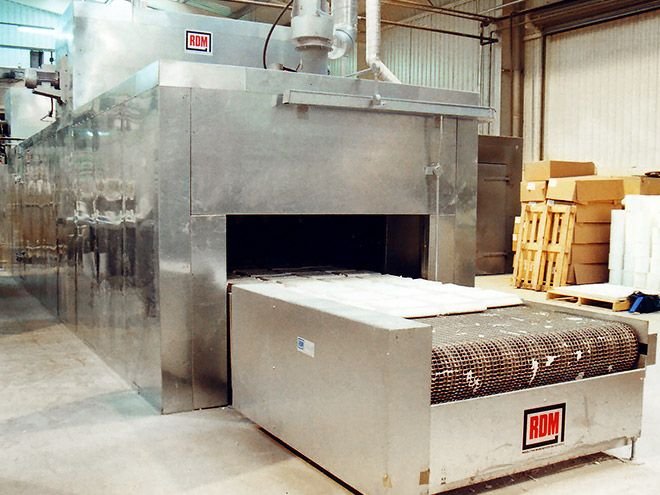
Ovens come in several forms. Box ovens suit batches and bulky items, belt ovens suit small components on a conveyor, and tunnel ovens suit continuous production lines. Heating can come from gas, oil, electricity or steam, and the choice affects running costs as well as the finish.
Why Even Heat Matters
A common surprise for beginners is that the oven can be at the right temperature while the part isn’t. Metal takes time to warm, thick sections lag behind thin ones, and cold pockets near doors can leave one side of a part under-cured. Ovens that move air steadily through large ducts, with fans recirculating it several times a minute, deliver far more even results than ones relying on natural convection.
Insulation plays its part too. Thick, high-density insulation keeps heat inside the chamber, which steadies the temperature and keeps the outside of the oven comfortable to work around.
Gas, Electric or Something Else?
Heating can come from gas, oil, electricity or steam. Gas is common in larger operations because it heats quickly and can be economical, while electric ovens are popular for smaller jobs, offer precise control and can be powered by renewable electricity, including solar. Direct-fired ovens send the burner flame into the circulating air, whereas indirect versions use a heat exchanger to keep combustion gases separate.
Keeping Running Costs Down
Running costs deserve thought before buying. Good insulation, air seals on conveyor openings and controls that avoid overshooting the set temperature all cut the amount of fuel or electricity needed. Ovens that can be switched on and off sensibly, rather than left idling, help too, and so does loading parts in a way that lets air move freely around them.
Choosing the Right Setup
For a small workshop, a modest batch oven may be plenty. Larger operations tend to look at complete lines, with pre-treatment, booth and oven designed to work together. Considering the whole process rather than each stage in isolation usually produces better results and fewer bottlenecks.
Safety deserves a place in that decision. Look for features such as fume extraction, over-temperature protection and controlled start-up and cool-down sequences, all of which reduce risk for the people running the line.
It also pays to test before committing to a full batch. Running a sample part, checking the film for hardness and adhesion, and adjusting the settings if needed costs a few minutes and can prevent an entire load being stripped and redone.
Common Mistakes to Avoid
A few problems crop up again and again. Poor cleaning leads to peeling. Too much powder leads to an orange-peel texture. Curing at the wrong temperature leaves a finish too soft or too brittle. Loading parts too tightly can block airflow and create uneven results. Most can be avoided by following the powder manufacturer’s data sheet and checking the oven’s temperature performance regularly.
Getting the Finish Right
Powder coating rewards patience and attention to detail. Get the preparation, application and curing stages right and the finish can last for many years. Cut corners at any of them, particularly the curing stage, and the result won’t.

Most organizations planning to use AI begin at the wrong place. They take months cleaning tables, deduplicating data, and standardizing formats before realizing that their models cannot find the correct dataset, cannot understand what a particular field is all about, or produce results that no one can trace back to their origin.
The tables were rarely the problem. What was missing sat one layer up, in the metadata and cataloging work that tells a person, or increasingly a model, what the data actually is and whether it can be trusted.
Getting that right is what an AI-ready data foundation for enterprise is actually built on, and it’s the part most AI roadmaps skip.
Clean Data Isn’t the Same as Understood Data
A dataset can pass every quality check and still be useless to an AI system if nobody has recorded what it means, where it came from, or who owns it. Quality tells you the numbers are correct.
Metadata tells you what the numbers represent, how current they are, and whether they’re appropriate for the question being asked within an AI-ready data foundation for enterprise.
Enterprises that treat those as the same problem tend to discover the gap only after a model has already produced a confidently wrong answer.
The scale of that gap shows up clearly in industry research. Gartner has projected that through 2026, organizations will abandon roughly 60% of AI projects that aren’t backed by properly AI-ready data, and that a majority of data leaders either lack the right data management practices for AI or aren’t sure they have them.
Almost none of that failure traces back to model selection. It traces back to data nobody had cataloged well enough to support an AI-ready data foundation for enterprise.
Why Metadata Became a Machine-Facing Problem
Traditional data catalogs were built for people. An analyst found a table, read the description of a table that a colleague had provided some months ago, and decided to take a call on whether it was still fresh enough to use.
Such a process was able to cope with imperfections since it was a person who was there to realize that something didn’t seem right.
AI agents don’t have that instinct. They query metadata directly and act on whatever they find, which means stale definitions, undocumented ownership, or missing lineage don’t just slow someone down; they get baked into an automated decision.
That shift is why metadata has moved from a documentation task to something closer to infrastructure, forming an AI-ready data foundation for enterprise that is updated continuously rather than whenever someone remembers to.
The Maturity Gap Nobody Talks About
Most AI-ready data foundation for enterprise initiatives don’t fail because the tools are wrong. They fail because of sequencing. A team buys a catalog, spends a quarter wiring up integrations, tries to document every data asset at once, and finds six months later that almost nobody is using it.
Research into enterprise metadata practices puts real numbers on how uncommon it is to get this right, with one recent analysis finding that only about 11% of organizations have reached high metadata management maturity, despite metadata sitting underneath discovery, AI readiness, and regulatory compliance all at once.
The programs that do work tend to start narrow. They pick the two or three data domains causing the most friction, assign clear ownership, and automate lineage for those pipelines before expanding, rather than trying to catalog an entire enterprise on day one.
What a Cataloging Layer Actually Needs To Do
A cataloging layer that can genuinely support AI work tends to share a few characteristics, regardless of which platform sits underneath it:
- Active metadata that updates automatically as schemas and pipelines change, instead of relying on someone to edit a description
- Business definitions attached to technical fields, so a model and an analyst are working from the same meaning of a term like “active customer”
- End-to-end lineage that shows exactly which systems a dataset passed through before it reached a report or a model
- Ownership recorded at the asset level, so there’s always someone accountable for a dataset’s accuracy and appropriate use.
- Governance and access policies that travel with the data itself, rather than living in a separate document nobody checks
Metadata Debt Compounds Quietly
Skipping this layer rarely causes an immediate failure. It shows up later, as an AI project stalls in review because nobody can explain where a figure originated, or as an agentic workflow makes a decision based on a field that meant something different three reorganizations ago.
Industry surveys have found that a large share of enterprises have already adopted generative AI and a growing share are moving into agentic use cases, which raises the stakes considerably. An agent acting autonomously on ungoverned metadata doesn’t just produce a wrong number; it can take an action based on one.
And this is the rationale for why one should create the cataloging layer first, even before scaling up AI use cases. Adding metadata to an existing system will be much more difficult compared to integrating it during creation, and this usually happens under a lot more pressure.
Treat Metadata as Infrastructure, Not Documentation
None of this replaces the work of building good models or writing good prompts. It’s the layer underneath an AI-ready data foundation for enterprise that determines whether either of those efforts can be trusted at scale.
Organizations that consider cataloging an ongoing activity owned and managed by certain individuals who keep it constantly updated are likely to adopt any new uses of AI without having to begin from scratch every time. Those that treat it as a one-time effort in documentation have to do it twice.
Explore how BayOne helps enterprises build an AI-ready data foundation for enterprise, pairing metadata and governance work with the broader data architecture that AI systems depend on.


A rust-colored scarf slides across the back of a wooden chair and catches a narrow strip of window light. That small movement would be my starting point for an imagined fashion film. I would not begin with a crowded runway or a rapid sequence of outfits. A single piece of fabric can carry a short video if its weight, pattern, and movement remain clear enough to become the story.
The project would be a proposed editorial concept, not a review of a real garment. I would create a simple scarf design with a dark border and a large cream circle near one end. Those details make continuity visible. If a real brand supplied a product, its references would replace the invented design, and the final film would need to avoid implying that generated fabric behavior proves the garment’s actual performance.
A scarf gives the visual-reference direction described for Seedance 3.0 a specific creative problem: preserve one design while changing how it moves. The landing page states that the model has not officially launched, so I would treat this as a future production brief. Any immediate prototype would use an available model and be identified separately, rather than presented as a demonstration of an unreleased system.
Decide what the fabric should communicate
I would choose three movements for the film: a slow slide over the chair, a loose turn around an invented model’s shoulder, and a final settling fold on a table. Together, they would show length, softness, and pattern without demanding a complex outfit change. Each movement would have its own shot. Asking one continuous clip to perform all three would make the transitions more difficult to control and less easy to read.
The first reference would show the scarf laid flat, with its border and circle unobstructed. A second would show how it drapes over the chair. For the Seedance 3.0 brief, I would keep the setting simple: a warm neutral wall, one chair, and daylight from the left. Different backgrounds in every reference would create unnecessary ambiguity about where the film takes place.
I would also decide which side of the scarf faces the camera in each shot. That may sound minor, but a design can appear to jump if the fabric turns without a clear physical reason. The cream circle would begin near the lower edge of the chair, appear briefly on the shoulder, and remain visible in the final fold. It becomes a quiet thread connecting the sequence.
Let the first movement establish weight
The opening view would sit at chair height. A hand outside the upper edge of the frame would draw the scarf slowly across the wood, allowing the lower end to follow. I would keep the camera still so the fabric’s movement is easy to judge. A sweeping camera and a moving scarf together could make it difficult to tell whether the cloth is sliding naturally or stretching into a new shape.
In my Seedance 3.0 shot description, the scarf would remain one continuous piece with a consistent dark border. The light would reveal a restrained sheen as the fabric changes angle. I would avoid asking for dazzling sparkles, which could make the material look metallic. The visual question is how the surface catches ordinary daylight, not how many highlights can be added to the frame.
If an available-model prototype makes the fabric move like stiff paper, I would reduce the speed and simplify the fold. A slight sag between the chair and the hanging end would help describe softness. If the border splits into several lines, the revision would name that specific fault. Broad requests for elegance would be less useful than keeping one edge and one pattern stable.
Move from an object to a person
The shoulder shot would introduce an invented adult model wearing a plain cream top. I would frame from the lower face to the upper torso, keeping the scarf’s turn visible. The model would make a small change of posture rather than spin. This gives the fabric a reason to move while keeping attention on the garment rather than an elaborate performance.
The Seedance 3.0 storyboard would place this shot in the same window light as the chair. The scarf’s rust color should remain recognizable against the cream top, and the dark border should not vanish behind a sudden shadow. I would select a moment in which the circle passes into view, then hold briefly before cutting. The pattern needs a readable beat, not just a blur of movement.
I would not use a recognizable person’s face without permission or present the invented model as a customer. This film would illustrate a styling idea. A real campaign would require its own approved likenesses, product references, and claims. Keeping the concept fictional gives the creative team room to explore the movement without manufacturing an endorsement or a supposed personal experience.
Finish with a fold that can hold a title
The final shot would look down onto a pale table. The scarf would settle into a loose curve, leaving a quiet area beside it for a short editorial title. I would avoid a knot, since intertwined fabric can be difficult to keep coherent. A simple fold would still show the border, the circle, and the relationship between the two colors.
For the Seedance 3.0 ending, I would add typography after generation. A line such as “A little movement, a different mood” could sit beside the scarf without becoming part of its printed design. The letters should remain stable and legible. I would check the crop on a phone, where a large title can easily cover the very detail the film is meant to reveal.
The sound would be light: a small fabric movement, quiet room tone, and perhaps a few original musical notes. I would not exaggerate the cloth into a loud sweeping effect. Although Seedance 3.0 is described with an audiovisual direction, the sound plan could be executed separately in an editor using properly cleared material. The soundtrack should support the tactile impression without suggesting that the generated clip records the real garment’s sound.
Keep the edit loyal to one design
My final review would compare the scarf across all three shots. The border width, circle placement, and overall length should agree. If one shot changes the design, I would revise or replace it instead of hiding the mismatch under a fast transition. A fashion film depends on the viewer recognizing the same object, especially when the object is the entire subject.
The Seedance 3.0 delivery plan would include a short vertical cut and a wider editorial version. Both would retain enough breathing room around the fabric to make its movement visible. I would label the work as an AI concept and keep any real product claims outside the imagined footage. The finished sequence should make a simple styling thought tangible: sometimes a new mood comes from letting one familiar piece move differently.

How Can Solar Panels Support Your Business’s Sustainability Goals?

Virtual Jewelry Try-On Guide: Definition, Technology & How-To

Signs It Is Time to Start Looking for an Infant-Qualified Au Pair

Parent-Led Homeschooling or Online Private School: Who Handles the Teaching?

What to Gather Before Creating an Invoice: A Freelancer’s Checklist

Buying a Listed Building: What You Need to Know Before You Commit

How to Ensure Your Home is Valued Correctly for a Quick Sale

Christopher Dare: The Untold Story of Engineer and Former Husband of Angela Rippon

The 15 Highest-Paid Rugby Players in the World

What Is Fanquer? The Digital Creator Platform Transforming Direct-to-Fan Engagement

Dr Jared Ross: Missouri Appeals Court Upholds Protection Order Over Graphic Torture and Murder Threats

Who Is Azriel Crews? Inside the Life and Career of Terry Crews’ Daughter
How to Ensure Your Home is Valued Correctly for a Quick Sale
Christopher Dare: The Untold Story of Engineer and Former Husband of Angela Rippon
The 15 Highest-Paid Rugby Players in the World
What Is Fanquer? The Digital Creator Platform Transforming Direct-to-Fan Engagement
Dr Jared Ross: Missouri Appeals Court Upholds Protection Order Over Graphic Torture and Murder Threats
Who Is Azriel Crews? Inside the Life and Career of Terry Crews’ Daughter
-
 Real Estate10 months ago
How to Ensure Your Home is Valued Correctly for a Quick Sale
-
Celebrity1 year ago
Christopher Dare: The Untold Story of Engineer and Former Husband of Angela Rippon
-
 Sports7 months ago
The 15 Highest-Paid Rugby Players in the World
-
 Technology6 months ago
What Is Fanquer? The Digital Creator Platform Transforming Direct-to-Fan Engagement
-
 Celebrity6 months ago
Dr Jared Ross: Missouri Appeals Court Upholds Protection Order Over Graphic Torture and Murder Threats
-
 Celebrity9 months ago
Who Is Azriel Crews? Inside the Life and Career of Terry Crews’ Daughter
-
 Celebrity1 year ago
Nancy Hallam: The Inspiring Life, Career, and Success Story Behind Ian Wright’s Wife
-
 Celebrity1 year ago
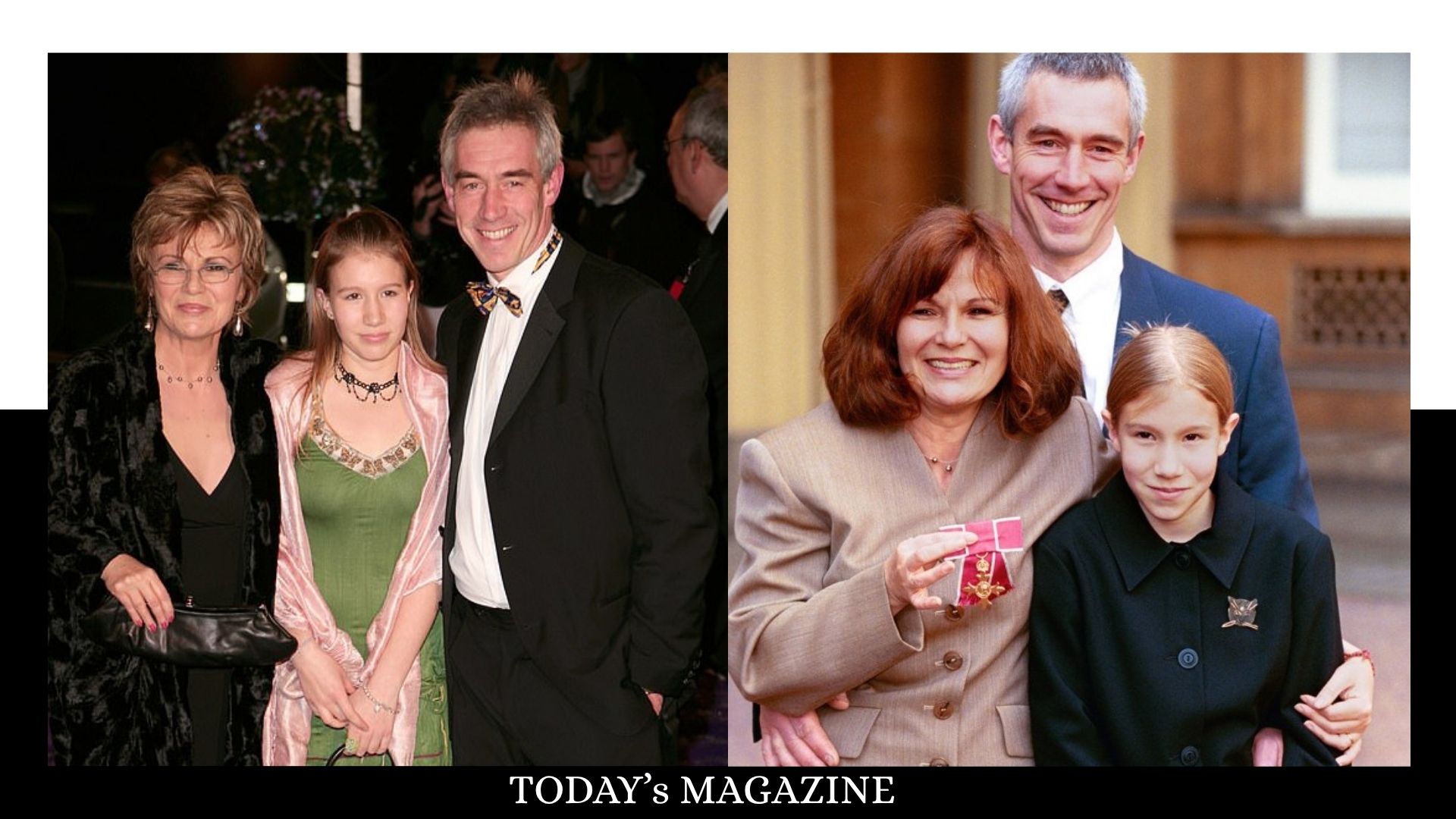
Who Is Maisie Mae Roffey? The Private Life, Family Story, and Quiet Success of Julie Walters’ Daughter