
Business
Can’t Keep Your Balance? The U-750 Tilting eTrike Was Built for You


Balance issues shouldn’t mean the end of cycling. Whether you’re recovering from an injury, managing a condition that affects coordination, or simply finding that your sense of balance isn’t what it used to be, the fear of tipping over on two wheels is a very real barrier that keeps countless people off bikes entirely. The Addmotor U-750 Tilting eTrike was designed with exactly these riders in mind — and it doesn’t just accommodate balance challenges, it genuinely solves them.
Three Wheels Mean You Never Have to Balance
The most fundamental advantage of the U-750 for riders with poor balance is the three-wheel platform itself. Unlike a standard bicycle that requires constant micro-corrections to stay upright, the U-750 supports itself at all times — whether moving or completely stationary. There’s no need to put your foot down at a red light, no wobbling when you slow to a crawl, and no terrifying moment of instability when you come to a stop. The trike holds itself up so you don’t have to.
For riders who have experienced falls on two-wheelers, or who feel anxious about losing control, this alone is a game-changer. You can focus entirely on enjoying the ride rather than dedicating mental energy to staying upright.
Fixed Mode: Total Stability, Zero Compromise
The U-750 takes balance support even further with its Fixed Mode. By locking the central pivot joint, the trike operates as a completely rigid, upright platform with absolutely no lateral movement. This means no unexpected leaning, no side-to-side sway, and no tilting of any kind — just a predictable, steady ride that behaves exactly the same whether you’re cruising a flat path or navigating a gentle slope. For anyone with significant balance concerns, Fixed Mode effectively removes the challenge of balance from the riding equation entirely. A manual parking brake also locks the trike in place when stationary, so there’s no risk of rolling on uneven ground when you stop.
A Ride Quality That Feels Effortless
Beyond the balance benefits, the U-750 is simply a pleasure to ride. The 48V 750W rear hub motor delivers smooth, consistent power with a peak output of 1,400W, making hill climbing effortless and acceleration gentle rather than jarring. A high-precision torque sensor reads your pedaling force in real time and adjusts motor assistance proportionally — so the power always feels natural, never sudden or overwhelming. Seven levels of pedal assist give you complete control over how much effort you put in, whether you want a light workout or a fully assisted cruise.
Fat Natural Rubber Tires That Absorb the Road
The U-750 rolls on 4.0-inch wide natural rubber fat tires — 24″ up front and 20″ in the rear — and the difference in ride quality is immediately noticeable. The wide contact patch grips the road firmly across gravel, sand, wet pavement, and cracked city streets, reducing the jarring bumps and vibrations that can throw off balance and confidence. The 80mm travel Addshox oil-spring front fork adds another layer of cushioning, soaking up road imperfections before they reach the rider. For anyone who finds rough surfaces unsettling, this suspension and tire combination makes the ride feel smooth and planted regardless of what the road throws at you.
Built Tough, Built to Last
The U-750 frame is constructed from 6061 aluminum alloy — strong, lightweight, and engineered to handle the torsional stresses of real-world riding without flexing or fatiguing over time. Triple mechanical disc brakes on all three wheels deliver reliable, consistent stopping power in any condition, giving riders the confidence to brake firmly without fear of skidding or tipping. The EB 2.0 5-in-1 lighting module keeps you visible with brake lights, turn signals, hazard lights, and running lights all integrated into one polished unit. Every detail of the U-750’s construction reflects the same commitment to quality — this is a trike built to be trusted.
Practical Enough for Everyday Life
The U-750 isn’t just a confidence builder — it’s a capable daily machine. The rear cargo system handles up to 100 lbs of load, making it practical for grocery runs, commuting, or carrying equipment. The low step-through frame makes mounting and dismounting easy without requiring significant flexibility or leg strength. Total payload capacity reaches 450 lbs, and the 48V 20Ah Samsung lithium-ion battery delivers between 40 and 85 miles of range per charge — more than enough for a week of daily errands.
The Bottom Line
If balance has been holding you back from cycling, the U-750 Tilting eTrike removes that barrier completely. With a self-supporting three-wheel platform, a lockable Fixed Mode that eliminates all lateral movement, fat natural rubber tires for maximum grip, and premium build quality throughout, it’s a trike that gives riders with balance challenges every reason to get back on the road — and no reason to hesitate.



A new independent on Claremont Street is betting on regional Thai cooking, made-to-order food and a carefully designed dining room to stand out in one of Shropshire’s busiest dining towns.
Shrewsbury has never been short of places to eat. Its medieval streets, independent shops and busy cultural calendar have built a dining scene that punches well above the town’s size. Its Thai offering alone ranges from national chains to much-loved market stalls, so a new opening has to earn its place quickly.
Chaiya, an independent Thai restaurant at 4 Claremont Street, opened its doors in early 2026 with a clear idea of how to do that: cook the full breadth of Thai food properly, serve it in a space people want to spend time in, and build a reputation one table at a time. For anyone curious about the town’s newest Thai kitchen, Chaiya Shrewsbury is a useful example of how a modern independent restaurant is approaching a crowded, competitive market.
An independent on Claremont Street
Claremont Street sits in the heart of Shrewsbury town centre, a short walk from the Market Hall, the Square and the shopping streets that draw visitors throughout the year. The location offers footfall, but also competition. Diners here have plenty of choice, and most will compare options on their phone before deciding where to sit down.
Chaiya is independently owned and operated, and that shapes almost every decision the business makes. There is no central menu sent down from head office, no standard fit-out and no national marketing budget to lean on. Instead, the restaurant relies on things that are harder to copy: the depth of its cooking, the consistency of its service and the experience of the people in the kitchen.
Independence also gives the team room to move. Menu changes, new set menus and seasonal ideas can be tested and adjusted quickly, based on what guests actually order and say. For a young business, that ability to listen and respond is one of its most valuable assets.
Caption + Alt text: Chaiya Thai restaurant exterior on Claremont Street Shrewsbury
Thailand on one menu
Many British diners know Thai food through a handful of familiar dishes: green curry, pad Thai, perhaps a red curry or a plate of spring rolls. Chaiya serves those classics, but its menu is built to show how much wider Thai cooking really is.
The kitchen draws on dishes from four distinct regions. From the north comes Chiang Mai Sausage (Sai Oua), loaded with herbs and chilli. From Isaan, in the north-east, there is Classic Som Tom, the sharp green papaya salad, alongside Spicy Tentacles Larb and Isaan Sausage (Sai Krok Isaan). Central Thailand supplies the dishes most people already know, including Green Curry, Red Curry and Pad See Ew.
The south brings bolder heat and sourness. Gaeng Som Goong is a vibrant sour curry with prawns, tamarind and turmeric; Kua Kling is a dry, intensely spiced stir-fry with herbs and chilli; and Hat Yai Chicken Wings are a well-loved street food classic. Pad Thai is here too, as Hat Yai Pad Thai, a southern-style version. For something rich and comforting, there is a slow-braised Lamb Shank Massaman Curry.
The result is a menu that rewards curiosity. Thai food fans can explore regional dishes they rarely see on British menus, while first-time visitors can start with something familiar and branch out from there. Thai meals are traditionally shared, and the menu works best that way, with a few dishes in the middle of the table for everyone. The full range, from starters to curries and noodles, can be browsed on the Chaiya menu before visiting.
Caption + Alt text: Chaiya full menu
Cooked to order, every time
Behind the menu is a kitchen team with more than twenty years of experience cooking in Thai restaurants. That experience shows in details that are easy to overlook: the balance of sweet, sour, salty and spicy in a single dish, the timing of a stir-fry so vegetables keep their bite, and the confidence to cook regional dishes the way they are meant to taste.
Every dish is cooked fresh to order. Aromatics such as chilli, garlic and lemongrass are pounded by hand, and the wok is used the traditional way, at high heat and with speed. Cooking to order also gives guests flexibility. Spice levels can be adjusted, ingredients can be swapped, and the team is happy to guide anyone unsure where to start.
For a restaurant building trust, this approach matters. Consistency is what turns a good first visit into a second and third one. It is the quality that reviews, recommendations and word of mouth are ultimately built on.
Caption + Alt text: Regional Thai dishes from Chaiya’s menu shared on one table
Thoughtful options for every diet
Dietary requirements are no longer a niche concern for restaurants; they are part of everyday planning for many tables. Thai cuisine has a natural advantage here. It is built around rice, rice noodles, fresh vegetables and herbs rather than wheat or dairy, and because dishes are cooked individually, they can be adapted far more easily than pre-prepared plates.
At Chaiya, many dishes can be made vegan by swapping in tofu and leaving out fish sauce or oyster sauce. Much of the menu also suits gluten-free diners, with soy-based sauces the main ingredient to check. Guests with allergies are asked to tell the team when booking or on arrival, so the kitchen can talk them through what is safe. It is a simple process, but it means groups with mixed dietary needs can all eat well at the same table.
A space designed for lingering
Food is only part of the experience. Chaiya’s dining room was designed to feel warm and modern, balancing the comfort of a Thai family home with the clean lines of a contemporary town-centre restaurant. Soft lighting, natural textures and considered details create a setting that suits a relaxed weekday lunch as well as a date night or a celebration with friends.
This focus on design reflects a wider shift in hospitality. Diners increasingly choose restaurants for the whole occasion, not just the plate. A space that feels calm and welcoming encourages guests to stay for one more dish, and to come back.
Caption + Alt text: Warm, modern interior design at Chaiya Thai restaurant
Built around how Shrewsbury eats
A successful town-centre restaurant has to fit the rhythm of local life, and Chaiya serves several kinds of guests across the day and the week.
At lunchtime, it offers a sit-down option for people working, shopping or visiting in town. In the evening, its central location makes it convenient for dinner before or after a show at Theatre Severn, and the team can pace a meal for guests who mention they have tickets. At weekends, the sharing style of the menu suits families and groups of friends, while quieter tables make it a natural choice for couples.
For those who would rather eat at home, Chaiya also offers takeaway, through Deliveroo and for collection. It is another way to reach local customers, and an introduction to the menu for people who may later visit in person.
Building a reputation the right way
For any new restaurant, trust is earned slowly. Chaiya’s approach is to focus on the fundamentals: cooking consistently, treating every guest well and making it easy for people to share honest feedback. The team reads every review and uses what guests say to keep improving.
Independent restaurants also contribute to the wider health of a town centre. Every local business that brings people onto the high street in the evening supports the shops, venues and services around it. Chaiya sees itself as part of that local network rather than separate from it, and aims to be a dependable part of Shrewsbury’s dining scene for years to come.
Visiting Chaiya
Chaiya is at 4 Claremont Street, Shrewsbury, SY1 1QG, in the town centre. Tables can be booked by phone, and walk-ins are welcome subject to availability. Opening times, contact details and the latest news, including new sharing set menus, are published on the restaurant’s website.
Whether you are a long-time fan of Thai food or simply looking for somewhere new in town, it is worth a visit. Order a few dishes to share, ask the team for a recommendation, and try something from a region you have not explored before.

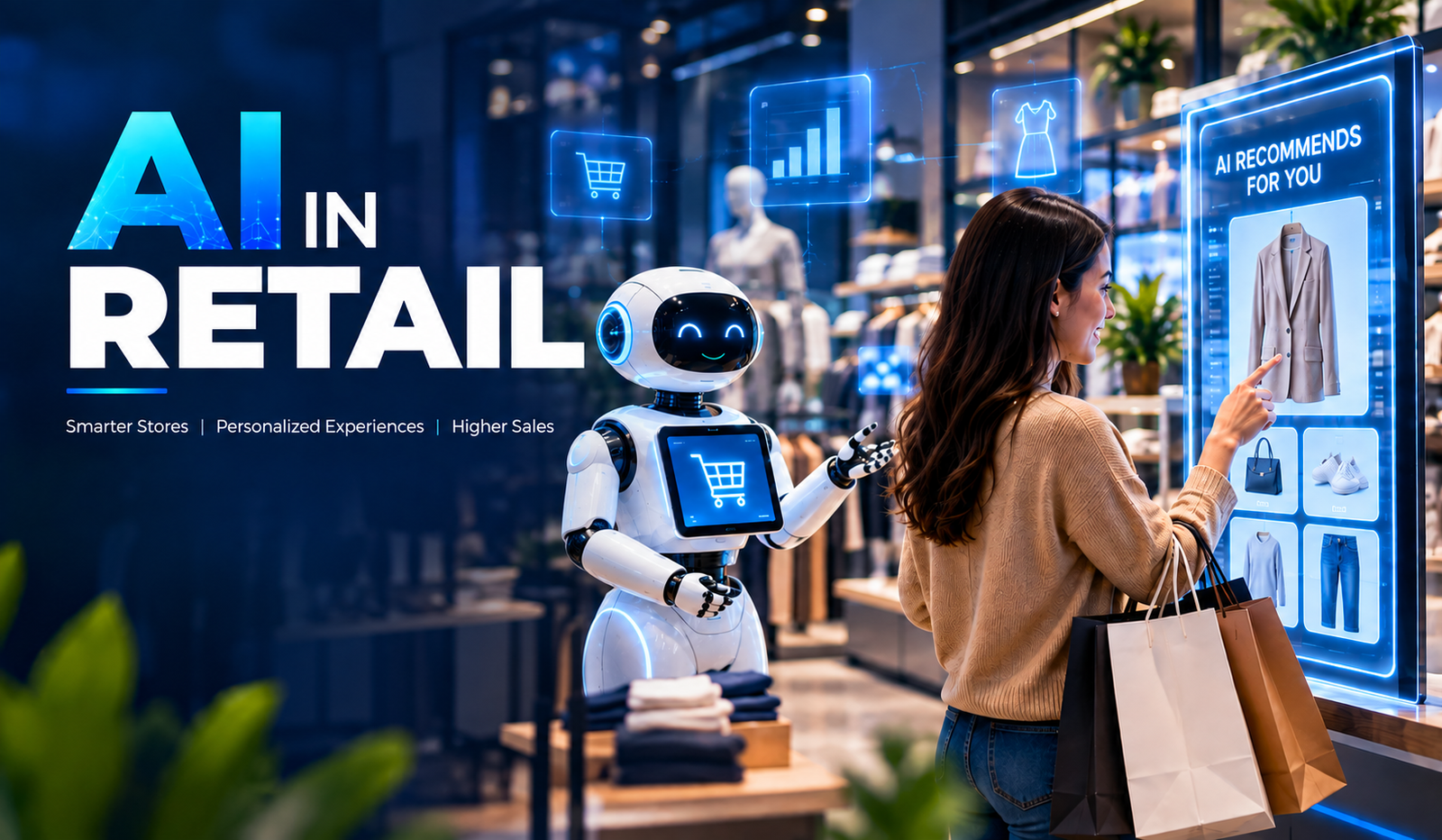
Artificial Intelligence is transforming retail by helping businesses understand customers, automate operations, and make faster, data-driven decisions. From personalized recommendations to inventory management, AI is becoming an important part of modern retail strategies.
Retailers generate large amounts of data through online purchases, physical stores, customer interactions, loyalty programs, and supply chains. AI can analyze this information to identify patterns, predict demand, and improve business processes.
As competition increases, businesses are adopting AI in Retail to create personalized experiences, optimize operations, reduce costs, and respond more effectively to changing customer expectations.
Understanding AI in Retail
AI in Retail refers to the use of artificial intelligence technologies to improve customer experiences, automate business operations, analyze retail data, and support decision-making. Retailers can use AI across different stages of the customer and operational journey.
Technologies such as Machine Learning, Natural Language Processing, Computer Vision, Generative AI, and predictive analytics can work together to create smarter retail solutions. These technologies help businesses turn large amounts of retail data into actionable insights.
Why Are Retail Businesses Adopting AI?
Retail businesses operate in a highly competitive environment where customer expectations, demand, and market trends can change quickly. Traditional processes may not always provide the speed and accuracy required to respond effectively.
AI helps retailers analyze data faster, automate repetitive activities, and identify opportunities that may be difficult to discover manually. This helps businesses improve operational efficiency while delivering more relevant customer experiences.
- Changing Customer Expectations
Customers increasingly expect personalized recommendations, quick support, convenient shopping experiences, and consistent interactions across different channels. AI helps retailers understand customer behavior and deliver more relevant experiences.
By analyzing purchase history, browsing activity, preferences, and interactions, AI systems can help businesses personalize product recommendations, promotions, and customer communications.
- Growing Retail Data
Retailers collect data from websites, mobile applications, point-of-sale systems, customer reviews, loyalty programs, and inventory systems. Managing and analyzing this information manually can be challenging.
AI can process large datasets and identify useful patterns. These insights can support decisions related to inventory, pricing, customer engagement, marketing, and sales.
- Need for Operational Efficiency
Retail businesses manage several repetitive processes, including inventory tracking, customer support, order processing, demand forecasting, and data analysis. Manual processes can consume time and increase the possibility of errors.
AI workflows automate many of these activities and help employees focus on higher-value responsibilities. This can improve productivity while supporting more consistent business operations.
Key Use Cases of AI in Retail
AI can be applied across almost every stage of the retail value chain. From customer acquisition and product discovery to inventory management and after-sales support, intelligent technologies can improve both front-end and back-end operations.
The following use cases show how retailers can use AI to build more efficient, customer-focused businesses.
- Personalized Product Recommendations
AI-powered recommendation systems analyze customer behavior, purchase history, browsing activity, and preferences to suggest relevant products. These systems can identify patterns across large customer datasets and generate personalized recommendations.
For example, an online retailer can recommend complementary products based on items a customer has viewed or purchased previously. Personalized recommendations can improve product discovery and create a more relevant shopping experience.
- AI-Powered Customer Support
Retailers can use AI chatbots and virtual assistants to handle common customer questions about products, orders, returns, delivery status, and store information. These systems can provide responses at any time without requiring continuous human intervention.
AI-powered support can also help customer service teams by summarizing conversations, identifying customer intent, and routing complex issues to the appropriate employee. This creates a more efficient support process.
- Demand Forecasting
Predicting customer demand is an important part of retail planning. AI and Machine Learning models can analyze historical sales, seasonal trends, customer behavior, promotions, and other relevant factors to estimate future demand.
Accurate forecasting can help retailers maintain appropriate inventory levels and reduce the risk of overstocking or stock shortages. It can also support purchasing and supply chain planning.
- Inventory Management
AI can help retailers monitor inventory levels and identify products that require replenishment. By analyzing sales patterns and demand forecasts, intelligent systems can recommend inventory plans.
Retailers can also use AI to identify slow-moving products and optimize stock allocation between different stores or warehouses. This can improve inventory utilization and reduce unnecessary storage costs.
- Fraud Detection
Retail transactions can involve risks such as payment fraud, account abuse, and suspicious purchasing patterns. Machine Learning models can analyze transaction behavior and identify unusual activities.
AI-powered fraud detection systems can flag potentially suspicious transactions for further review. This helps retailers strengthen transaction monitoring while reducing reliance on manual analysis.
- Customer Sentiment Analysis
AI can analyze customer reviews, surveys, social media comments, and support conversations to identify customer sentiment. Natural Language Processing helps classify feedback as positive, negative, or neutral and identify recurring themes.
Retailers can use these insights to understand customer satisfaction, identify product issues, and improve services. Sentiment analysis can also help businesses track changes in customer perception over time.
- Supply Chain Optimization
AI can analyze supply chain data to identify potential delays, demand changes, inventory issues, and transportation patterns. Retailers can use these insights to improve logistics planning and resource allocation.
Predictive analytics can also help businesses anticipate potential disruptions and evaluate alternative supply chain strategies. This can improve visibility across complex retail operations.
Benefits of AI in Retail
AI can benefit retailers across customer experience, operations, analytics, and decision-making. The value depends on how effectively AI solutions are integrated into existing business processes and supported by quality data.
- Improved Customer Experience
AI helps retailers understand individual customer preferences and deliver more personalized interactions. Recommendations, intelligent search, and automated support can make shopping more convenient.
- Better Decision-Making
AI can process large volumes of retail data and identify patterns that support business decisions. Retailers can use these insights for pricing, inventory, marketing, sales, and demand planning.
- Increased Operational Efficiency
Automating repetitive tasks can reduce manual workload and let employees focus on more strategic work. AI can support inventory management, customer service, data analysis, and other operational processes.
- Reduced Operational Costs
AI can help identify inefficiencies, optimize inventory, automate workflows, and improve resource utilization. When implemented effectively, these improvements can support better cost management.
- Improved Demand Planning
AI-powered forecasting can help retailers better understand future demand and plan inventory accordingly. This can reduce unnecessary stock while helping businesses respond to changing customer demand.
- Enhanced Marketing Personalization
Retailers can use AI to analyze customer behavior and create more targeted campaigns. Personalized recommendations, offers, and messaging can make marketing efforts more relevant to individual customers.
Challenges of Implementing AI in Retail
While AI offers several opportunities, retailers need to address technical, operational, and security challenges before deploying AI solutions at scale.
- Data Quality and Availability
AI systems depend on reliable data. Incomplete, inconsistent, outdated, or poorly structured information can reduce AI model accuracy and lead to unreliable insights.
Retailers should establish strong data management practices and ensure that relevant information is collected, cleaned, and organized before using it for AI applications.
- Data Privacy
Retailers often handle sensitive customer information, including purchase history, contact details, payment-related information, and behavioral data. Improper handling can create privacy and compliance risks.
Businesses should implement appropriate security controls, access management, encryption, and data governance practices.
- Integration With Existing Systems
Retailers often rely on multiple systems, including POS platforms, eCommerce applications, CRM systems, ERP solutions, inventory platforms, and payment systems.
Integrating AI with these existing technologies can require APIs, data pipelines, middleware, and application modernization. Proper integration planning is essential for reliable AI performance.
- Lack of Technical Expertise
Developing and maintaining AI solutions requires skills in data science, Machine Learning, software development, cloud computing, and AI governance.
Businesses without these capabilities may need to invest in training, hiring, or partnerships with experienced AI development providers.
- Implementation Costs
Building customized AI solutions can require investment in data infrastructure, cloud resources, development, integration, testing, and ongoing maintenance.
Retailers should clearly define business objectives and prioritize high-value use cases before making large AI investments.
How to Implement AI in Retail
Successful AI adoption requires a structured approach rather than implementing technology without a defined business objective. Retailers should start by identifying specific challenges where AI can provide measurable value.
- Identify the Business Use Case
Businesses should identify operational or customer-related problems that AI could address. Common starting points include demand forecasting, personalized recommendations, customer support, inventory management, and fraud detection.
- Prepare the Data
Collect, clean, organize, and secure relevant data before model development. Businesses should identify data sources and establish processes for maintaining data quality.
- Select the Right AI Technology
Different use cases require different technologies. Machine Learning may suit forecasting, Computer Vision for image-based applications, and Natural Language Processing for customer communication.
- Develop and Test the Solution
Develop and test AI solutions using relevant datasets and realistic business scenarios. Testing should evaluate accuracy, performance, security, usability, and integration.
- Deploy and Monitor
After deployment, businesses should continuously monitor model performance and system behavior. Regular monitoring helps identify accuracy issues, changing data patterns, and technical problems.
- Optimize Over Time
AI systems should be continuously improved as new data and business requirements emerge. Regular optimization helps maintain performance and ensures the solution continues to deliver business value.
Future of AI in Retail
The future of retail AI will increasingly involve intelligent assistants, generative AI, computer vision, predictive analytics, and autonomous workflows. Retailers may use AI to connect customer interactions, inventory, marketing, supply chains, and operational systems.
AI-powered shopping assistants can make product discovery more conversational, while advanced analytics can provide deeper insights into customer behavior and demand. As AI technology develops, responsible data usage, security, transparency, and human oversight will remain important.
How BigDataCentric Helps Businesses Leverage AI in Retail?
BigDataCentric helps businesses develop customized AI solutions designed around their operational and customer experience requirements. Its AI capabilities can support Machine Learning, predictive analytics, intelligent automation, recommendation systems, chatbots, and AI integration.
From identifying suitable AI use cases to developing, integrating, and optimizing intelligent applications, BigDataCentric can help retailers build technology solutions that support efficiency, personalization, and data-driven decision-making.
Conclusion
AI is changing the retail industry by helping businesses automate processes, understand customers, improve forecasting, and make data-driven decisions. From personalized recommendations and intelligent customer support to inventory management and fraud detection, AI can be applied across the retail ecosystem.
For retailers, successful AI adoption strategies depend on choosing relevant use cases, maintaining quality data, integrating solutions effectively, and continuously monitoring performance. With the right strategy and technology expertise, AI can become an important part of a modern retail business.

Business communication has changed dramatically over the past decade. Teams no longer depend entirely on desk phones, physical offices, or traditional telephone networks to stay connected. Employees work from different cities, customer support teams operate across time zones, and businesses increasingly expect communication tools to work alongside the digital applications they already use. In this environment, VoIP technology has become an important part of how modern organizations handle voice communication.
Voice over Internet Protocol, commonly known as VoIP, allows voice calls to travel over internet networks rather than traditional telephone infrastructure. That simple change opens the door to a much more flexible communication environment. Businesses can connect employees, customers, sales teams, support agents, and distributed teams through software-based phone systems accessible from computers, smartphones, IP phones, and other connected devices.
But VoIP is not simply about making cheaper phone calls. Modern VoIP solutions can include call routing, interactive voice response, call recording, analytics, conferencing, voicemail, CRM integration, mobile access, and automation. In other words, the business phone system is becoming less like a standalone appliance and more like a connected software platform.
What Is VoIP Technology and How Does It Work?
VoIP technology converts voice conversations into digital data and transmits that information through an internet connection. Instead of depending on a dedicated traditional telephone line for every conversation, VoIP systems use IP networks to establish and manage calls.
A typical business VoIP environment may include cloud infrastructure, SIP services, IP phones, computers, mobile applications, call management software, and business integrations. When these components are designed properly, employees can communicate through a unified system, whether they are working from an office, home, or another location.
- How VoIP Works
When a person speaks during a VoIP call, the system converts the audio into digital data packets. These packets travel through an IP network and are reconstructed as audio at the receiving end, allowing the conversation to happen in real time.
The process sounds technical, but the user experience can be remarkably simple. An employee can open a VoIP application, select a contact, and make a call much like they would with a conventional phone.
- VoIP vs Traditional Phone Systems
Traditional phone systems often depend on physical infrastructure, fixed lines, and hardware installed at specific locations. VoIP shifts much of that communication infrastructure into software and internet-based services.
This makes VoIP particularly useful for organizations that need flexibility. Instead of treating every new employee or office location as a major telephone infrastructure project, businesses can configure users and extensions through a software-based communication system.
You may also like: Top 10 VoIP Billing Solutions for Modern Businesses
Why VoIP Is Becoming Important for Modern Businesses
Modern companies need communication systems that can keep up with changing work patterns. Employees may move between offices, work remotely, travel frequently, or communicate with customers from mobile devices. A communication platform that is tied too closely to a physical location can become difficult to manage as the organization grows.
VoIP addresses this challenge by separating business communication from a specific physical phone line. Users can often access business calling features through compatible devices and applications, giving organizations greater flexibility in how they structure their communication workflows.
- Flexible and Remote Communication
One of the most useful aspects of VoIP is its support for distributed teams. Employees can use business communication tools from different locations while remaining connected to the organization’s phone system.
A sales representative working from home, a support agent in another city, and an employee working from the company office can all operate within the same communication environment. This flexibility is especially useful for businesses with hybrid and remote work models.
- Cost-Effective Business Calling
VoIP can also help businesses manage communication expenses by using internet connectivity instead of relying entirely on traditional telephone infrastructure. The overall cost depends on factors such as provider plans, call volume, features, infrastructure, and implementation requirements.
For businesses with multiple locations or significant calling requirements, consolidating communication through a VoIP platform can simplify management while potentially reducing certain telecommunication expenses.
Key Features of Modern VoIP Solutions
Modern business phone systems can do much more than connect two people on a voice call. VoIP platforms can combine calling, messaging, conferencing, call management, analytics, and integrations into a single communication environment.
This makes VoIP particularly valuable when communication needs to connect with broader business workflows. For example, a customer call can be associated with a CRM record, while a support interaction can be recorded and analyzed for quality management.
- Call Routing and IVR
Call routing and Interactive Voice Response (IVR) help businesses direct incoming calls to the right department or employee. Customers can select options from an automated menu, while routing rules can determine where calls should go based on business hours, availability, department, or other conditions.
A well-designed IVR system can reduce unnecessary transfers and help customers reach the appropriate team more efficiently. It can also provide basic information automatically without requiring an employee to handle every request.
- Call Recording and Analytics
Call recording can help businesses review conversations, train employees, maintain quality standards, and understand customer interactions. Depending on the system and applicable requirements, businesses can configure recording policies around specific users, departments, or call types.
VoIP analytics can provide additional visibility into communication activity. Metrics such as call volume, duration, missed calls, wait times, and agent activity can help managers understand how communication processes are performing.
- Video Calling and Team Collaboration
Many modern VoIP platforms extend beyond voice communication to include video meetings, conferencing, screen sharing, messaging, and collaboration features. This allows organizations to bring multiple communication methods into a connected environment.
Instead of switching between several unrelated applications, teams may be able to manage different forms of communication through a unified platform. That can simplify daily workflows, particularly for distributed teams.
Benefits of VoIP for Business Communication
The biggest advantage of VoIP is the flexibility it brings to business communication. Organizations can configure users, extensions, call flows, applications, and integrations according to their operational needs.
VoIP can also make it easier to connect with other digital systems. This is important because business conversations rarely happen in isolation. A customer call may involve a CRM record, a support ticket, an order, a sales opportunity, or a previous interaction.
- Easy Scalability
Traditional phone infrastructure can become complicated when a business adds employees, departments, or locations. VoIP systems can often make expansion more straightforward because users and extensions can be managed through software.
A growing company can add new employees, configure extensions, modify call routing, and introduce new communication features without necessarily redesigning its entire telephone infrastructure.
- Business Application Integration
VoIP can integrate with CRM, help desk, ERP, collaboration, and other business applications. With the right integration, employees can make calls directly from business software, access customer information during conversations, or automatically associate call activity with customer records.
This creates a more connected workflow. Instead of communication data remaining inside the phone system, it can become part of the broader digital customer and business experience.
How Businesses Are Using VoIP Technology
Businesses use VoIP across many functions because voice communication remains important as digital channels continue to expand. Sales teams use calls to communicate with prospects, support teams handle customer issues, and internal teams use voice and video for collaboration.
The technology is especially useful when organizations need communication across multiple locations while maintaining centralized control over users, call flows, and business numbers.
Customer Support and Call Centers
Customer service operations can use VoIP features such as IVR, call queues, call recording, agent routing, monitoring, and analytics. These capabilities help organizations structure large volumes of incoming and outgoing communication.
Call center managers can also use reporting features to understand call patterns and identify areas where customer communication processes may need adjustment.
Remote Teams and Distributed Workforces
VoIP makes it easier for remote employees to remain connected to the same business communication environment as office-based employees. Users can access calling features through supported desktop applications, mobile applications, or IP devices.
This can help businesses maintain consistent communication practices even when employees are distributed across different locations.
VoIP Security and Reliability Considerations
Because VoIP communication travels through digital networks, security must be an essential part of system design. Businesses should consider authentication, encryption, access controls, network security, fraud prevention, software updates, and monitoring when deploying a VoIP environment.
Reliability is equally important. Voice communication depends on network performance, bandwidth, latency, and system availability. Businesses should therefore evaluate their network infrastructure and consider appropriate redundancy, monitoring, backup connectivity, and disaster recovery strategies.
A reliable VoIP solution is not simply one that works when everything is normal. It should also have a plan for handling network disruptions, hardware failures, service interruptions, and unexpected traffic.
Challenges of Implementing VoIP
VoIP offers significant flexibility, but implementation still requires careful planning. Poor network quality can affect call performance, while incorrectly configured systems may create security or routing problems. Businesses also need to consider how the new communication platform will interact with existing applications and workflows.
Another challenge is user adoption. Employees need to understand how to use new calling features, applications, voicemail systems, conferencing tools, and collaboration capabilities. Proper configuration, testing, training, and ongoing support can make the transition much smoother.
For organizations with complex requirements, custom development may also be necessary. A business might need specialized call routing, custom dashboards, CRM integration, mobile applications, APIs, or unique automation workflows that are not available in an off-the-shelf platform.
How Moon Technolabs Can Help With VoIP Development
Moon Technolabs can help businesses develop custom VoIP solutions around their communication requirements. This can include VoIP application development, SIP integration, call management, IVR, call routing, conferencing, CRM integration, mobile communication, analytics, and other business communication capabilities.
The development approach can be tailored to the organization’s existing infrastructure and future growth plans. From designing the communication architecture to developing, integrating, testing, and maintaining the solution, a custom approach can help businesses create a VoIP environment that fits their workflows rather than forcing those workflows into a rigid communication platform.
Conclusion
VoIP technology is changing business communication by making voice services more flexible, software-driven, and connected. Businesses can move beyond traditional phone systems and introduce features such as intelligent call routing, IVR, analytics, recording, conferencing, mobile access, and business application integrations.
The real value of VoIP comes from how these features work together. A business can connect its phone system to customer data, support workflows, remote teams, and operational tools, making communication a more integrated part of the digital business environment.
As organizations continue adopting flexible and distributed working models, communication technology needs to support people wherever they work. VoIP provides a foundation for that while giving businesses greater control over how they manage, monitor, integrate, and scale calls.

Chaiya: How an Independent Thai Restaurant Is Making Its Mark in Shrewsbury

How to Explore Customer Service and Call Center Careers

Account Safety 101: How to Vet Any Instagram Growth Service

What Makes Underground Streetwear Hit? Breaking Down the MF DOOM Shirt and Parke Hoodie Hype

Unlocking Peak Performance with AMD Ryzen X3D: A Gamer’s Ultimate Guide

5 questions every Sydney homeowner should ask before hiring a plumber

The 15 Highest-Paid Rugby Players in the World

Christopher Dare: The Untold Story of Engineer and Former Husband of Angela Rippon

How to Ensure Your Home is Valued Correctly for a Quick Sale

What Is Fanquer? The Digital Creator Platform Transforming Direct-to-Fan Engagement

Dr Jared Ross: Missouri Appeals Court Upholds Protection Order Over Graphic Torture and Murder Threats

Nancy Hallam: The Inspiring Life, Career, and Success Story Behind Ian Wright’s Wife
The 15 Highest-Paid Rugby Players in the World
Christopher Dare: The Untold Story of Engineer and Former Husband of Angela Rippon
How to Ensure Your Home is Valued Correctly for a Quick Sale
What Is Fanquer? The Digital Creator Platform Transforming Direct-to-Fan Engagement
Dr Jared Ross: Missouri Appeals Court Upholds Protection Order Over Graphic Torture and Murder Threats
Nancy Hallam: The Inspiring Life, Career, and Success Story Behind Ian Wright’s Wife
-
 Sports5 months ago
The 15 Highest-Paid Rugby Players in the World
-
Celebrity10 months ago
Christopher Dare: The Untold Story of Engineer and Former Husband of Angela Rippon
-
 Real Estate8 months ago
How to Ensure Your Home is Valued Correctly for a Quick Sale
-
 Technology4 months ago
What Is Fanquer? The Digital Creator Platform Transforming Direct-to-Fan Engagement
-
 Celebrity4 months ago
Dr Jared Ross: Missouri Appeals Court Upholds Protection Order Over Graphic Torture and Murder Threats
-
Celebrity11 months ago
Nancy Hallam: The Inspiring Life, Career, and Success Story Behind Ian Wright’s Wife
-

 Health9 months ago
Enclomimed 25 (Enclomiphene) – Effective PCT Protocol
-
 Celebrity11 months ago
Who Is Maisie Mae Roffey? The Private Life, Family Story, and Quiet Success of Julie Walters’ Daughter