
Technology
Qualify Leads on Your Website with An AI Chatbot for Real Estate


Most real estate websites attract visitors. Few convert the right ones. A buyer may browse listings at midnight. A seller may check valuation options during lunch. An investor may compare neighbourhoods across tabs. But without instant interaction, most leave without sharing intent. Traffic disappears. Opportunity vanishes. Modern property websites benefit greatly from an AI chatbot for real estate. Instead of asking visitors to fill out long forms, it begins a smart dialogue. It asks targeted questions. It detects genuine interest. It filters leads before your team connects.
The Real Problem: Too Many Leads, Not Enough Quality
It is easy for real estate businesses to feel confident when inquiries increase. More messages look like momentum. Yet volume alone does not create deals. Several inquiries sound promising in the beginning, but they fail to turn into serious discussions or completed transactions.
Common challenges include:
- Casual browsers with no timeline
- Incomplete contact forms
- Spam inquiries
- Renters mistaken for buyers
- Budget mismatches
- Repetitive property questions
Agents spend hours reviewing messages, calling people back, and checking details, only to realize many leads are not ready to move forward. The real issue is not a shortage of interest. It is poor screening. An AI chatbot for real estate lead generation helps filter intent early so agents focus only on serious prospects.
What Lead Qualification Actually Means in Real Estate
A qualified real estate lead is someone who:
- Has a defined budget
- Has a clear location preference
- Has a timeline to move
- Is pre-approved or serious about financing
- Shows genuine buying or selling intent
These details make a real difference because they show who is serious about buying or selling. An AI chatbot for real estate websites gathers this data in a smooth conversation. Visitors answer questions step by step, without pressure. The process feels easy, clear, and more interactive than filling out a long form.
Instead of a form that says “Name, Email, Message,” the chatbot guides the visitor:
- Are you buying, selling, or renting?
- What price range are you considering?
- Which neighborhood interests you?
- When are you planning to move?
- Are you working with an agent already?
By the end of the chat, each answer builds a clear profile, helping your team identify serious opportunities.
How AI Chatbots Qualify Leads Step-by-Step
Effective qualification takes planning. It depends on smart timing and clear questions. A Real estate lead generation chatbot guides visitors in small steps, turning simple browsing into focused conversations that show real interest and buying readiness.
Here is how the process works on a real estate website:
Instant Engagement
A Website chatbot for lead capture greets visitors the moment they open a property page. There is no waiting and no silence. Immediate interaction lowers bounce rates, builds attention, and increases the chances of turning visitors into active prospects.
Smart Question Flow
The chatbot asks clear and focused questions to understand intent without overwhelming the visitor. Buyers and sellers receive different paths. This structured flow keeps conversations simple while collecting useful information for better lead qualification.
Natural Data Capture
An AI chatbot for lead capture gathers contact details naturally during conversation. Instead of pushing long forms, it collects names, emails, and preferences smoothly. This makes the experience feel personal and increases the likelihood of completed inquiries.
Lead Segmentation
The system separates inquiries into meaningful segments:
- High-priority buyer
- Long-term buyer
- Homeowner selling
- Rental seeker
- Investor contact
This smart grouping ensures agents focus on the right people first.
Automatic Routing
Qualified leads are automatically transferred to your CRM or internal system with full context. Agents receive clear background information, saving time and lowering the need for manual filtering.
Real Estate-Specific Use Cases
AI chatbots are especially powerful in property markets because inquiries are repetitive but high-value. Here are strong use cases:
Property Recommendation
An AI assistant for property enquiries can suggest listings based on budget, preferred location, and home type. Instead of browsing endlessly, visitors receive tailored options that match their needs, saving time and improving decision-making.
Appointment Scheduling
A real estate AI chatbot for capturing leads allows visitors to book property tours directly inside the conversation. It shows available time slots, confirms appointments instantly, and reduces back-and-forth emails.
Mortgage FAQs
The chatbot answers common financing questions clearly and quickly. It explains loan basics, down payment options, and approval steps, helping buyers feel informed before speaking with a mortgage advisor.
Seller Valuation Requests
A Real estate customer enquiry chatbot can collect property address details and preferred contact times for valuation calls. This makes it simple for sellers to request estimates without filling out long forms.
Rental Filtering
The chatbot automatically separates renters from buyers during the conversation. This ensures agents receive the right type of inquiry and can prioritise serious prospects efficiently.
Operational Benefits for Real Estate Teams
The biggest impact is internal. They reduce frequent phone interruptions, ongoing email follow-ups, scheduling delays, and the burden of screening weak leads. With these tasks handled automatically, agents can give full attention to serious buyers.
Marketing teams gain insight into:
- Most requested neighborhoods
- Common budget ranges
- Peak inquiry times
- Frequently asked property questions
Through platforms like GetMyAI, teams gain access to chat transcripts, can spot unanswered inquiries, and update responses over time. This approach forms a continuous learning system that strengthens performance steadily.
The result is not just automation. It is smarter business operations.
Conclusion
In real estate, timing is everything. The first response often determines who wins the client. AI chatbots transform your website from a static listing platform into an intelligent qualification engine. They engage visitors instantly. They ask the right questions. They filter serious prospects. They deliver context-rich leads to your agents.
They do not replace human expertise. They prepare it. As competition increases and buyers expect immediate interaction, the agencies that qualify leads intelligently will close more deals. The question is no longer whether to automate. It is whether you are ready to capture the opportunity the moment it arrives.

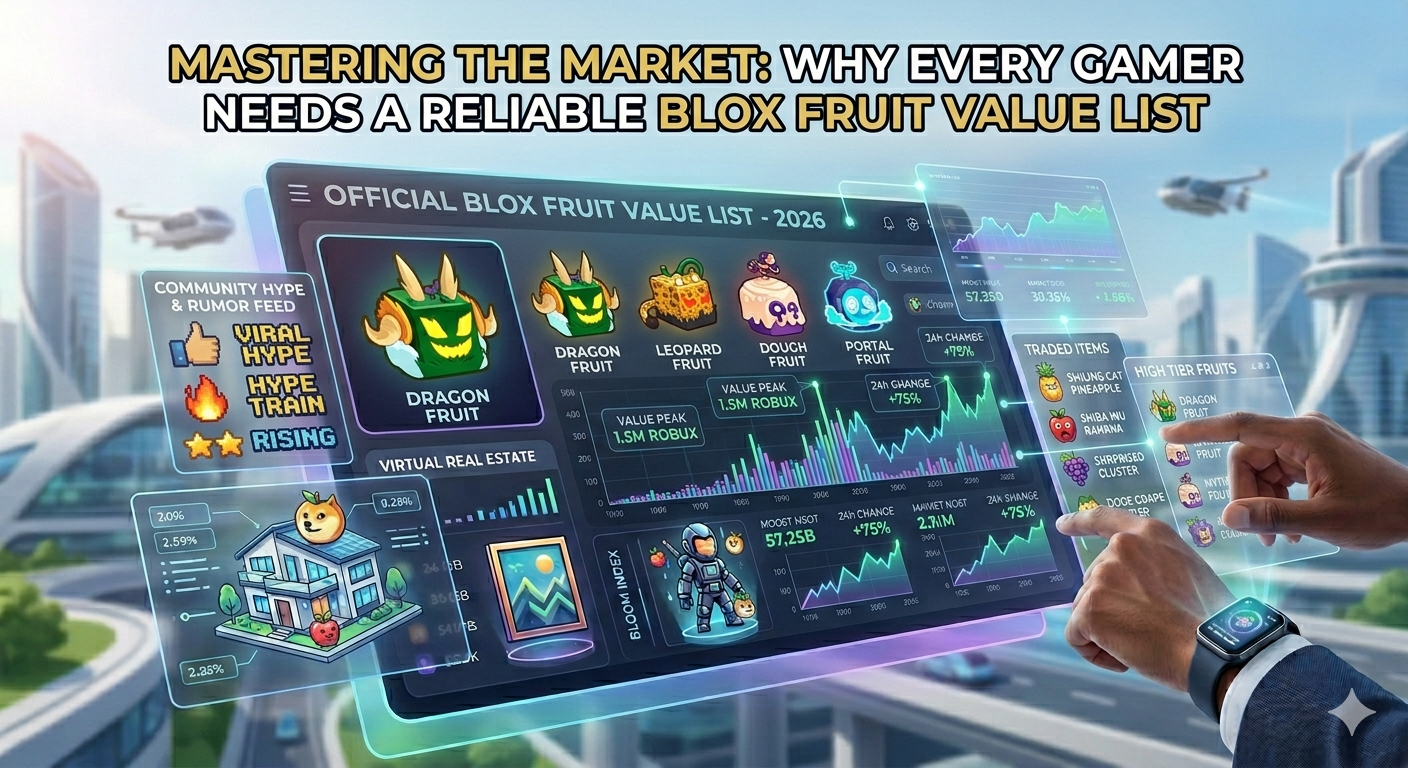
In the ever-expanding universe of Roblox, trading has become more than just a side activity—it is now a core part of the gaming experience. Players are no longer satisfied with simply collecting items; they want to maximize value, make smart exchanges, and stay ahead of market trends. This is especially true in games like Blox Fruits, where the value of in-game fruits can fluctuate based on demand, rarity, and community perception. In this fast-moving environment, having access to a reliable value system is not just helpful—it is essential for success.
The Importance of a Blox Fruit Value List in Modern Trading
A Blox Fruit Value List serves as a foundation for every serious trader. Without it, players are left to rely on guesswork, which often leads to unfair or unbalanced trades. This list provides a clear ranking of fruits based on their current market value, helping players understand what they own and what they can realistically expect in return. As trading becomes more competitive, those who use a structured value list gain a significant advantage over those who do not.
How Gamers Use Blox Fruit Value List to Check Trading Values
One of the most practical uses of a Blox Fruit Value List is to check trading values before making any deal. Smart players always verify the worth of their items to avoid losses. By comparing fruits and understanding their relative positions in the market, gamers can negotiate better and make informed decisions. The ability to check trading values quickly and accurately reduces the risk of scams and ensures that both parties benefit from the exchange.
The Role of Fruit Values Blox in Market Transparency
Fruit Values Blox plays a crucial role in maintaining transparency within the trading ecosystem. It acts as a trusted reference point where players can find updated and accurate information about fruit values. In a market where prices can shift rapidly, having a consistent and reliable source is invaluable. Fruit Values Blox not only helps players make better trades but also builds trust within the community by promoting fairness and consistency.
Why Accuracy Matters in Blox Fruit Value List and Check Trading Values
Accuracy is the backbone of any successful trading system. An outdated or incorrect Blox Fruit Value List can lead to poor decisions and significant losses. This is why players must rely on platforms that frequently update their data. When gamers check trading values using accurate information, they can confidently engage in trades without fear of being misled. This level of precision is what separates experienced traders from beginners.
The Strategic Advantage of Using Reliable Value Systems
Using a reliable value system is not just about avoiding bad trades—it is about gaining a strategic edge. Players who understand market trends and value shifts can predict which fruits will rise or fall in demand. This allows them to buy low and trade high, maximizing their gains over time. A dependable Blox Fruit Value List becomes a powerful tool for long-term success, turning casual players into skilled market participants.
Future Trends in Blox Fruit Trading and Valuation
As the trading ecosystem continues to evolve, we can expect even more advanced tools and systems to emerge. Real-time updates, community-driven insights, and data analytics will likely play a bigger role in shaping value lists. Fruit Values Blox is expected to adapt to these changes, providing even more accurate and user-friendly solutions. The future of trading in Blox Fruits will be defined by those who can combine knowledge, timing, and the right tools.
Conclusion
Mastering the market in Blox Fruits requires more than luck—it demands knowledge, strategy, and reliable information. A well-maintained Blox Fruit Value List is an essential resource for any gamer looking to succeed in trading. Combined with the transparency and accuracy offered by Fruit Values Blox, players can navigate the market with confidence. As trading becomes more complex, those who consistently check trading values and stay informed will always have the upper hand in this dynamic virtual economy.

Video production has traditionally been a process of moving between tools. Creators would create their plans in one place, then create images in another, edit in another, and then apply sound and other effects. Even the simplest projects required coordination among several steps, which frequently could slow down the process.
That model is starting to shift. A more integrated method is emerging, in which the creation process is one flow instead of through separate stages. At the center of this transition is Seedance 2.0, a multimodal model that brings different elements of video production together in one process.
A Single Workflow Instead of Multiple Tools
Working across multiple tools has always required time and coordination. Each step introduces friction, whether it is transferring files, adjusting formats, or aligning outputs.
Seedance 2.0 removes much of that complexity by allowing creators to work with text, images, video, and audio together in one generation. Instead of assembling pieces after the fact, the system produces a cohesive result from the start.
Within Higgsfield, this becomes even more practical. The workspace allows creators to manage and refine their output without breaking their flow. This creates a more direct connection between idea and execution.
This shift reflects what many describe as All-in-one disruption, where production no longer depends on stitching together separate tools.
Multi-Shot Narratives with Built-In Continuity
Making multi-shot videos has historically required careful editing in order to keep continuity. In order to ensure consistency of characters and smooth transitions are often added levels of effort.
Seedance 2.0 is a different approach. It allows multi-shot narratives, where the character’s consistency is maintained across scenes automatically. Each shot could last up to 15 minutes, and these sequences are able to be joined to make longer sequences.
Higgsfield helps with this workflow by offering creators an organized environment in which to improve and link the scenes. Instead of trying to fix gaps, creators can concentrate on shaping the story.
This changes the way storytelling is handled. The emphasis shifts from the assembly of clips to directing a full sequence.
Audio and Visuals Created Together
The audio component is usually separated from the production of video. Music, dialogue along with sound effects often added after the finalization of the visuals this can result in issues with timing.
Seedance 2.0 integrates audio and video generation into one process. The synchronization of dialogue is done in conjunction with lip movements, and audio elements are aligned to the video from the start.
Higgsfield supports this workflow by giving creators a structured environment to refine and connect these scenes. Instead of focusing on fixing inconsistencies, creators can focus on shaping the narrative.
When you combine all of these elements in one go this eliminates the need for major post-production adjustments.
Cinematic Control Without Technical Barriers
Achieving cinematic quality has often required specialized skills. Lighting, camera movement, and composition all play a role, and mastering them can take years.
Seedance 2.0 introduces a different approach by allowing creators to guide these elements without needing deep technical expertise. Camera angles, lighting, and motion can be shaped within the generation process.
Higgsfield provides the environment where these controls can be applied effectively. Creators can fine-tune transitions and adjust pacing while maintaining a smooth workflow.
For those exploring how structured visuals improve storytelling, this guide on cinematic video techniques offers useful insights into how visual composition enhances engagement.
From Inputs to Campaign-Ready Content
Marketing teams often work with a mix of assets, including product images, text, and short clips. Turning these into polished videos usually requires multiple steps.
Seedance 2.0 simplifies this by allowing creators to combine these inputs into a single generation. The result is content that feels cohesive and ready for use.
Higgsfield supports this process by enabling creators to refine and adapt their output without leaving the workflow. This reduces the time needed to move from concept to final content.
For brands, this creates a faster path to producing promotional material that aligns with their messaging.
Action, Motion, and Effects in One Process
Complex scenes involving motion and visual effects have traditionally required separate tools and workflows. Each element needed to be created and integrated carefully.
Seedance 2.0 brings these elements together. It supports realistic motion, collision physics, and slow-motion sequences within a single generation process.
Higgsfield allows creators to guide these elements while maintaining consistency across the entire sequence. This makes it easier to produce dynamic content without breaking the workflow.
The result is a more fluid creative process where action and storytelling are developed together.
Rethinking Efficiency in Video Production
The effectiveness of video production has been largely based on the ability of creators to manage different tools. Even the most experienced teams have to have to coordinate between various elements.
Seedance 2.0 alters this by reducing the requirement for separate tools. Through integrating multiple elements of production into a single process it lets creators accelerate their work while keeping the control.
Higgsfield is a key player in this transition by offering a workspace that lets all these tools can be combined. Instead of focusing on the transitions between tools, designers are able to focus on their end product. This creates an efficient workflow in which ideas are converted into content, resulting in less interruptions.
Conclusion
Video production is moving toward a more unified approach. The necessity to switch between various tools is gradually being replaced with systems that manage multiple aspects of production at the same time.
Seedance 2.0 shows this shift clearly. Through the combination of multimodal inputs, multi-shot storytelling as well as the synchronization of audio and images It alters the way content is produced.
Higgsfield incorporates these capabilities in a an easy workflow, allowing creators to go from concept to implementation without unnecessary hassle.
The outcome isn’t just increased production. It’s a more integrated method of production, in which each step of the process is integrated right from the beginning.

In today’s rapidly changing digital space, creating video content is no longer a complex or resource-heavy task. Thanks to the advancement of modern technology, almost anyone can create attractive video clips within minutes. An AI video generator has dramatically reduced barriers to entry, allowing creators, brands, and even beginners to participate in video production without the need for advanced technical knowledge. Higgsfield is further pushing this shift by enabling more structured and controlled video creation workflows.
But despite this accessibility, a huge gap remains between videos that are created and videos that actually perform. Many creators rely heavily on an AI video generator, yet still struggle to engage viewers or drive meaningful action. The reason is a crucial distinction that is often ignored: generating a video is not the same as directing one.
Generating focuses on output, while directing focuses on intent. One provides visuals, while the other creates meaning. And in today’s content-driven world, that meaning is what truly captures attention.
Generation Creates Content, Direction Creates Purpose
When you create videos using an AI video generator, the process is mostly automated. You input instructions, and the system produces an output based on learned patterns. While the result can look visually impressive, it often lacks a clear objective or strategic direction.
Direction shifts this mindset completely. Instead of simply producing content, it focuses on creating results. Higgsfield helps bridge this gap by giving creators more control over how their videos are structured and executed.
As outlined in modern content strategies, the real issue is not the lack of tools but the lack of structured production thinking. Many creators depend on outputs but fail to define what those outputs should achieve.
The key difference:
- Generation asks: What can I create?
- Direction asks: What should this video accomplish?
This shift is what separates average content from high-performing content.
The First Few Seconds Define Everything
In today’s attention economy, the first few seconds of a video are critical. Viewers scroll quickly and decide instantly whether to stay or leave. Videos created with an AI video generator often struggle here because they follow generic patterns.
They may begin with aesthetic visuals, slow transitions, or branding elements that delay the message. However, direction prioritizes impact from the very first frame, and Higgsfield supports this through precise control.
A strong directed opening:
- Clearly addresses a viewer’s need
- Uses bold, attention-grabbing visuals
- Creates curiosity or emotional tension
This ensures that the viewer is engaged immediately.
Creative Control Is the Real Difference
The biggest difference between generating and directing lies in control. Without control, even high-quality visuals from an AI video generator can feel inconsistent or random.
Creative control through features like Cinema Studio, motion control, and first and last frame reference locking is what transforms basic outputs into professional-grade content, especially when using an AI video generator designed for structured and high-quality production.
Direction introduces a level of visual and technical authority that generation alone cannot provide.
This includes:
- Controlled camera movement instead of random motion
- Stable subject positioning across frames
- Realistic depth and cinematic focus
These elements create a sense of realism and polish that viewers instinctively trust.
Storytelling Is What Makes Content Memorable
One of the biggest weaknesses of relying only on an AI video generator is the lack of storytelling. While visuals may look impressive, they often fail to communicate a clear message.
Direction introduces narrative structure. With Higgsfield, creators can maintain continuity and build a stronger story flow across scenes.
Directed storytelling focuses on:
- Clear progression from start to finish
- Emotional engagement
- A defined message or takeaway
Instead of disconnected visuals, direction creates a cohesive experience.
Consistency Builds Trust Over Time
Consistency is a key factor in how content is perceived. Small inconsistencies in videos generated through an AI video generator can reduce credibility.
Higgsfield plays a major role by enabling consistent outputs across frames and scenes. This shift toward structured and reliable video production is also supported by industry video marketing strategies, which highlight how consistency directly impacts engagement and performance.
Consistency ensures:
- Recognizable visual identity
- Stable character presence
- Uniform tone across videos
Over time, this builds trust and strengthens brand recall.
Platform-Native Content Performs Better
Every channel has its own format and audience behavior. Videos created using an AI video generator are often reused across different environments without optimization, which reduces performance.
Direction ensures content is designed specifically for where it will be consumed. Higgsfield makes it easier to adapt visuals while maintaining quality and structure.
This involves:
- Designing for vertical, square, and horizontal formats
- Matching pacing to audience behavior
- Aligning visuals with trends
This makes content feel natural and engaging.
Speed and Quality Are No Longer Opposites
Many assume direction slows down production. In reality, combining an AI video generator with structured direction improves efficiency over time.
Without direction, creators spend more time fixing inconsistencies. With Higgsfield, outputs become more predictable and aligned from the start.
This allows creators to:
- Produce faster with fewer revisions
- Maintain consistent quality
- Focus on creativity instead of corrections
Scaling Content Without Losing Identity
Scaling content is one of the biggest challenges today. While an AI video generator makes it easier to produce more videos, maintaining quality and consistency is difficult.
Direction provides a repeatable approach. Higgsfield helps creators scale content without losing identity.
This helps in:
- Publishing consistently
- Testing multiple ideas quickly
- Maintaining strong brand presence
The Shift from Creator to Director
The biggest transformation in modern content creation is the shift in mindset. It is no longer enough to simply use an AI video generator. Creators must think like directors.
Higgsfield makes this shift easier by giving creators control over structure, visuals, and storytelling.
This means focusing on:
- Intent over output
- Structure over randomness
- Experience over visuals
Final Thoughts
While an AI video generator has made content creation more accessible, it does not guarantee results. True performance comes from direction: how you guide, structure, and refine the output.
Higgsfield highlights this shift by enabling creators to move beyond simple generation into controlled, high-quality production.
Because in today’s content landscape, success is not about creating more videos. It is about creating them with purpose.

Is Corporate Tax Filing in the UAE Just a One-Time Activity?

Mastering the Market: Why Every Gamer Needs a Reliable Blox Fruit Value List

Buying Properties with Sitting Tenants: What Every Investor Must Know

Sleep Rituals You Can Start Tonight

Game Maker without coding for beginners

Why Professional Property Valuation Is Important for Buyers

Enclomimed 25 (Enclomiphene) – Effective PCT Protocol

Nancy Hallam: The Inspiring Life, Career, and Success Story Behind Ian Wright’s Wife

Who Is Maisie Mae Roffey? The Private Life, Family Story, and Quiet Success of Julie Walters’ Daughter

Johnny Carell: Inside the Life, Family, and Rising Success of Steve Carell’s Son

Roy Hodges: Biography, Lifestyle, Net Worth, Family & Success Story (2025)

Meet Nancy Strang: The Inspiring Life, Success Story, and Legacy of Louis Theroux’s Wife
Enclomimed 25 (Enclomiphene) – Effective PCT Protocol
Nancy Hallam: The Inspiring Life, Career, and Success Story Behind Ian Wright’s Wife
Who Is Maisie Mae Roffey? The Private Life, Family Story, and Quiet Success of Julie Walters’ Daughter
Johnny Carell: Inside the Life, Family, and Rising Success of Steve Carell’s Son
Roy Hodges: Biography, Lifestyle, Net Worth, Family & Success Story (2025)
Meet Nancy Strang: The Inspiring Life, Success Story, and Legacy of Louis Theroux’s Wife
-
 Health3 months ago
Enclomimed 25 (Enclomiphene) – Effective PCT Protocol
-
Celebrity5 months ago
Nancy Hallam: The Inspiring Life, Career, and Success Story Behind Ian Wright’s Wife
-
Celebrity5 months ago
Who Is Maisie Mae Roffey? The Private Life, Family Story, and Quiet Success of Julie Walters’ Daughter
-
Celebrity6 months ago
Johnny Carell: Inside the Life, Family, and Rising Success of Steve Carell’s Son
-
Celebrity4 months ago
Roy Hodges: Biography, Lifestyle, Net Worth, Family & Success Story (2025)
-
Celebrity4 months ago
Meet Nancy Strang: The Inspiring Life, Success Story, and Legacy of Louis Theroux’s Wife
-
 Celebrity3 months ago
Who Is Daniel Clifton Pratt? Inside the Life, Family Values, and Legacy Behind Chris Pratt’s Father
-
 Celebrity6 months ago
Charlotte Edwardes: The Inspiring Journey of a British Journalist and Robert Peston’s Partner